


attf
Members
-
Joined
-
Last visited
Everything posted by attf
-
 I believe the Crown Vic with Vector only has one spotlight (on the driver's side)? Could we ever get an update for the other side as well? :)
- 964 comments
- 158 reviews
-
For those of you having this problem, it turns out the problem was not specific to these CHP cars. I found the fix in the comments to this video: https://www.youtube.com/watch?v=3d8nFOb7q5Y Top comments thowa1061 week ago I solved it. Start OpenIV, then go to "tools">"ASI Manager". Unistall "ASI Loader" and "OpenIV.ASI" and install them again. Reboot your Computer and start the Game. I hope that helped :)
- 964 comments
- 158 reviews
-
I'm sorry I'm not on my gaming PC right now so I don't remember which is called which (replace or addon), but I installed each car by manually dragging the 3 files into OpenIV. So I believe I used the replacement version, not the addon version that involves the .oiv file.
- 964 comments
- 158 reviews
-
Yeah, it's something weird. I was using the MegaPack cars with no issues. Installed this latest version's cars and VCFs, and only the front single red comes on during all stages (spotlights/takedowns and cruise lights still light up normally). So I reinstalled the older MegaPack cars and VCFs over the new version and still have the same issue. I am very confused what may have messed up.
- 964 comments
- 158 reviews
-
-
I am having this issue also. After replacing the older version cars with the ones from update (and their new VCFs), I am only able to turn on the single forward red steady burn. ELS cycles normally through all stages while pressing J but no other lights turn on during any stage. I reverted back to using the previous MegaPack version's cars and VCFs but for some reason the problem still persists! Any help would be appreciated.
- 964 comments
- 158 reviews
-
Also obv the Captain cars are rare so their internet presence is almost zero but I think more recently they've been given unmarked Explorers (with civilian rims). See below. Beginning at 0:48 there is an unmarked Explorer on the right with a CHP-style lightbar with the steady-blue and directional mounted in the bottom of the rear window.
- 964 comments
- 158 reviews
-
 Ah okay. Hopefully someone will find a way around it one day. Thank you for the fast responses guys.
- 501 comments
- 104 reviews
-
Is there any way to make it so the taillights/brake lights of the vehicles don't flash when your emergency lights are activated?
- 501 comments
- 104 reviews
-
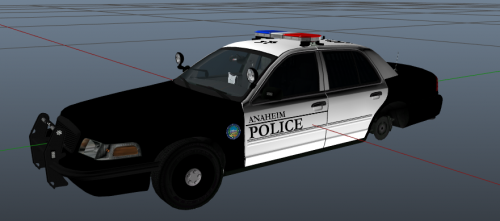 These skins are awesome, thank you for doing them! Let me know if you'd be interested in doing a UC Irvine PD skin to help complete your OC pack and I can get you some pictures.
- 11 comments
- 3 reviews
-
-

- 1
-
-
-
Hi Panther. I've also searched far and wide for a CHP car with this rear pattern of alternating amber/blue as I see quite often where I live. The only car I've ever seen that has this is Sgt. Kanyo's 2009 CHP Charger, unfortunately, no CVPIs I've come across.
-
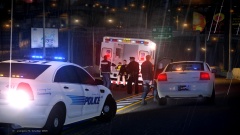 Looks like Laguna Beach, CA decals on that Caprice
 -
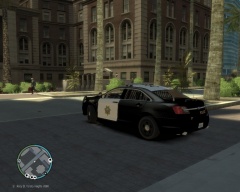
From the album: CA
University of California, San Diego Police -
-
-
Thanks Roth. I installed the Vision CVPI in the fbi slot which caused it not to work. I threw it into the police2 slot that it originally came in and now it works like a charm. Much appreciated!
- 40 comments
- 17 reviews
-
-
http://www. .com/gta-4/bikes/41119-bmw-r1150rt-police-nationale-els-v20.html European-style lighting set-up obviously not ideal for a CHP motor but it was the closest I could find.
-
Hi Sgt. Kanyo I love all your CHP cars and the attention to even the smallest details you put into them to make them as accurate as possible. A small fix to make this car look more realistic would be to raise the red spotlight slightly more so that the only part of the light itself that touches the bar it's mounted to is the very bottom edge. Currently the spotlight is too low and the bar appears to connect to the middle of the light.
- 25 comments
- 6 reviews
-
-
-
Essex/Union Auto Theft Task Force (ATTF) Vest Texture Realistic ATTF vest texture modification for NickieB's You must download and install his model to use this texture. Fonts, insignias, designs, and colors made to resemble the uniforms of Essex and Union counties' joint Auto Theft Task Force officers. INSTALLATION: Install NickieB's LCPD Vest Officer Model Using OpenIV or SparkIV, navigate pc>models>cdimages>compenentpeds.img Scroll to and select to edit the texture (.wtd extension) file of whichever ped you replaced with NickieB's model Once opened, scroll to select the existing vest texture called "uppr_diff_001_a_uni", then press Import Texture at the top Select the new ATTF vest texture, also called "uppr_diff_001_a_uni", and press Open to import it Press Save and Close in the upper-right and you are finished CREDITS: attf NickieB for LCPD Vest Officer Model and original base texture template for vest
- 8 comments
- 4 reviews
-
-


