


sherlocksq
Members
-
Joined
-
Last visited
Everything posted by sherlocksq
-
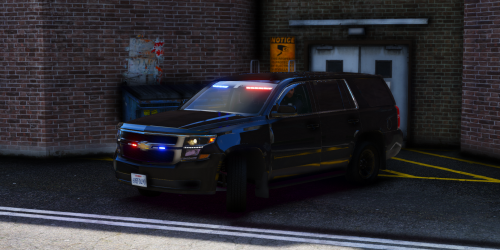 I love your model a lot! There is one thing I would like to point out though. The tail lights only work as break lights, meaning the tail lights only light up when vehicle stops. They should light up at night with the headlights. It would be great if you can fix it 🙂
 -
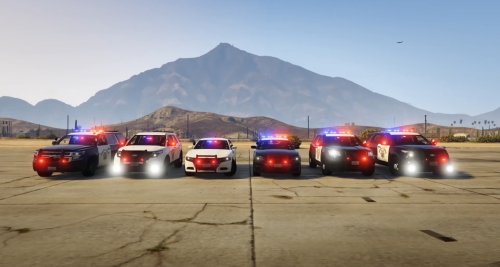 Hi there! Someone reported the problem a week ago on youtube as well, and I just realised the xml file I uploaded was not the correct one. So sorry for that. I have uploaded a v2.0 waiting for approval. If you have installed everything before, all you need is replacing the DLS xml files. Let me know after you try it out 🙂
 -
make sure if you rename the vehicle, you have to rename the DLS xml file's name as well. and make sure they all are EXTRA_ALL
-
There is a link to the DLS in the requirement section. Or you can search for Dynamic Lighting System. You will have a DLS folder in plugin folder after you install DLS. you will see the corresponding folder for the xml files :)
-
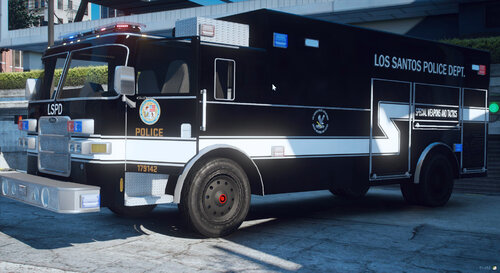 Hello Thero! I have noticed the 16pdfpiu's rear TA bar lights from extra_9 disappear in certain angles. Also, is it possible that you can make the lightbar R&B steady burn from extra_9 to work on the code 3 siren as well? As they are on with the lightbar in real life. I know I am asking a lot here, but your model is so close to perfect 😛
- 37 comments
- 4 reviews
-
OMG THIS IS A CRAZYYYYYY PACK!!!! I will see if I can make this work with DLS when I have time
- 37 comments
- 4 reviews
-
-

- 1
-
-
No it won’t. DLS xml file must be written for each vehicle’s siren setting individually in order the light to work, unless they use the same siren setting. I am pretty sure they are not the same unfortunately. Thero’s pack original liveries are SAHP, the CHP liveries in the video is made by myself.
-
Put it in where you installed Thero’s CHP pack.
-
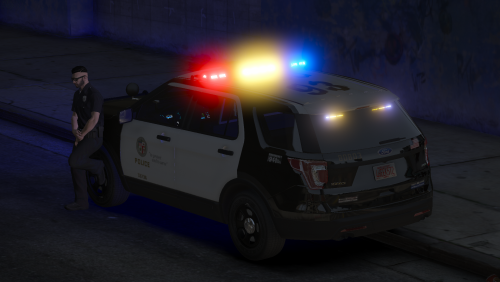 I think if you want to keep it authentic, you have to have: (1) remove "interceptor" on the hood (or change base model) (2) dual spotlight (3) different Federal Signal Valor Lightbar model (that has 2 lights for steadyburn under the lightbar) Nice try though! It's good to see non-ELS 2016 LAPD explorer as there is none at the moment. ps. I think you missed out the base model credit(?)
 -
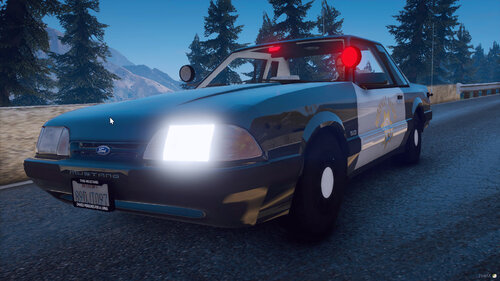 Can't believe that someone is looking for it! 😄 I have been working on it for a week, and I have just uploaded. Check my content for it! 😉
- 93 comments
- 3 reviews
-
Realistic California Highway Patrol (CHP) Light Pattern - 4 Stages of Traffic Advisory Light (Left, Diverge, Right, Warn) - Code 2 Red only (DLS Stage 1) - Code 2 All red and 1 blue light (DLS Stage 2) - Code 3 (Based on Thero's original carcols, few changed a bit) - Code 3 Yelp Light (DLS Custom Stage 1 - activated by siren tone 2) ************************************************************** **************** 6 Vehicles Currently Available ***************** ************************************************************** DEMO Video: Requirements - Dynamic Lighting System Dynamic Lighting System - Script Modifications & Plugins - LCPDFR.com - Thero's Non-ELS CHP Pack [Non ELS, Working TA Bar]Lore Friendly CHP Vehicle Pack - Vehicle Models - LCPDFR.com Installation (Required) - Place everything in the DLS folder into your GTA5\Plugins\DLS folder - Rename XML files if you have changed the installed vehicles - Go to the installed vehicles.meta and search each vehicle's <flags> line, and look for "FLAG_EXTRAS" - If it is "FLAG_EXTRAS_REQUIRE" or "FLAG_EXTRAS_RARE", replace it with "FLAG_EXTRAS_ALL" (Optional) ** If you do not update the carcols provided, AI spawn vehicles will have weird TA bar ** - Copy everything in each txt and replace the same siren id value in carcols.meta that you have installed Thero's CHP pack. - Repeat for all the vehicles that you have installed. This is the first time I upload a mod, I have only been downloading files created by all the great and wonderful creators. I have been enjoying Thero's CHP pack, and came across DLS system, so I have tried to make this pack work with it. I have worked hours to test carcols setting and make this XML files, so I would like to share it with everyone instead of just using it myself. If anyone of you have problem with installing this, please leave a comment below, so others and I can help you a bit. Hope you guys enjoy! CHP Light Stages Reference: https://youtu.be/BZgjOeVWXsY?t=230 https://www.youtube.com/watch?v=78RPbRoFrRo&ab_channel=AndrewBinder https://www.youtube.com/watch?v=O36bomTOnbg&ab_channel=AndrewBinder
-
 Very nice mod! I am working on xml files for a released non-els pack to work with DLS. One thing I'd like to know, when on stage 1 or 2 cars still move out of the way. Is there a way to change that only on stage 3 they will move?
- 282 comments
- 22 reviews
-
When I have enabled the Siren Control for Non DLS vehicles, whenever I enter a Non-DLS vehicle, the siren is the default police, instead of what those vehicle's audioNameHash has bound to. Is there plan to make the xml file able to left <Sirens> blank (using default carcols) with the ability to do tone customisation, so it can replace the SirenMastery for Non-ELS all at once?
-
.thumb.png.09e64702ba6f963ef8d888e548a99e6b.png) Please do a 2016 Taurus!! I really want a non els taurus to complete my LAPD fleet
Please do a 2016 Taurus!! I really want a non els taurus to complete my LAPD fleet -
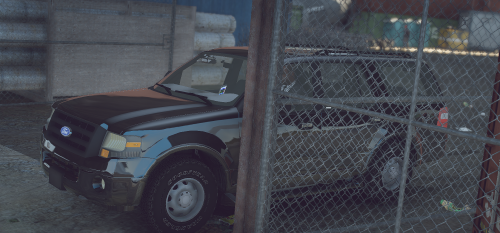 Looking forward on the R&B version! 🙂
 -
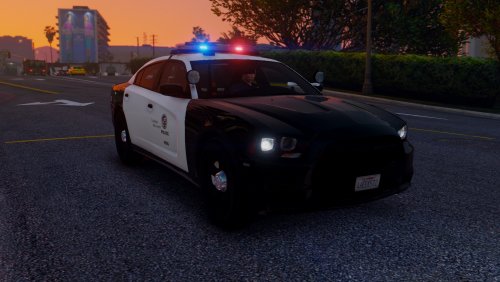 I love the charger! Is there anyway to make the light brighter by editing carcols? The one thing that bothered me is that this charger is more dim than all the other add on I have installed
- 56 comments
- 22 reviews
-
 I just installed it but Rage cant load the plugin, here is what the termination says: at SceneManager.EntryPoint.MyTerminationHandler.(ObjectSender, EventArgs e) C:\Users\Rich\Desktop\Mod Stuff\Mod Development\SceneManager\SceneManager\EntryPoint.cs:line 57 I don't know if that has anything to do with the SceneManager.ini but I did not edit the setting at all, in line 57 it says: Flare=prop_flare_01b Anyone has any clue what I have done wrong? Thanks in advance
- 237 comments
- 24 reviews
-
 I'm using VisualV, and edited the some brightness myself as the default VisualV setting comes with very dim tail light and head light. I don't know if that would be affecting it, but all other addon cars are fine. Thanks again!
- 116 comments
- 13 reviews
-
It is very yellow in day light when there are fog or rain, not too big of an issue. I asked just in case I might have messed up installing. Thanks for the quick reply! 🙂
- 116 comments
- 13 reviews
-
-
2020-01-301_46_26PM.thumb.png.a89df8b6df06e36a9df3029489959748.png) I really love your charger. Can you upload a different version without the window bars though? That would be perfect!
I really love your charger. Can you upload a different version without the window bars though? That would be perfect!- 11 comments
- 1 review
-
This is a really nice pack with the all the most popular models! Hope to see more non-ELS from you, thank you! Can you make a version of these without the window bars though? that would be perfect!
- 11 comments
- 1 review

.thumb.png.09e64702ba6f963ef8d888e548a99e6b.png)

2020-01-301_46_26PM.thumb.png.a89df8b6df06e36a9df3029489959748.png)