Pjotr
Members
-
Joined
-
Last visited
Everything posted by Pjotr
-
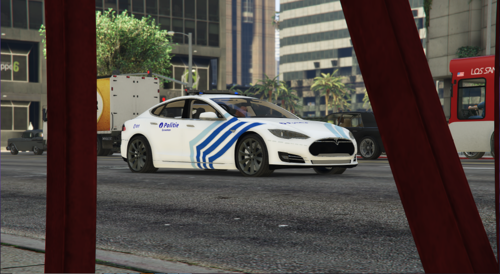 Since when does the Belgium police have Tesla's?
 -
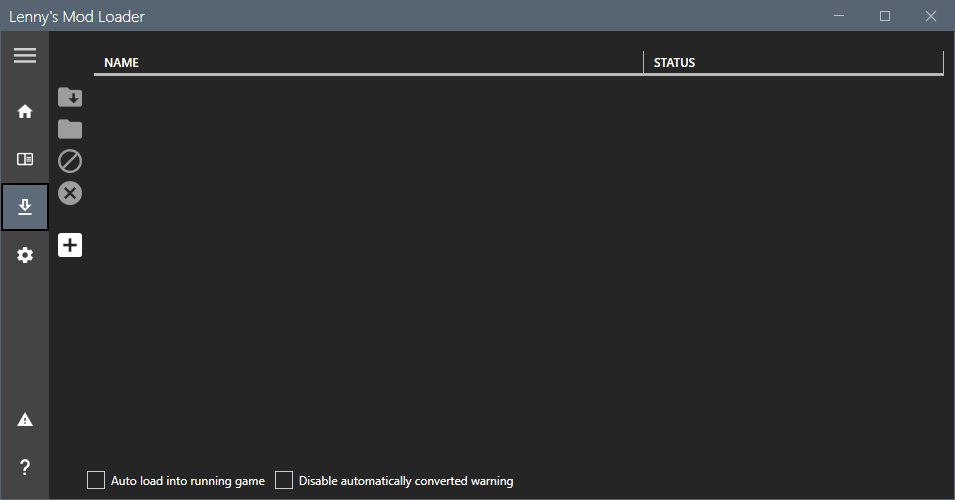
When trying to download https://www.lcpdfr.com/downloads/gta5mods/misc/24718-gameconfigxml-for-lml It doesn't show up in my UI nor in my installed section I tried restarting my PC, launching GTA to "connect to the game" and reinstalling all didn't work, I am running version 4.1.

-
 Yes, he is planning on adding 70 callouts, that is almost 3x as large as UnitedCallouts. And I think a pursuit callout would be about 150 lines of code so that is about 10,000 lines of code. This will not be just another callout pack. Definitely give this guy some credit for having a big ambition
- 191 comments
- 7 reviews
-
-

-

- 3
-
-
-
First you will need to learn C# (the most common and easy language plugin's can be coded in) http://rbwhitaker.wikidot.com/c-sharp-tutorials After that here are some guides to get started with the LSPDFR API and RPH If something is outdated feel free to ask
-
 A good installation tutorial by @HighwayTrooper
 -
-
 Could you please add some context to that statement, what leads you to believe that this plugin is outdated for example?
- 299 comments
- 25 reviews
-
When you pull over a vehicle, it's model name appears next to the minimap It automatically runs platechecks via either STP if installed or LSPDFR if not Same for ID checks Plans I have: Write a better plate reader Disable the radio so you can still use CompuLite/A different police computer without the radio getting in the way All ambient police vehicles get a blip attached to them Random ambient drunk peds at night Sure, will write a better description on what it does
-
-
-
You could also check out this https://www.laptopmag.com/articles/how-to-use-the-5-ghz-band-on-your-router
-
RealisticDrivingV has a option for that, make sure to ask it in the correct section next time.
-
This is a plugin error, try updating LSPDFR and RAGENativeUI to their latest versions https://github.com/alexguirre/RAGENativeUI/releases
-
Try accessing your WiFi dashboard by going to (usually) 192.168.1.1 just as a url, you can find login credentials on the bottom of your router. then change the signal from 2.7GHz to 5GHz this will lower the distance you can still be connected to the wifi but increases speeds.
-
Looks cool! Here is a C# crash course http://rbwhitaker.wikidot.com/c-sharp-tutorials And here is the quickstart of the RPH documentation https://docs.ragepluginhook.net/html/e934ee8e-1c72-4259-bb65-8276c48de660.htm
-
Windows is being general trash and unstable (not for the first time), so I have reinstalled it again (5th time since March now). If it does the exact same thing again I will install the oldest version of Win 10 I can find if that is not possible I will switch to either Ubuntu or Manjaro. That's why development might be slowed down a bit.
-
-
I have tested with Gwen (What Computer+ is based on) but I do not think it is possible to do a system like that. More like a Computer+ or a CompuLite system. I won't do the Database system since I just do not have the time for that. Might be just a ped and vehicle search system I will try to make it completely different from CompuLite though
-
2 will be in the next update and 1 will be with the rewrite. Also here a list of features/bugs I already coded/fixed: And here a list of features to be added in the near future: wontfix means that it will be done in the rewrite.
-
No, and I am planning to make them integrate with an ini setting I think it should be more clarified for who this plugin is made and why it is made Who This plugin started off as a private one because I did not want to use Bejoljo's mods, but I just published it on lcpdfr.com because I thought some people might be interested. This is not intended to replace any of Bejoljo's mods but to enhance LSPDFR that's why the name is YetAnotherEnhancer Why Kept forgetting the number plates from the vehicles and names from id's to put into the console.
-
Sure, will make a ini thanks for your suggestion
-
YetAnotherEnhancer YetAnotherEnhancer is a plugin for gta that aims to improve a bunch of stuff that I miss and other people miss from the default modifications, feel free to leave a suggestion if you want a feature to be added! Requirements LSPD First Response 0.4.8 RAGEPluginHook 1.86 StopThePed 4.9.4.3 It is highly reccomended to use uBlock Origin when entering Bejoijo’s site, the ads might lead to scamming sites Installation Video tutorial: Installing RAGEPluginHook Go to RAGEPluginHook.net and download the zip file Extract the file with WinRAR Open your GTA root folder Drag and drop all files into it Installing LSPD First Response Go to the plugin’s download page Download the file and extract it with WinRAR Drag and drop all files into your root directory with replace turned off Installing YetAnotherEnhancer Download the plugin Extract the file with WinRAR Drag and drop all files into your GTA folder Support Please join my Discord or leave a comment with the file RAGEPluginHook.log. Suggestions Leave a comment explaining your suggestion and I will try to add it, if it is possible and appropriate.
-
I do not know them all, sorry.
-
You can find all animations here: https://docs.ragepluginhook.net/?topic=html/62951c37-a440-478c-b389-c471230ddfc5.htm