




Charlie686
Members
-
Joined
Everything posted by Charlie686
-
 Of course I understand - but we're talking about development here, and the fact of the matter is that no code is being executed. Maybe you'd like to test removing your other plugins & trying again. You're the only one to report this issue; I've never been able to replicate it, nor my testers, nor has it been reported by anyone else. If you aren't willing to sign up to the platform - for whatever reasons you have to right to have - then I cannot look into this issue further. Take care! 🙂
- 311 comments
- 60 reviews
-
-

- 1
-
-
If that's the case, it is unlikely your issue is caused by 686 Callouts. It was doing nothing at the time of the crash (having loaded several seconds prior), as evidenced in the below section of your log. That's not to say you might have a conflict with an existing modification - but this is something we can look into further! [1/23/2023 11:03:45 AM.245] LSPD First Response: [686 Callouts] All done, have a fantastic patrol! Given this modification is released entirely for free, off the back of my spare time, I hope people can understand the value in making things a little more convenient for me by contacting me through Discord. I can see you have joined the support server, and I'd be appreciative if you opened a ticket in the #686-tickets channel, thank you. 😄
- 311 comments
- 60 reviews
-
-
- 2
-
-
I acknowledge your explanation and thank you for that; the log contains critical information on the relation of 686 Callouts' loading process to your game through informational logging, which is incredibly important. Your log does have an issue in regards to 686 Callouts, one which will be patched in the next build. But - this should not be causing any issues or the one you described. That issue can be fixed by simply restarting GTAV & reloading up LSPDFR, so please give that a try. The only thing that changed in the latest update is when some logging occurs, so it's incredibly unusual that you are experiencing this issue with this build, but not the previous. As such, I'd advise you to join my Discord here where we'll be able to look into this more effectively, given this is complicated in nature. In gratitude, I'll provide you with the next beta build for 686 Callouts which features a new callout. Thank you, Charlie686
- 311 comments
- 60 reviews
-
-
- 2
-
-
Thank you for reaching out - but I'm not sure how you expect me to look into this without your log file.
- 311 comments
- 60 reviews
-
Hey there, Not 100% sure what you mean by 'clicking during action', but please attach your RagePluginHook log - a text document found in your main directory. Thank you!
-
Don't turn off your antivirus. Please attach your RagePluginHook log - a text document found in your main directory. Thank you. 🙂
-
Hey there, Update RAGENativeUI from here. Hope this helps. 🙂
-
Hey there! Please attach your RagePluginHook log - a text document found in your main directory, not your logs folder. Thanks. 🙂
-
No problem - if you need anything else, let me know! 😄
-
These plugins have an available update: Visit the file pages to download their latest updates. 686 Callouts (Thank you for using my callout pack!) Emergency Callouts ManiacCallouts Radio Realism FR / OfficerPorciPlugin United Callouts Yobbin Callouts These plugins are outdated and not updated for recent LSPDFR versions. This does not mean they'll cause issues, but as plugins get older and fall behind the latest LSPDFR API, the possibility of them causing problems increases. You are welcome to try re-adding them after your issue is fixed, and keeping them if you realise one of them isn't causing you issues. But, I recommend their removal for the smoothest experience. Callout Manager Computer+ LSPDFR+ These plugins have been identified as having issues. Please read the information below & remove them. Immersive Dispatch [Plugin discontinued & all features merged to GrammarPolice.]
-
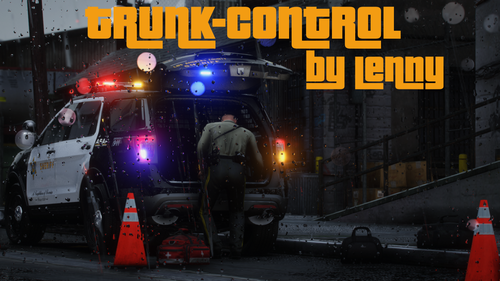 A great modification - Lenny has gone the extra mile to make this the most reliable, intuitive & realistic trunk system. Specifically, including a closing trunk animation is a notable difference, absent from plugins like Stop The Ped. It was a real treat to be apart of the development process.
- 47 comments
- 14 reviews
-
-
-

- 2
-
-
Hey there, Please rename your mods folder to _mods; this disables it temporarily, and is a diagnostic step. After, retry. Let me know how it goes. 🙂
-
Hey there, This crashed has been caused by ALPR+; it is outdated & behind the current LSPDFR API, which directly links to this issue. You should remove it and if you'd like, check out ALPR Lite as an alternative. Hope this helps. 🙂
-
Update GTAV, update RAGEPluginHook, update LSPDFR.
-
Great to hear it is fixed, have fun! 😄
-
If you cannot run with SHVDN, yep.
-
Hey there, Please attach your RagePluginHook log - a text document found in your main directory. Thanks. 🙂
-
Hey there, Thanks for using 686 Callouts! (Not causing your issue - don't worry!) The reason you are crashing is because you haven't installed RAGENativeUI, which is required for some plugin you've installed (Bejoijo's). It can be found here. Hopefully this helps. 🙂
-
Responded in your other thread.
-
Hi there, Please attach your RagePluginHook log - a text document found in your main directory. Thanks. 🙂
-
This issue does not appear to be LSPDFR-related, otherwise an LSPDFR crash would be recorded in your log. Please rename your mods folder to _mods and retry.
-
Update LSPDFR & ensure you installed ZPhDevs.Common which is required for Lore Callouts.
-
Hey there, Thanks for using 686 Callouts! 😄 Your issue is because you're on an old version of RAGENativeUI, get the latest here. Let me know how this goes.
-
 You should attach your RagePluginHook log (found in your main directory) in order for the developer to look into this issue. Equally, I've seen a few crashes from users using an outdated RAGENativeUI. Make sure yours is updated. @Officer Jared - it might be worth introducing a check to prevent such crashes, which might get your plugin accidentally being labelled as 'at fault' 🙂
- 46 comments
- 3 reviews
-
-
- 1
-
-
Yep! GrammarPolice contains a on-screen radio & Arrest Manager is replaced by Stop The Ped / Ultimate Backup.

