




Charlie686
Members
-
Joined
Everything posted by Charlie686
-
You can just try removing it, and it will use the default one. See if that works fine, I presume it should.
-
Nice to hear! Enjoy 😜
-
Attach your RagePluginHook log -> a text document found in your main directory.
-
Albo's plugins are out of date and I advise their removal. As well as, increase your Plugin Timeout Threshold to 60,000 and retry.
-
You've edited an XML recently, or installed a faulty one. Revert your recent changes.
-
Have you installed a heap adjuster?
-
Try disabling the Stop The Ped Realistic Weapon System in the ini file.
-
 That made no sense but, you've deleted your account so I guess we'll never know.
 -
Well, guess you just have to sit tight until something is released to your liking 😄
-
Attach a screenshot of where they are installed.
-
New log please 🙂
-
But yeh, I wouldn't know. I can recommend these however:
-
Nice to hear, enjoy!
-
It disables it. This means the issue resides in your mods folder. Do you have a custom game config and heap adjuster installed?
-
It was a figure of speech. In more blunt terms, your advice is invalidated as, your initial comment, clearly wasn't advice. Yes you can. You can do what you like 😂 Stop controlling what people want to do and let them enjoy themselves without having you rant in their comments calling it garbage.
-
"this piece of garbage" You can't call something garbage, complain about how it has done well while your hasn't, find the downloads pathetic, then say it was all "points of advice"😂
-
Update RageNativeUI: https://github.com/alexguirre/RAGENativeUI/releases
-
As per the FAQ, you are missing the .NET framework. Install it here: https://dotnet.microsoft.com/download/dotnet-framework/thank-you/net472-web-installer
-
Make the GTAV folder an exception to your antivirus & Windows Security then retry. If that doesn't work attach a new log.
-
Yes but, and this is more a guess, after a couple of days if you re-enable it you may no longer keep encountering that suspect.
-
Rename your mods folder to _mods again.
-
Nice to hear, enjoy!
-
That's a first 😂 That wouldn't be caused by your Plugin Timeout Threshold though which simply gives plugins more time to load. Try it anyway, then attach a log please.
-
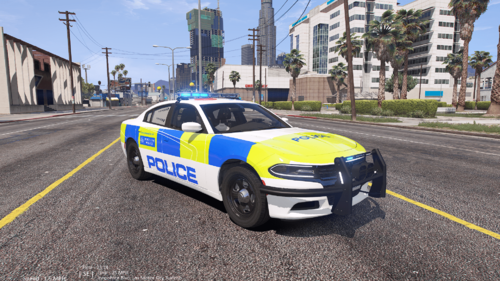
First off, it was a joke skin. So again, it isn't "rushed" Actually no. You can do what you want. Clearly this skin wasn't serious. In the file desc. it says " This vehicle is a fictional Met police Dodge Charger. Hopefully it never becomes true." So please, stop telling people what to do and how to do it 😂
-
No problem, enjoy 😜

