




Charlie686
Members
-
Joined
Everything posted by Charlie686
-
Using a different ScriptHookV? If it isn't for GTAV it won't work but, if it does, then no need to touch it if it works. 😄
-
Attach a new log please.
-
Rename your mods folder to _mods and retry.
-
Not sure but anywho. Out of interest, where are you getting dinput8.dll from?
-
Hello @SanchezzzRUS, Maybe you remember me, maybe you don't. 😄 Anyway, make sure all those plugins are up to date. That is largely why this issue appears.
-
Load GTAV without RAGE, until you fully get in game, story mode. Once in, ALT + TAB out and launch RAGE letting it hook.
-
Attach your RagePluginHook log - a text document found in your main directory.
-
Attach your RagePluginHook log - a text document found in your main directory.
-
In what sense does it not work?
-
Nice to hear, enjoy. 😄
-
Just popping in, but you can view the plugins in the log. 😄
-
You do not. You need to update GTAV by verifying your game files.
-
Attach your full log please. 🙂
-
Not at all, enjoy. 😄
-
Use the manual install instead please, then try again.
-
Did you install LSPDFR automatically?
-
Attach a screenshot of /Plugins please. Edit: Oh, okay. Glad it is resolved nonetheless.
-
What recent changes did you make prior to this issue?
-
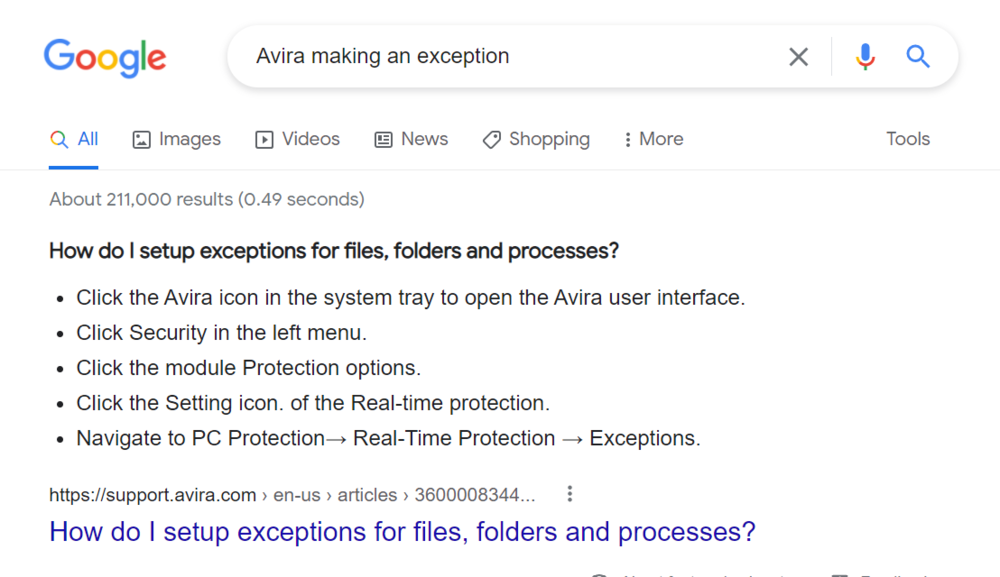
Google is a helpful place...
-
Search for whichever antivirus you have and I would suggest google, it isn't something you'd really find on youtube.
-
A vehicle is invalid, re-enable your custom folder then disable your mods folder by renaming it to _mods.
-
No. If you read the description, that just is just for searching your system. You need to make an antivirus exception for whichever one you use.
-
Attach a new log please.
-
Realism Dispatch Enhanced is 4 years old, I would suggest removing it.
-
Rename your mods folder to _mods and retry.


