


HejGy777
Members
-
Joined
-
Last visited
Everything posted by HejGy777
-
If you only have callouts and no mods (like vehicles, sirens, visual add-ons, AI behavior, etc.) there's no reason to keep a MODS folder in your main GTA folder. The last option is to start over. Uninstall LSPDFR, verify the integrity of the GTA files, reinstall LSPDFR and carefully install the callouts one by one. One tip for you. I prefer to download mods that have been updated at least after 2022, because they support the latest version RPH 0.4.9. Sometimes you will find that they support 0.4.8, but I don't download those anymore to avoid any issues.
-
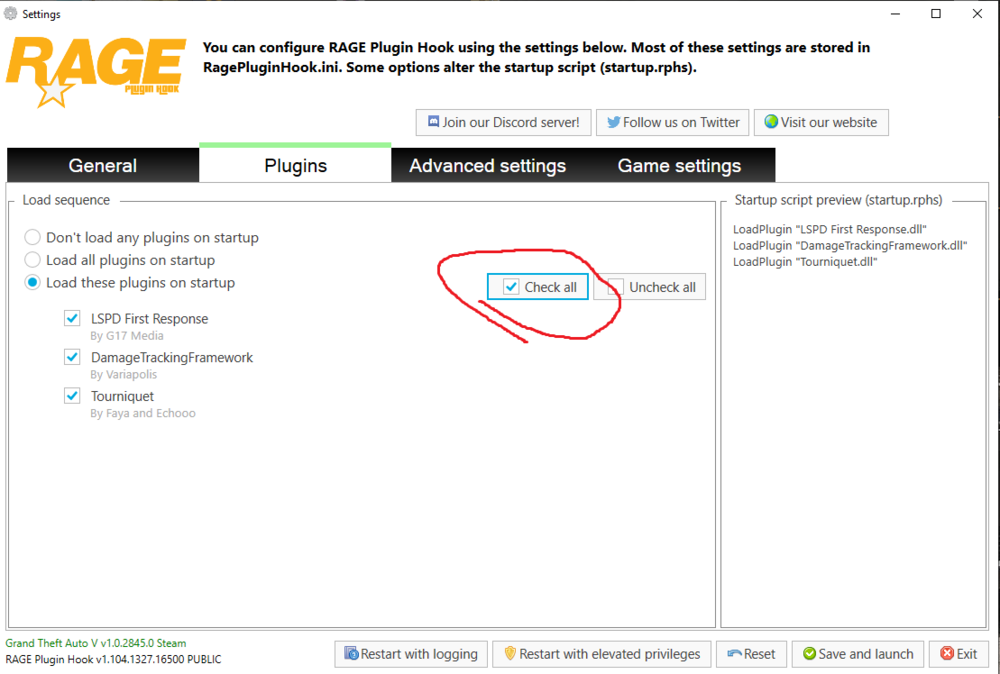
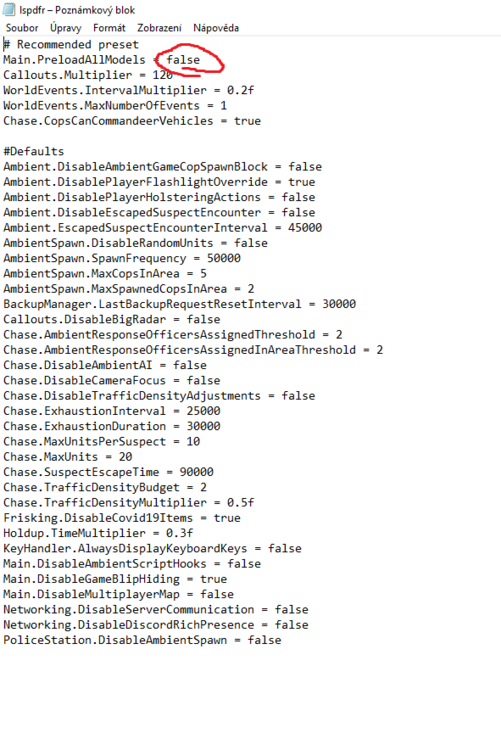
I also recommend to check this out:
-
The last option is to check RagePluginHook.dll to see if it is up to date with the latest version. Or try to rename the MODS folder to _MODS and try again, if it works then something is installed wrong in the mods folder
-
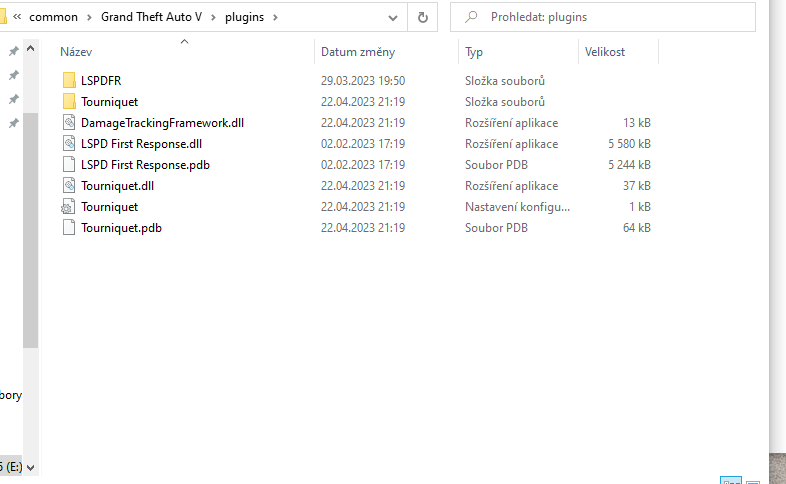
I have this installed and I have an almost 7 year old PC. And I'm totally fine
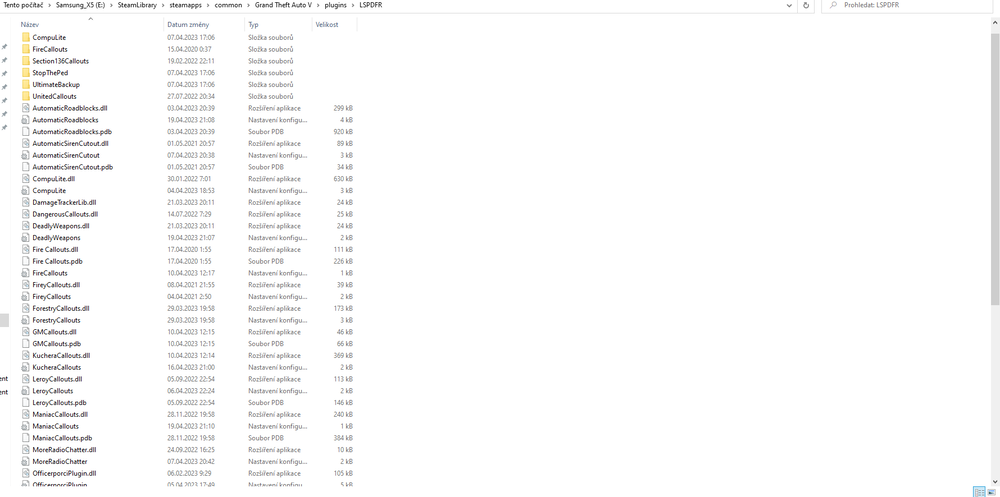
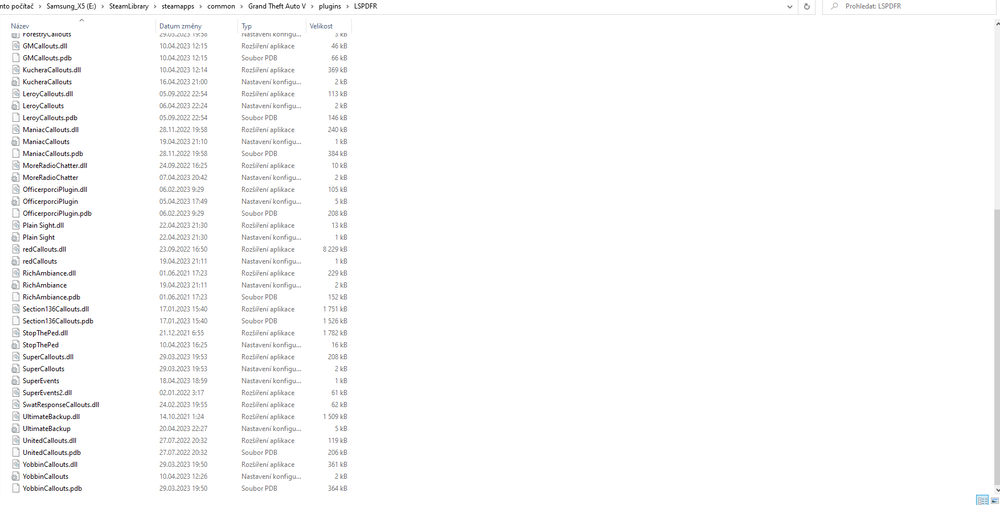
-
No just remove these no there is no 😄
-
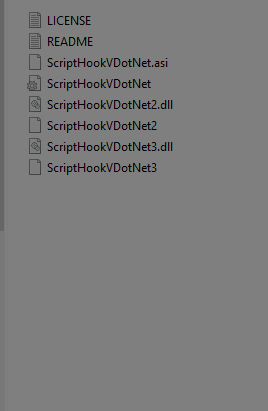
there is a problem with it now... and the authors know it. I had the exact same thing and I solved
-
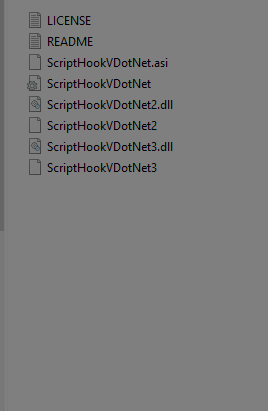
You should remove it. Remove all files named ScripthookDotNet.asi, and dll. Also remove the SCRIPTS folder
-
I mean if you have something like ScripthookDotNet.dll in the main GTA folder
-
Hey, are u using some scripts?
-
 Hello, Unfortunately, I'm reading what's going on here and I have downloaded version 0.7.0. At first I didn't know why my game kept crashing, then I found out when I removed AutomaticRoadblock from the file that it was this plugin. I don't know how I can help fix it, but I just want to support your efforts and good work. So just don't give up and keep going. Good luck. I'm going to download 0.6.0 😉
- 248 comments
- 18 reviews
-
-

- 2
-
-
Status update: I have resolved this issue, the bug was somewhere with the FireCallouts mod. I pulled all the mods out of the plugin folder and gradually put them back in and tried in game to see if the game crashes. I don't know what it was, so I can't share more details, but I simply removed this callout and it works now. So problem solved.
-
I have two types of vehicles. One of the few is a REPLACE and it is already old. Even though I have uninstalled GTAV several times, it has always worked for me. Try doing these steps. 1) The .xml file goes to: GTAV > ELS > pack_default 2) The .yft and .ytd goes into the last PACHDAY (patchdayg9ecng) : GTAV > mods > update > x64 > dlcpacks > patchdayg9ecng > dlc.rpf > x64 > levels > gta5 > vehicles.rpf 3) Make sure the .yft, .ytd and .xml files are named the same (like police4) To test this, press F4 to open RAGE in a game and spawn the police4 car. I don't know if the crash is related to vehicle mods, but it's better if you delete the traffic policer. I had the problem when I was using TrafficPolicer and StopThePed. I only use StopThePed and UltimateBackup
-
What type of mod do you have? Replace or Addon?
-
Hi, I'm not new here but I need help from the experts. The game crashes after a few minutes. I installed everything as instructed and checked all the plugin updates. About half a year ago I managed to solve it somehow and also other issues but now I have the same problem. I didn't see anything after reading the .logs, but I'm getting pretty tired of it. Can anyone help, where is the problem? 😑 RagePluginHook_21032023_185457.log
-
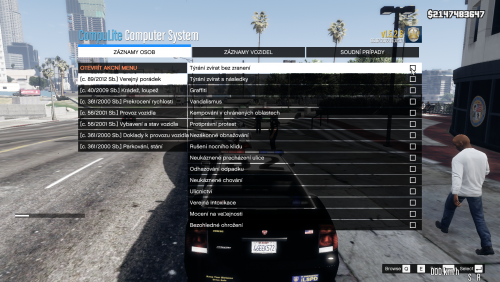 Je úžasné vidět, že se najde někdo a dá si práci s překladem pro českou a slovenskou komunitu. Máme už tady české sirény, auta, uniformy a teď už i překlad CompuLite. Super jen tak dál! Zatím jsem neměl možnost vyzkoušet, protože potřebuji ENG verzi pro YTB, ale později určitě vyzkouším. 👍
 -
 So the only way to put out the fire is to call the fire department through the "B" menu. But they don't respond to the fire through EMS menu, they just revive the peds. 😐
- 783 comments
- 86 reviews
-
Anybody can help? Firefighters don´t react to any fire. I called them to care of the fire and they just start reviving peds. This problem occured after i started installing: ArrestManager, PoliceSmartRadio, TrafficPolicer. Also I have this scripts: UnitedCallouts, SuperCallouts. I didn´t play LSPDFR almost 1 year. Anyway I reinstalled BetterEMS for possible updates (version 4.1 > version 4.1b) RagePluginHook_08072021_201102.log BetterEMS.ini.txt EMSUnits.xml
- 783 comments
- 86 reviews
-
 I am doing it without this mod by selecting weapon (any pistol) via TAB key in the vehicle and while exiting the vehicle I am holding the aiming key too and I'm ready to shoot immediately like in the video. But I will put "❤️" for your great idea.
 -
Anybody can help? Firefighters don´t react to any fire. I called them to care of the fire and they just start reviving peds. This problem occured after i started installing: ArrestManager, PoliceSmartRadio, TrafficPolicer. Also I have this scripts: UnitedCallouts, SuperCallouts. I didn´t play LSPDFR almost 1 year. Anyway I reinstalled BetterEMS for possible updates (version 4.1 > version 4.1b) EMSUnits.xml BetterEMS.ini.txt.txt RagePluginHook_06072021_192338.log
-
Firefighters don´t react to any fire. I called them to care of the fire and they just start reviving peds. This problem occured after i started installing: ArrestManager, PoliceSmartRadio, TrafficPolicer. Also I have this scripts: UnitedCallouts, SuperCallouts. I didn´t play LSPDFR almost 1 year. Anyway I reinstalled BetterEMS for possible updates (version 4.1 > version 4.1b)


