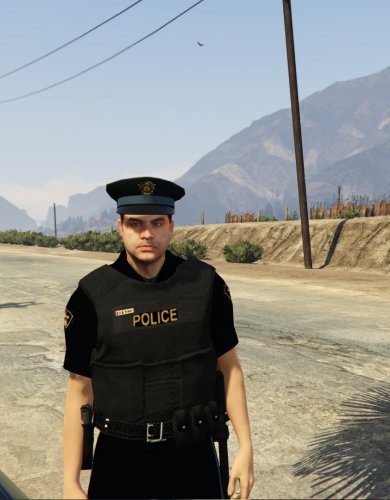
ed1984
Members
-
Joined
-
Last visited
Everything posted by ed1984
-
Ah ok. That makes sense. Thank you for info!
-
Thanks for the reply! I was going to use the LEJS but wasn't actually sure how it worked exactly. I asked in the comments section of the mod..but no answer. Maybe you know? 1. Do the the patrol units we add react to crime around them? (ie assuming we are not shooting at them, but AI) 2. When we call backup, do the actual vehicles we set, respond? (or is it random spawned vehicles?) I'm trying to understand if there is any practical purpose when we set up a zone with 20 vehicles as opposed to 3 vehicles in a zone. By this I mean, if I hit backup 6 times, but I only placed 3 vehicles in that zone, would 6 show up? (I assume your mod would have no control over how many vehicles would show up?)
-
Ontario, Canada. I'm from Ottawa. So, i'm trying to set it up as RCMP (around parliament area), Ottawa Police in city, and then OPP on provincial highways/counties.
-
So I want to set up the police jurisdictions just like my home province..but need to have two different main police agencies patrolling los santos (this is not airport police, or anything like that). So is this possible? what vehicles would i change?
-
-
 A couple questions. 1. Do the the patrol units we add react to crime around them? (ie assuming we are not shooting at them, but AI) 2. When we call backup, do the actual vehicles we set, respond? (or is it random vehicles?) I'm trying to understand if there is any practical purpose when we set up a zone with 20 vehicles as opposed to 3 vehicles. By this I mean, if I hit backup 6 times, but I only placed 3 vehicles in that zone, would 6 show up? (I assume your mod would have no control over how many vehicles would show up?)
- 270 comments
- 19 reviews
-
-
I've wanted this for a long time, and even requested it from Sam. This will be awesome!
-
Probably a Russian spy. ;)I love the court system aspect. My fav thing about is that it essentially gives you feedback of how well you did on the actual call (ie how many pieces of evidence you missed, and what happened to the 2nd dude that run off in the opposite direction and that you didn't catch). Second, literally adds role-play material. (ie I'm charging this guy with this, this, and that, and he'll probably get "x" amount of years).New vid is up! Some interesting calls!lol ty ty *takes a bow*. It was actual my curiosity that made me do it. I never do that but i thought "let's see if those clickbait titles" actually workToday I discuss my hope for GTA 6:New vid is up..I use the radiance mod addition in this video.Long pursuit (armed drivers)New series name for my LSPDFR (To Serve and Protect) + intro for the seriesLongest call ever?Some clan news! The police station is done!In part 20 I'm patrolling using Peel Regional Police! Hope you enjoy!But yeah for the future...i think it be a good idea to not announce a new version of LSPDFR if it will not be ready within a day or so of the last preview. Ie Announcement of new version...1 week later Preview 1, 1 week later preview 2, 2 week later preview 3..and then a day later it gets released.Thanks man! New Let's Play...suspicious passenger call, among others!So we seem to have these questions a lot. Could someone who has the knowledge compile a list of how to change all the vehicles in game (including ambulance, firefighters), and maybe even how to add new vehicles? Cheers!