-Copy.jpg.76706a894c9e4da64215fb9a3d439cfb.jpg)
DiabloRambo
Members
-
Joined
-
Last visited
Everything posted by DiabloRambo
-
 So I have been using gramar police for at least 2 months now without any problems, never had any issues with it, got into patrol today after forceduty, i used the handheld radio to make me available for calls as I usually do, i got 3 beeps and my entire game crashed, changed my plugin timeout threshold in Rage to 60000, but the same thing happened, any reason why?RagePluginHook.log
- 1,346 comments
- 82 reviews
-
 Its fine, Its a beautiful pack nonetheless, especially the unmarked, i dont like the long light bars in the visors people usually put in their unmarkeds, unfortunately its the tail light issue that kills it for me
- 119 comments
- 11 reviews
-
-

- 1
-
-
Decided to use the chargers both marked and unmarked, on code 3 lighting the taillights go off, and the right headlight goes dim, anyway to fix this?
- 119 comments
- 11 reviews
-
 You're right, I did not configure the settings, thanks for the callouts, gives my patrols new meat
- 635 comments
- 53 reviews
-
-

- 1
-
-
It was my fault, I had callout interface and manager installed, somehow if I kept the MDT to off and not showing it wouldn't load the call, idk why are these 2 things related but it solved the problem so I am happy, thanks for these callouts they epic, but I do have a question about a humane labs robbery callout, it shows up in callout manager but starting wont load anything, not even the auto disregard. If I use the lspdfr callout menu in options it doesn't show there at all
- 635 comments
- 53 reviews
-
-
- 1
-
-
My calls keep getting disregarded or instant code 4 Not sure whyRagePluginHook.log
- 635 comments
- 53 reviews
-
-
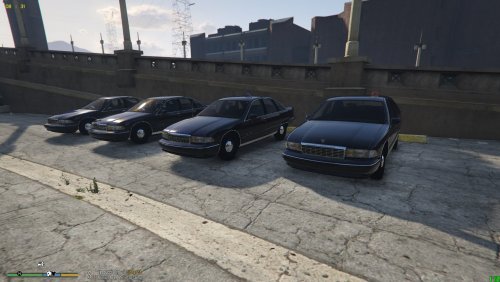
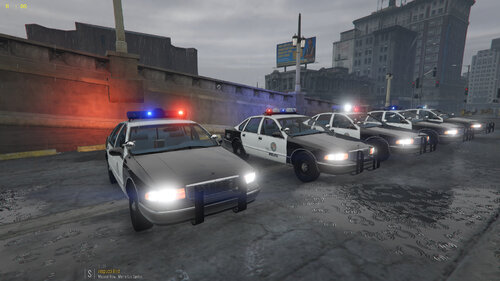 How I wish I could find someone who released a 1991 unmarked caprice with a single red/blue rotary light on the side of the roof, I am starting to give up hope, but I guess this pack can help satisfy me for a while before I start scrolling endlessly looking for that
- 24 comments
- 6 reviews
-
 Yup, thank you for the clarification, great mod btw, I hope to see an expansion to the range of callouts available
- 496 comments
- 33 reviews
-
RagePluginHook.logI been through the log, and I guess I know what the problem is. I misunderstood the "load random callout" button to randomly load load a callout let's say only from law Enforcement, IF I chose to untick everything else except law Enforcement. I didn't know when it says "load random callout" it meant loading any callout regardless if the scenario was ticked. Thus because a certain scenario wasn't tick, for example Land-Based, clicking "load random callout" will still try to load that land-based callout, but it wasn't ticked, so it can't load. That's what I understand, hope you can clarify it better than I have
- 496 comments
- 33 reviews
-
The mod is running fine on my game, except for the callouts, some callouts will load fine such as yacht fire, but if I go to callout config menu and random load a config from certain scenarios selected such as Law Enforcement and land Based, the popup would say it has trouble loading the callout, check the console for details, any help?
- 496 comments
- 33 reviews
-
-
 Makes sense, sorry I ain't too familiar dealing with meta files, thanks for your help
- 62 comments
- 3 reviews
-
 Amazing looking pack I love the setups of the lights too, but I have an issue with the slicktop 2019 charger, it spawns in a plain black and white livery, no markings just LAPD black and white, anyway to fix this?
- 276 comments
- 45 reviews
-
I renamed 2 of the vehicles as I only intended to replace. Then the meta file which I have done before, maybe because it was the renaming? I am not sure, but I did save my game by taking a meta file from a different vehicle mod and replacing the initial one that was causing the crashing, its fine now.
- 62 comments
- 3 reviews
-
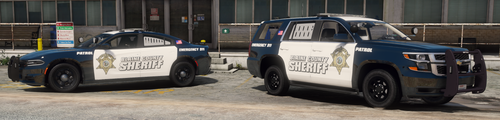
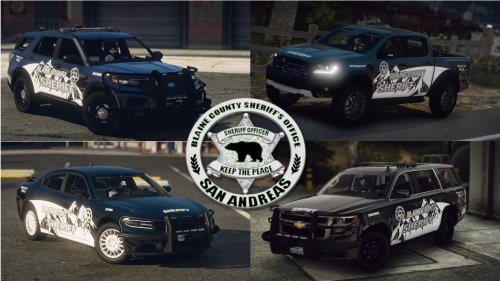 The Charger is beautiful, great work, but the Tahoe light bar isnt' flashing at all, I thought it was the ELS files, but the backwards facing lights and on the pushbar work, any way to fix this
- 38 comments
- 1 review
-
-
Yea... should have waited for ScripthookV to be updated, I panicked I guess, but its all good, I will just download back all the stuff as needed, Thank you
-
A very long shot, but would anyone of you have a manual install LSPDFR file with RPH 2545? After downloading the latest update I had Critical errors orScriptHookV, so I ended up downloading a downgrade file for GTAV, but now my GTAV is of an older version and isnt supported by the updated RPH, much appreciated if anyone could help
-
 Pardon me but I chose to replace with the CVPI and Tahoe, looking at the pictures I am wondering how to have my cvpi in the slicktop mod, I played with the components parts but to no results went through the extras folder but I didn't see anything else, am I missing something?
 -
 So I followed both guides here and in the readme, the ambulance in terms of its models and lights are fine, but when she spawns she spawns without her livery, so its just a white texture with its texture lines I think, I went and downloaded a different livery for it to see if it solves it but it doesnt, wondering if theres a fix for this?
- 209 comments
- 40 reviews
-
i waited after a few days after my failed modding of GTAV downloaded from epic games .I tried again today and now Rockstar has problem verifying the game with epic games ,basically saying they don't recognise the game anymore so i can't launch it and needs verification, i of course made copies of the game, so i still have clean copies of the game,anybody got this problem as well?
-Copy.thumb.jpg.82368a912c9880cfef47953634b52b8b.jpg)