


TheRedDevils75
-
Joined
File Comments posted by TheRedDevils75
-
-

Even though I tested simpleCTRL and simpleEmotes separately, emotes wouldn't work at all and CTRL would crash as soon as I step into a car. so guess we wait till its updated.
-
-
-
-
2 hours ago, Optics said:
my bad forgot to put them in, if you go to your GTAV main directory in the files: Grand Theft Auto V\x64\audio\sfx, and drag and drop the RESIDENT.RPF and click replace. It should now work ingame!
I've just dragged and dropped your file in my directory following the path and I still have the vanilla siren?
-
-
 22 minutes ago, Thinks Development said:
Are you on the latest version of RageNativeUI ?
https://github.com/alexguirre/RAGENativeUI/releases/tag/1.8.2I've installed 1.8.2 and I'm still crashing.
-
-
 On 1/4/2022 at 6:46 PM, TShadeStudios said:
Added ONLY This Mod this week, have played up until i installed it, NOW, Rage Cant even load or work because GTA Crashes immediately without even loading the cop sirens screen before the loading screen. FIX. You legit ruined my Version of GTA Bro. never downloading again
Why not ask for help instead of wasting your time complaining?
-
-
-
7 hours ago, pompeysteve90 said:
Hello Guys, still learning my way around MODS for gta, trying to install this and just cant see where im meant to be putting these files, attached a screenshot of the download folder and openIV where it says to put it, anyone got any install videos?
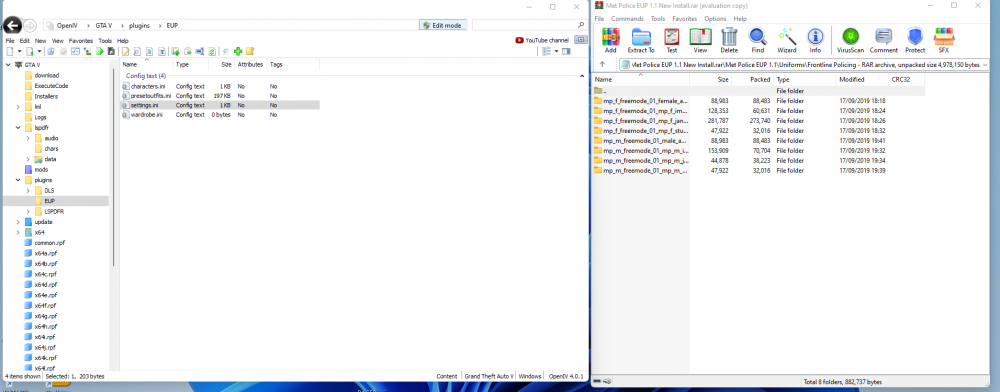
The files on the right in the winrar have to go into openIV, not sure why you have the other folder open though.
-
-
-
-
Edited by TheRedDevils75
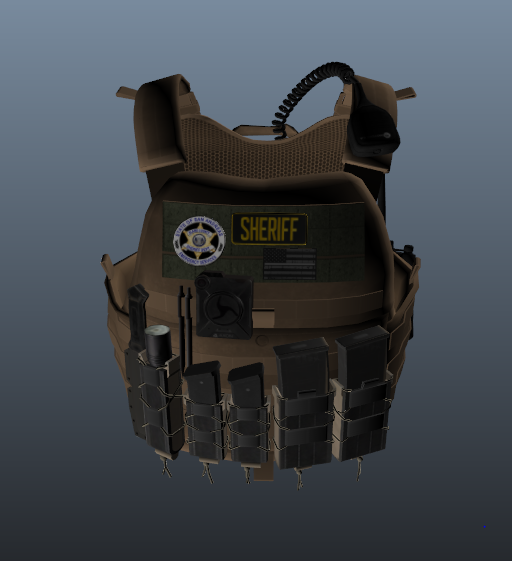
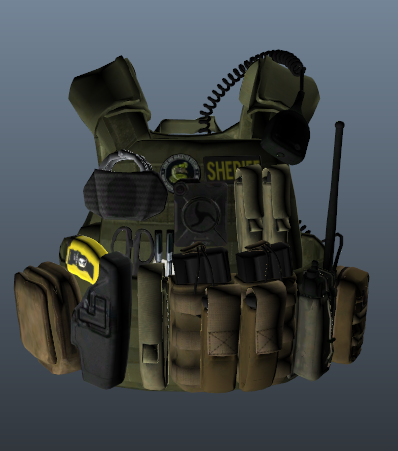
If you're having trouble finding which vest it is in hanako's "EUP VEST & EARPIECE" this texture will fit vest4 setup2 that is in hanako's vest download pack
- D1rtyNinJa and QTexs
-
 2
2
-
-
-
-
-
-
-

-
Edited by TheRedDevils75
This aint working for me 😕 I have to change the keys as PageDown is my dispatch key and PageUp spawns a useless red turismo behind me, I cant figure out a key to change it too as a lot of them are used for ELS and then other plugins
EDIT: after commenting this, I get in game and it works now lmao, FINALLY!







SimpleCTRL [Outdated]
in Script Modifications & Plugins
·
Edited by TheRedDevils75
I installed and test separately, but simpleCTRL did not work on it's own.