


OfficerAvery110
Members
-
Joined
-
Last visited
-
-
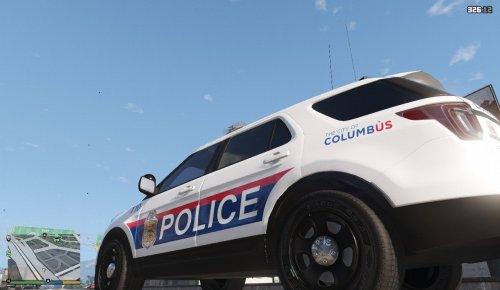 This is a replica of the current police vehicle used by the Columbus Ohio Police Department. This model requires the use of Thehurk's beautiful 2016 Ford Police Interceptor found here: I am not responsible for any damages done to your game. Please make a backup of any edited files! If you dont know how to install a skin Google it. If you have any edits or suggestions feel free to ask!
- 1 comment
- 1 review
-
-
-
-
-
-
-
-
-
-
NickieB Told me you where working on a OSHP Tahoe with All Blue RX2700's this true? This model looks close but not close enough. :(
- 23 comments
- 27 reviews
-
I have a lot of Ohio vehicles in my content as im from Ohio... Feel Free to check it out!
-
-
yeah... I moved it to the bumper because with the STATE TROOPER being put off by the Ford logo made my OCD hit the roof lol
- 6 comments
- 6 reviews
-
You guys need to put your vehicle textures on medium or above to fix the problem.
- 43 comments
- 19 reviews
-
This is the Ohio State Highway Patrols 80th Anniversary Ford Crown Victoria Skin. The 80th Anniversary cars have the new logo on the back side of the car. You can find the car model used by NickieB Here:
- 6 comments
- 6 reviews


