
BaMDark
Members
-
Joined
-
Last visited
Everything posted by BaMDark
-
Can you try to verify game files?
-
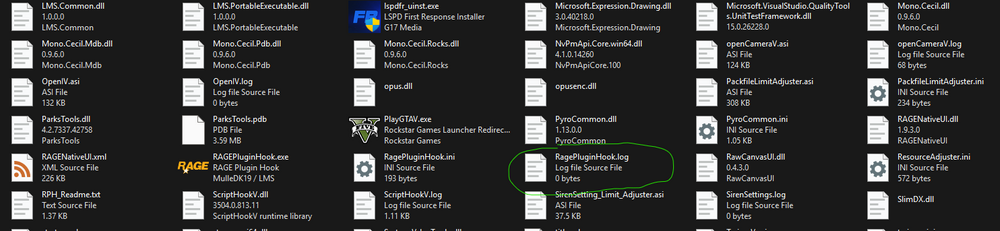
The log that is needed is found in your main directory and has no numbers in the file name

-
The enhanced version is not supported by LSPDFR
-
Does it create a ragepluginhook.log in your main directory?
-
Can you load the game and before going on duty press f4 and type "GiveWeapon Flashlight" (without the quotation marks)
-
If you move your added plugins to a folder outside of the GTA directory, does it still crash?
-
What app do you have GTA on?
-
Is that all it says? Sometimes it'll say like "an error occurred while updating Grand Theft Auto V (app running)"
-
There should be a .log in your main directory with no numbers in the file name, I think that is the one that is needed.
-
This is a shot in the dark, but do you have any weapons mods installed?
-
Can you attach your ragepluginhook.log from your main directory, it usually helps so people can see what happened when the error occurred
-
Can you check if a log was made now?
-
Is this further than it got to before? Since your original issue was with it saying 'Launching Game'
-
Was this you loading the game and then starting RPH or just starting RPH?
-
Can you check task manager and look for any rockstar applications running and maybe close them and try again?
-
Have you downloaded the new LSPDFR update (as in the one from thursday)
-
-
Do you have any issues when running GTA normally through steam?
-
Well, I doubt I'd be of any help, but it'd likely be useful for someone who is of help, so yeah that would probably be good to send.
-
Did it ever create a ragepluginhook.log file?
-
Have you disabled BattlEye?
-
Have you also tried running it as non-administrator?
-
Have you tried running RPH as administrator or as non-administrator?
-
Have you tried running GTA as normal and then starting RPH after it loads?
-
Do you have an antivirus? I don't actually know what causes it but I believe sometimes antiviruses can sometimes cause this issue?