ArriveAlive
Members
-
Joined
-
Last visited
Everything posted by ArriveAlive
-
 Hmm it did not auto-create for me. Does it auto-create when you move the file into Plugins?
- 80 comments
- 10 reviews
-
-

- 1
-
-
Great callout pack. Any plans to include an ini so we can pick and choose which calls we want?
- 80 comments
- 10 reviews
-
-
-

- 2
-
-
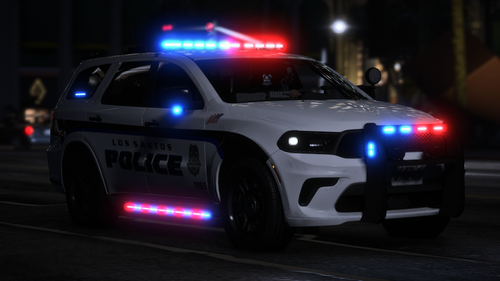 Beautifully made. Nice work!
 -
That made it work. I guess I have to wait for the new SHV since some mods require it. Thanks so much!
-
I tried this just now and it gives the same message 😞
-
After the recent new update (LSPD, Ragehook and Scripthook), I have been trying to launch my game via Rage Plugin Hook but while it's loading, it keeps saying "A game is currently running. GTA5 is currently running. By choosing to Exit, Gta5 will be quit and any unsaved progress will be lost." Then there is an Exit button at the bottom right. I have tried to restart my computer, went on task manager to delete anything related to GTA5/Steam but no luck. Anyone have an idea how to fix this? Thanks in advance.
-
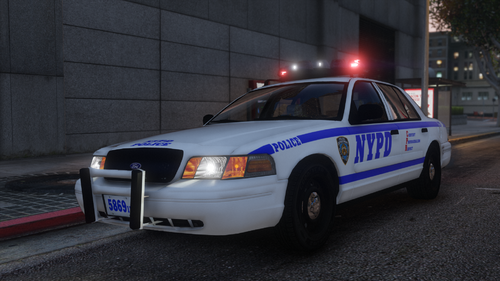
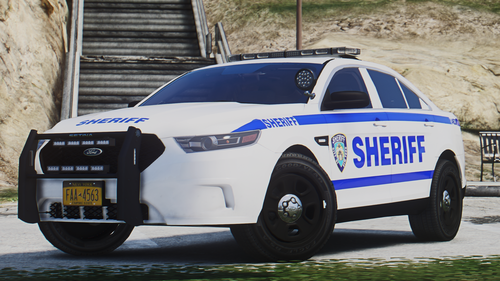 Aside from the license plate, the rest of the vehicle looks great. Nicely done.
 -
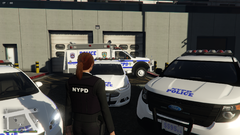 Any update on when this may release?
 -
-
I had the same issue and did a little digging (after posting on the forum) but found that gameconfig might be the issue since it was also updated. I updated it and now everything works. File is replaced within OpenIV.
-
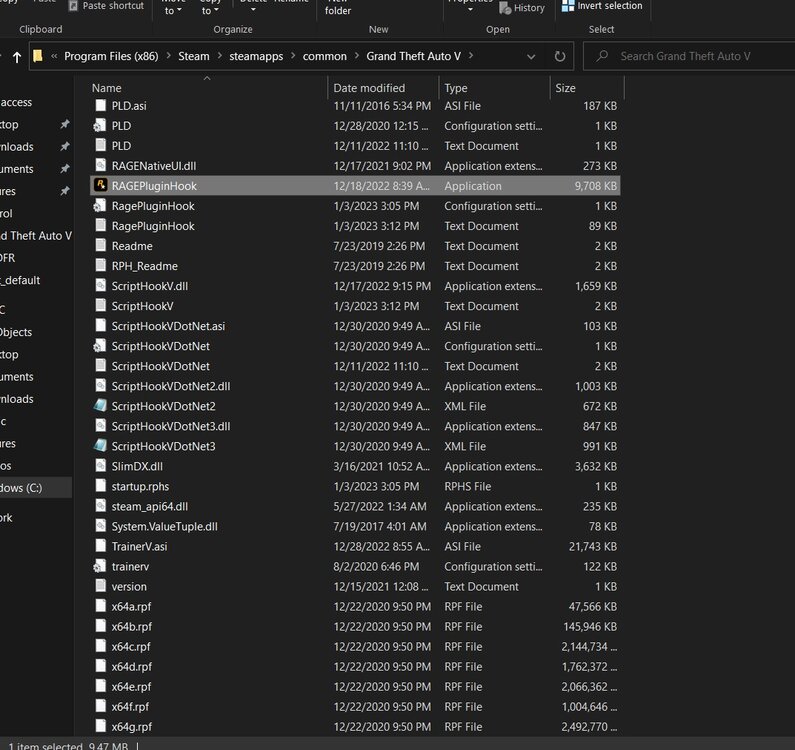
So I updated LSPDFR, Rage, Scripthook, and Simple Trainer and when I go in game and go on-duty, everything works except trainer. When I hit F3 (as it's the default key) Simple Trainer does not open. It opened before all of these updates. I reinstalled ASI Loader and OpenIV.asi from within OpenIV. I will attach a screenshot of my gta5 directory incase something is missing or needs updating. Any suggestions? EDIT: Found the fix (needed to update gameconfig)
-
-
-
-
-
-
-
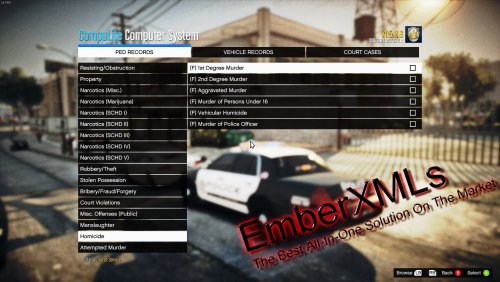 Yeah... first of all, I do like this XML, which is why I also commented "great job" and "good all-in-one" in the review. Second, If I didn't like it, I wouldn't have cared to use it and notice/correct the mistake. Lastly, I pointed a mistake out and I kept replying to the creators replies on what the mistake was. I went back and fourth to give them knowledge on the issue, not for them to change what they have. No where did I say that. It's really simple, if the creator kept replying to me, I kept replying to them. Not an argument. I've pointed mistakes to others too and they say "i'll look into it." That's all.
- 96 comments
- 9 reviews
-
That's not what instigating is. No where did I tell the creator what to do or even say to change it. The conversation was to let them know how the US drug classification system is. If the creator didn't want to change it to begin with, they should have stopped replying to me. Don't say you're done if you're just going to reply. End it and move along and don't be sensitive when people don't like the content if there are mistakes.
- 96 comments
- 9 reviews
-
That's one XML, i've used another with the correct one. Reviews are meant to be left for mods to better their content and for others to know, so not sure why you're saying it's childish. Someone had left a negative review related to your grammar, which was correcting your mistakes. I even began the review with a positive but of course if you have a mistake in the content and won't be fixing it I won't give you a good review. Simple. Learn to take constructive critism if you're a creator. If the creator is going back and frouth trying to justify a mistake then I'm going to also keep going until they understand. That isn't considered harrassment. Don't tell me what to do or threaten me with report. If you want to report go ahead but if you don't want me to "argue" then don't step in for the creator and instigate.
- 96 comments
- 9 reviews
-
Good all-in-one list but has a big mistake of categorizing scheduled drugs as narcotics, when not all of them are. As you can see in the comment section, it does not make sense to me and seems like it won't be corrected by the uploader because "other modders" do it as well, even though it's wrong. I would go with a more accurate charge list.
- 96 comments
- 9 reviews
-
If you're making it easier you can also just put "Drugs (SCHD I), Drugs (SCHD II),.. etc instead of narcotics. Yours is not the first XML I've used so no, not any other mod does that. The ones that do, including you, are obviously wrong and I'm just letting you know.
- 96 comments
- 9 reviews
-
It's not what category you have them, which yes, it's correct. It's how you have the categories written, which is incorrect. The US goverment drug system is simply written as: Schedule I, Schedule II, Schedule III,.. etc, NOT as Narcotic (Schedule I), Narcotic (Schedule II),.. etc. "Narcotic" isn't a category/classficiation system, they are types of drugs that fall under the US drug classification system categorized as Schedule I, II, III,.. etc. You writing "Narcotics (SCHD I)" gives the false impression that the drugs that you have placed in the SCHD I category are all narcotics when they are not. For example, in Schedule I the drugs LSD, Marijuana, and Ecstasy are not narcotics but heroin is. It should simply say Schedule I, II, III. And because marijuana is not a narcotic, never has been referred to one, having "Narcotic (Marijuana)" does not make sense.
- 96 comments
- 9 reviews
-
-
- 1
-
-
Just to let you know you have Marijuana in "Narctocis (marijuana)" and Cocaine under "Narcotics (SCHD II)." They both have their own class (cocaine being a stimulant and marijuana being a stim and depressant). Neither are narcotics. Other than that amazing work!
- 96 comments
- 9 reviews
-
It was due to RPH causing crashes around player vehicles near their apartments. New update fixed it. Thanks for looking through and replying!
-
Happens with Light snow as well but not with Xmas, so I guess i'll just use that. Thanks!



.thumb.png.4eb86d760e1546d1408f3bf28229d159.png)