


SuperTriniGamer
Members
-
Joined
-
Last visited
Everything posted by SuperTriniGamer
-
https://www.gta5-mods.com/weapons/44-cal-smith-wesson-model-29-revolver-animated-chamber-filling Long story short, for about a year now I have struggled with getting this mod to work. No matter what I did, no matter what I changed, every time I tried to shoot, it wouldn't. Then, sometimes it would, sometimes it wouldn't. Today, I realised something. I did "unloadallplugins" and tried shooting the gun. It worked. For an entire year, LSPDFR has made me think that the mod was defective. So, could someone else test it, to make sure that it isn't just my LSPDFR that's doing this? Start without any plugins then try with LSPDFR loaded. Correction: It's on duty where it doesn't work. It works fine off duty. Not on duty
-
Yep there's only one GTA 5. Going to reinstall Rage and see if it works
-
So what has been happening for the past 2 months now, is that I get this message. " RAGE Plugin Hook is installed incorrectly. RAGE Plugin Hook must be installed in the game folder. It is currently installed or working in E:\SteamLibrary\steamapps\common\Grand Theft Auto V. However, GTA5.exe could not be located in this folder. Do you want to open this folder?" I moved it back to my old drive, D:, and got a message saying that my GTA is meant to be in the E: drive. So, I moved it back to the E drive, and I'm getting the message shown above. How can I fix this? I want to LSPD again.
-
Yes, Rockstar is giving me this issue too!
-
Yesss that's it! Thank you!
-
 Quick note for all of those now finding this file. This only works for an older version of EUP (Not sure which version yet) But if you are using the newest version of EUP, the presets will not work.
- 263 comments
- 20 reviews
-
-

- 2
-
-
It was a mod for LSPDFR on this website, where it was a EUP uniform thing, and it gave the links to tons of Add on packs that are to be downloaded with it. It had configurations which went with the lore friendly cars, ones that were just the uniforms, and something else. Anyone remember?
-
Someone posted this lore friendly BCSS (British Columbia Sheriff Service) skin for GTA 5. I've found lore friendly RCMP skins but none of this yet. If anyone knows where I can get it, please let me know! Thanks.
-
 Sorry for the extremely late reply, haven't been on this forum in a while. Yes, I was using the incorrect version of EUP.
 -
But... A stock sound effect siren has to come from somewhere, right? https://www.youtube.com/watch?v=Fk7OO7THNwM&ab_channel=ザドルノフ
-
Just regular cars. I already have my cop cars set up but all the packs out there replace the Police cars too.
-
I know there's replacer packs out there, but is there a pack out there that ONLY replaces the cars that appear in regular traffic? I don't want 100000gb of replacing cars that don't even spawn in the game. Also, if possible, one that doesn't replace emergency vehicles.
-
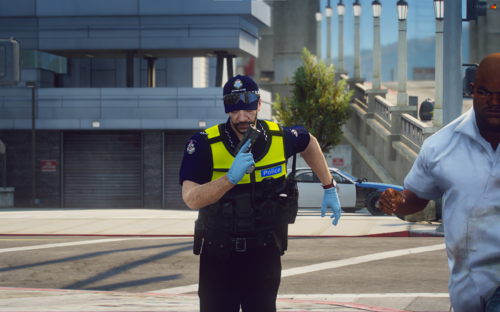 All I can think looking at this is Constable Maggie Doyle xD Great pack
 -
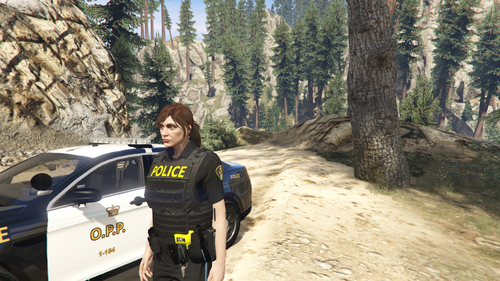
Hello everyone Can some tell me what to change this line to, so just the regular cop model responds, rather than an MP male/female responding with a custom uniform? Currently it's: But I need to change it so it's not "mp_m_freemode_01" and back to the regular cop which I believe is s_f_y_cop_01 and 02. The reason I need this done is because I have tried getting an EUP toronto police uniform to work, but it is clashing with my OPP and so it won't work. However, there's this But it replaces the model of the already existing cops rather than EUP uniforms for MP characters. That's all. Thanks 😄
-
Alright. I got everything working doing my own tweaking and skimming tutorials, but when I installed the wardrobe.xml stuff, the tops seem fucked up. It's this long jacket that isn't tucked in and the textures are screwed up on it. Whiteshirt works fine except for the shoulder patch being weirdly warped, regular uniform works fine when the top is change, but the rest is screwed because of the shirt. Any ideas why?
-
You say to use values found in the provided .xml file, but the "outfit="opp_officer.m_base" part is COMPLETELY different to the "m_base" in the actual xml file you're talking about. Am I missing something? P.S Same for the texture dictionary as well. Yours says dia police but there's nothing that says to change it from the web_lossantospolicedept
-
 Looking forward to that. Looking at doing a Toronto Police overhaul for my game and the DLC will come in handy!
- 154 comments
- 46 reviews
-
-
- 1
-
-
-
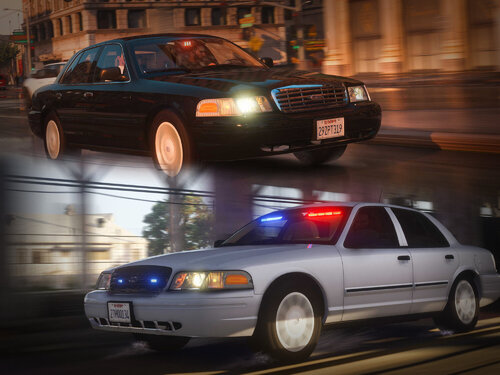 This is my dream car both in game and in real. A pre 2003/4 Crown vic with the old style gauge cluster and steering wheel, and the non honeycomb grille. Thanks so much dude
- 53 comments
- 10 reviews
-
Holy crap, that's it, I just translated it and it translates to "Old Patrol Car" so not much to go on. I'm gonna ask him if he knows the name of the original model siren that it comes from, and how he modified it.
-
Oh? Might have been an old callout pack then. Thanks
-
I swear this used to play when you were chasing someone with LSPDFR. This was back in 2018 so it either was a plugin or was removed. Any ideas if this is just mandela effect or true?
-
Yeah, you're right. Maybe a fix will come for it one day. P.S welcome to the forums. LCPDFR forums are pretty chill
-
Was by the Jewelry store near Rockford hills when I get a call for a Robbery across town in upper Vinewood by the dance club, a block above Vinewood Blvd. Guess how much time it gave me to get there. 30 seconds. I'm sorry, but whether this is for realism or something, giving 30 seconds to go through traffic, clear traffic lights and intersections to go 1.6 kilometers is ridiculous. I can count the amount of times I've been able to reach in time with this time limit and distance with 1 finger. Once. If there's a way to change this, or if this could be changed to something more realistic in the future, that would be great. Thanks.
-
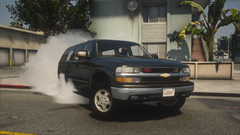 Oh, nice 👍

