Thundershirt
Members
-
Joined
-
Last visited
Everything posted by Thundershirt
-
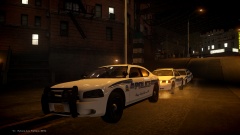
From the album: Patrols
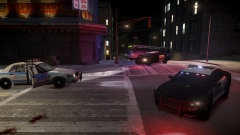
The Liberty City Police Department was dispatched to reports of a suicidal person on Rykers Avenue at around 0100 hours last night. The situation turned bad when the first officer arrived on scene and the suspect started moving toward the edge of the roof he was on. The officer called for backup and EMS. Two police units, an EMS Battalion, and an Ambulance responded and where on scene within a few minutes. The first responding officer was trained in negotiations and was able to talk the suspect down but not after an extremely tense ten minutes. -More pictures to follow tomorrow -
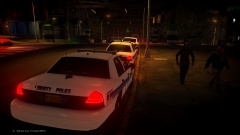
From the album: Patrols
The Liberty City Police Department was dispatched to reports of a suicidal person on Rykers Avenue at around 0100 hours last night. The situation turned bad when the first officer arrived on scene and the suspect started moving toward the edge of the roof he was on. The officer called for backup and EMS. Two police units, an EMS Battalion, and an Ambulance responded and where on scene within a few minutes. The first responding officer was trained in negotiations and was able to talk the suspect down but not after an extremely tense ten minutes. -More pictures to follow tomorrow -
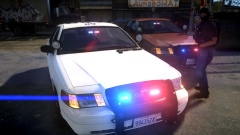 What model is that CVPI? It's awesome :o
 -
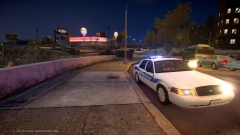
From the album: Random moments from patrols
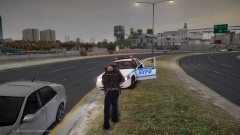
Paradise Police out on a traffic stop on the expressway. -Circa 2014 Model can be found here: https://www.lcpdfr.com/files/file/6244-raydian-police-pack/ -
-
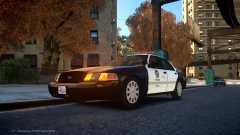
From the album: LAPD
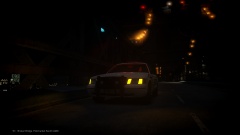
LAPD down in the suburbs with the CVPI -Circa 2010 Model can be found here: https://www.lcpdfr.com/files/file/968-2008-ford-crown-victoria-lapd/ -
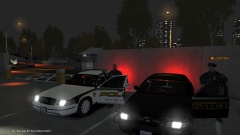
Mix of new and old LAPD vehicles patrolling the streets and showing some force
-
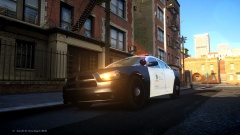
From the album: LAPD
LAPD out for their first patrol in their new 2014 Dodge Charger -Circa 2014 Model can be found here: https://www.lcpdfr.com/files/file/3616-2013-dodge-charger-lapd/ -
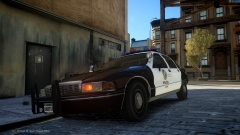
From the album: LAPD
LAPD out in the caprice for another day on the beat. -Circa 1998 Model can be found here: https://www.lcpdfr.com/files/file/6553-lapd-classic-chevrolet-caprice-els-v8-drot/ -
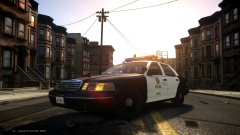
From the album: LAPD
LAPD out in the projects -Circa 2003 Model can be found here: https://www.lcpdfr.c...-victoria-lapd/ -
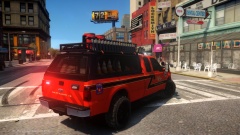 OH MY GOD, this is beautiful. *cries from joy*
 -
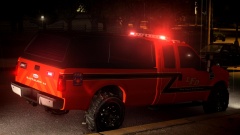 This truck gets better and better every time I see it O.O
 -
-
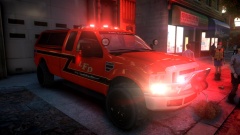 You should do a version with the Mx and one with the Valor O_O Either way, this thing is a beast and I love it!
 -
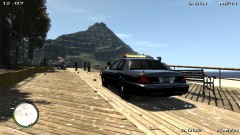 I don't actually have the model anymore. I've formatted my pc a few times since this was posted, sorry about that. I may restart this project though and if I do, I will definitely let you know!
 -
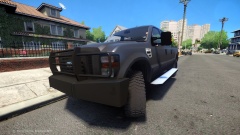 Everytime a new picture of this truck goes up, I get a little more excited. This thing looks amazing!
 -
-
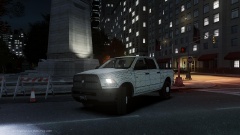 This is awesome!
 -
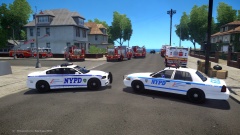 It was the best one I could find at the time, I don't like it all that much myself but it's ok. I'm waiting for someone to release and NYPD skin for the 2015 Charger.
 -
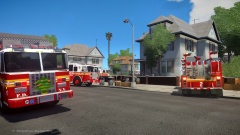
From the album: Fires
The FDNY and NYPD were dispatched to a residential fire today on Shinnecock Avenue and Claiborne Street in Beachgate, Broker-Dukes. Units responding from the NYPD included Unit 5305 from PCT 3 and Unit 6820 from PCT 84. Units responding from the FDNY included Ladder 26, Engine 69, Engine 47, Engine 222, Engine 2, Rescue 1, Battalion 7, and Ambulance 70. Rescue 2 and Ambulance 38 were also dispatched but were called off before they arrived. One victim was sent to the hospital with 2nd degree burns and is in stable condition. The home was saved with only two rooms damaged. The FDNY did an excellent job of responding to and containing the fire while saving a pedestrian and their house. The FDNY would like to thank the NYPD for assisting with foot and vehicle traffic so they could concentrate on saving the structure. -
-
From the album: Fires
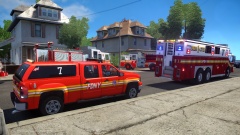
The FDNY and NYPD were dispatched to a residential fire today on Shinnecock Avenue and Claiborne Street in Beachgate, Broker-Dukes. Units responding from the NYPD included Unit 5305 from PCT 3 and Unit 6820 from PCT 84. Units responding from the FDNY included Ladder 26, Engine 69, Engine 47, Engine 222, Engine 2, Rescue 1, Battalion 7, and Ambulance 70. Rescue 2 and Ambulance 38 were also dispatched but were called off before they arrived. One victim was sent to the hospital with 2nd degree burns and is in stable condition. The home was saved with only two rooms damaged. The FDNY did an excellent job of responding to and containing the fire while saving a pedestrian and their house. The FDNY would like to thank the NYPD for assisting with foot and vehicle traffic so they could concentrate on saving the structure. -
From the album: Fires
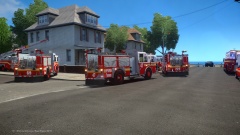
The FDNY and NYPD were dispatched to a residential fire today on Shinnecock Avenue and Claiborne Street in Beachgate, Broker-Dukes. Units responding from the NYPD included Unit 5305 from PCT 3 and Unit 6820 from PCT 84. Units responding from the FDNY included Ladder 26, Engine 69, Engine 47, Engine 222, Engine 2, Rescue 1, Battalion 7, and Ambulance 70. Rescue 2 and Ambulance 38 were also dispatched but were called off before they arrived. One victim was sent to the hospital with 2nd degree burns and is in stable condition. The home was saved with only two rooms damaged. The FDNY did an excellent job of responding to and containing the fire while saving a pedestrian and their house. The FDNY would like to thank the NYPD for assisting with foot and vehicle traffic so they could concentrate on saving the structure. -
From the album: Fires
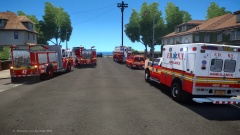
The FDNY and NYPD were dispatched to a residential fire today on Shinnecock Avenue and Claiborne Street in Beachgate, Broker-Dukes. Units responding from the NYPD included Unit 5305 from PCT 3 and Unit 6820 from PCT 84. Units responding from the FDNY included Ladder 26, Engine 69, Engine 47, Engine 222, Engine 2, Rescue 1, Battalion 7, and Ambulance 70. Rescue 2 and Ambulance 38 were also dispatched but were called off before they arrived. One victim was sent to the hospital with 2nd degree burns and is in stable condition. The home was saved with only two rooms damaged. The FDNY did an excellent job of responding to and containing the fire while saving a pedestrian and their house. The FDNY would like to thank the NYPD for assisting with foot and vehicle traffic so they could concentrate on saving the structure. -
From the album: Fires
The FDNY and NYPD were dispatched to a residential fire today on Shinnecock Avenue and Claiborne Street in Beachgate, Broker-Dukes. Units responding from the NYPD included Unit 5305 from PCT 3 and Unit 6820 from PCT 84. Units responding from the FDNY included Ladder 26, Engine 69, Engine 47, Engine 222, Engine 2, Rescue 1, Battalion 7, and Ambulance 70. Rescue 2 and Ambulance 38 were also dispatched but were called off before they arrived. One victim was sent to the hospital with 2nd degree burns and is in stable condition. The home was saved with only two rooms damaged. The FDNY did an excellent job of responding to and containing the fire while saving a pedestrian and their house. The FDNY would like to thank the NYPD for assisting with foot and vehicle traffic so they could concentrate on saving the structure.