


Liberty Police

By Thundershirt
- 536 views
- View Thundershirt's images
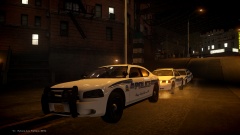
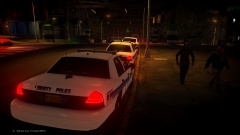
The Liberty City Police Department was dispatched to reports of a suicidal person on Rykers Avenue at around 0100 hours last night. The situation turned bad when the first officer arrived on scene and the suspect started moving toward the edge of the roof he was on. The officer called for backup and EMS. Two police units, an EMS Battalion, and an Ambulance responded and where on scene within a few minutes. The first responding officer was trained in negotiations and was able to talk the suspect down but not after an extremely tense ten minutes.
-More pictures to follow tomorrow
Recommended Comments
Join the conversation
You can post now and register later. If you have an account, sign in now to post with your account.