Emotional Shawtys 2001
Members
-
Joined
-
Last visited
Everything posted by Emotional Shawtys 2001
-
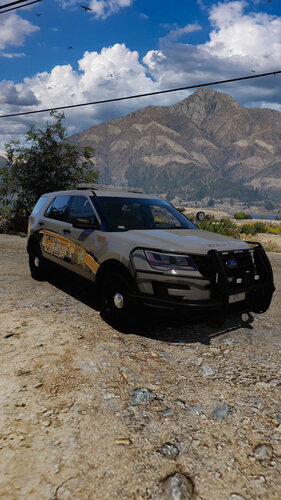
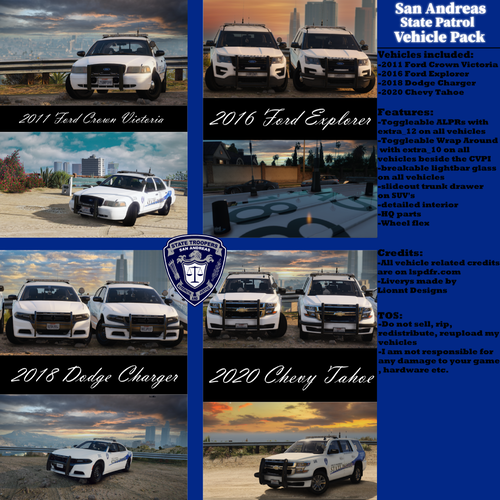
 Hey guys this pack has been in development in for a while, its not perfect but at this point I'm just trying to get it out, if you notice anything wrong with it let me know. Credits for all the parts and vehicles are in the credits, if I missed anybody please let me know so I can fix them. All vehicles have a marked, slicktop/ghost, and K9 version. These vehicles also come with realistic spotlights, more info in the Instructions. Instructions Installation: - in order to install the pack you must first navigate to your dlc packs folder. - after you find you dlc packs folder, place the folder "BCSO" in the dlc packs folder - next navigate to the dlc list, once you find it you must "edit" it, place "<Item>dlcpacks:/BCSO/</Item>" in between paths and the first item entry - you will need to delete you sheriff and sheriff2 entries in your vehilce meta and carvarations, if you do not delete the sheriff and sheriff2 entries in the vehilce meta you will not be able to use the spotlight. - Place the vcf's in your pack default Extras: Extra 12: lower wrap Extra 9: upper wrap Extra 10: ALPR Realistic Spotlight: - In order to use the workable spotlight you will need to install the spotlight mod by alex: https://www.lcpdfr.com/downloads/gta5mods/scripts/7922-spotlight/ - Next you will need to use the offset.ini provided, or just delete the sheriff and sheriff2 entries in you offset.ini - Once in game you should now be press the default key "I" to turn on the spotlight and use the numpad to turn it.
- 199 comments
- 16 reviews
-
-

-

- 67
-
-
-
-
 The real question is: why is an insurance company making stringer vehicles? 🤔
 -
-
-
-
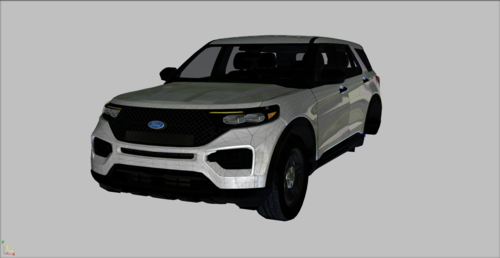 Wow a good quality free FPIU, we don’t deserve such blessings 🙏
 -
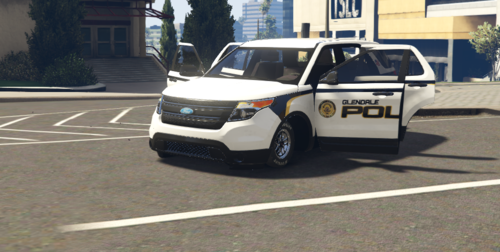 Mr.Mars Modifications, you're under arrest for crimes against humanity for making this atrocity, I'm gonna have you to step out the vehicle 👮♂️ 🔫
- 13 comments
- 2 reviews
-
-
- 1
-
-
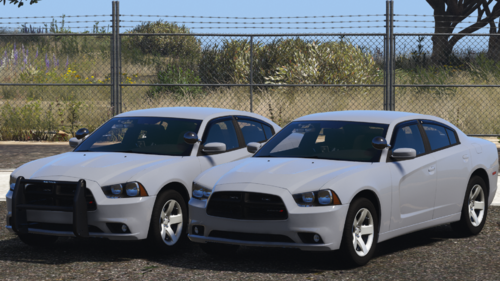
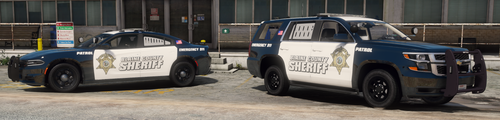 I've added the 2014 charger, redid the liveries, redid parts of the lighting, but my zmodeler broke, so I've got reorganize some stuff and I have work + school, I'm also trying to save up for Kanes 2016 FPIU base; but dont worry the pack is still under development.
- 62 comments
- 3 reviews
-
Hey guys, I would have posted this on the zmodeler website, but I dont understand how anything works on there, the issue I'm having is that my zmodeler recently updated and I cant find the detach button, its been moved I guess, if anyone can help that would be great
-
-the handling.meta needs to go here: GTA V > mods > update > update.rpf > common > data > -the vehicle.meta needs to go here: GTA V > mods > update > update.rpf > common > data > levels > gta 5 > -the vehicle files need to go here: GTA V > mods > update > x64 > dlcpacks > patchday22ng > dlc.rpf > x64 > levels > gta 5 > vehicles.rpf > -the els files need to go into your pack default folder in your els folder in your gta 5 main directory -after you install the spotlight mod you need to go into your spotlight recourses and modify your offsets.ini file by deleting the sheriff, sheriff2, fbi, fbi2, and pranger entries. (my next release will have a custom offsets.ini file, sorry I didn't think to release it before)
- 62 comments
- 3 reviews
-
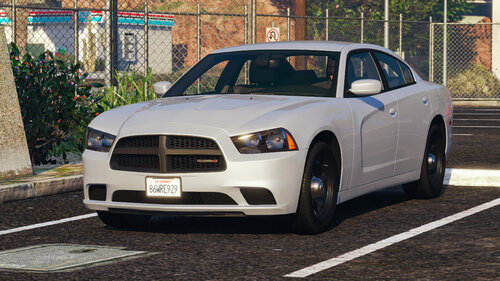 holy crap was about to download hurks, then I saw this, ur amazing
 -
-
I’m releasing a hot fix tonight to fix the takedowns on the Tahoe’s, I’ll fix that as well
- 62 comments
- 3 reviews
-
I’m working on more cars now, as this gonna be a mega pack down the road, but their will def be a 2020 FPIU
- 62 comments
- 3 reviews
-
I’ll definitely fix tomorrow night, as I’m not home rn, but thanks for the feedback, I really appreciate it
- 62 comments
- 3 reviews
-
Yes, the vehicles aren’t compounded past L0 (in order to get all those fancy assets in them ), so you have to install the vehicle metas to get the lods to work
- 62 comments
- 3 reviews
-
-
-
-
-
If you are using the simple trainer, go to vehicle options, then go to vehicle mod menu, scroll down to vehicle components, use 4 and 5 to scroll through the components, the only ones you can put on these vehicles are extra 12 (rambar wrap) and extra 10 (alpr cameras)
- 62 comments
- 3 reviews
-
-