


Emotional Shawtys 2001
Members
-
Joined
-
Last visited
Everything posted by Emotional Shawtys 2001
-
 Im not sure about the deviceName, I havent had problems with that. Make sure you delete your sheriff and sheriff2 entries in your vehicle meta in your mods folder, you should never touch anything outside your mods folder.
- 200 comments
- 16 reviews
-
.thumb.png.09bdb186284dc597f2311b257cea408a.png) Classic varical W
Classic varical W -
its in the instructions I'am currently working on a single player non-els pack, its going to have different equipment and lighting.
- 200 comments
- 16 reviews
-
the vehicle metas provided in the dlc should have the correct lods, have you deleted the sheriff and sheriff2 entries in your default vehicle meta?
- 200 comments
- 16 reviews
-
.thumb.png.afd8d12560b81920aa69838b43301a86.png) I just nutted
I just nutted -
I dont know to be honest, that sounds like an issue with the lods. make sure you use the vehilce meta for the 2020 fpiu, that might be it I've never used menyoo so I dont know, make sure you have the updated gameconfig for limitless cars. Sorry I dont know anything about LML or how to use it.
- 200 comments
- 16 reviews
-
The pack replaces sheriff and sheriff 2 the rest of the cars in the pack are addons, however you can make some of the other addon cars replacements by renaming them and their metas, if you don’t know how to just YouTube it, theirs lots of videos
- 200 comments
- 16 reviews
-
-

- 1
-
-
Probs not this was my last update, I want to start working on a non-els LSPD pack so I wont be coming back to this pack
- 200 comments
- 16 reviews
-
hey man have you tried looking at your vehshare, the only textures that would be used for that material are black, blank normal, spec 2, and env
- 200 comments
- 16 reviews
-
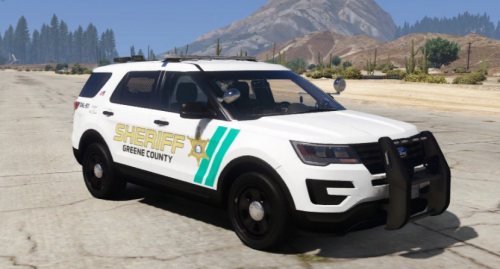 These liveries are big sexy
 -
-
I know that was my bad, look to the comment up ⬆️, use the template from that pack and it will work, I will update the pack with the template when I get back from vacation
- 200 comments
- 16 reviews
-
-
- 1
-
-
Just use this template I forgot to add it, I’ll do it when I get back from vacation
- 200 comments
- 16 reviews
-
Thanks, I’ve thought about getting my own server, but honestly I’m and old man when it comes to discord I don’t know what I’m doing half the time but here’s Kristen’s discord: https://discord.gg/9dbq8BYV
- 200 comments
- 16 reviews
-
-
- 1
-
-
-
-
-
-
pack replaces sheriff and sheriff 2, the rest of the cars are addon, if you want you can take the addon vehicles and rename them and their metas to make them replacements, if you dont know how just search on youtube theres lots of videos
- 200 comments
- 16 reviews
-
thanks for your recommendations I'll certainty look into strobe and side lighting, as for the fpis, its a work in progress, I was just to lazy to remove it.
- 200 comments
- 16 reviews
-
Im not great at explaining things, try youtubing how to edit dlc list in gta and someone should have a video on how to edit your dlc list
- 200 comments
- 16 reviews
-
-
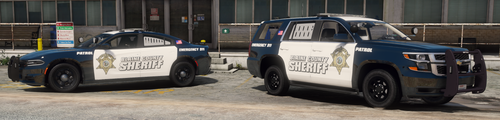 yeah the vehicle meta provided only covers the pack's vehicles, if you try to replace your native vehicle meta with it, it will crash your game
- 62 comments
- 3 reviews
-
-
the fpis is a work in progress, I was just to lazy to take it out when releasing the update to fix the textures
- 200 comments
- 16 reviews
-
-
- 1
-

.thumb.png.09bdb186284dc597f2311b257cea408a.png)

.thumb.png.afd8d12560b81920aa69838b43301a86.png)
