


bigred817
Members
-
Joined
-
Last visited
Everything posted by bigred817
-
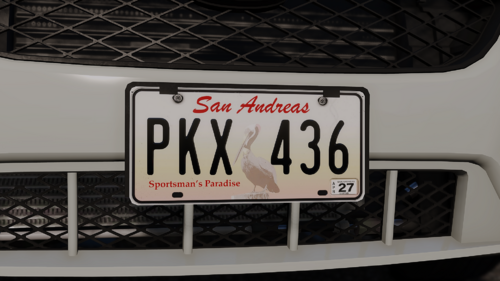 excellent quality, a must have for immersion
 -
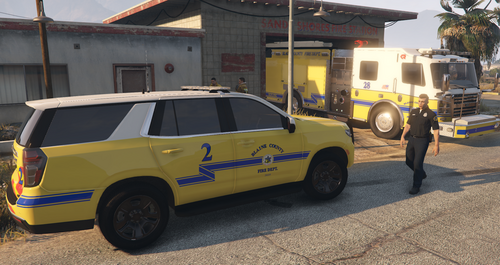 I was going to make a full Ventura-based BCFD pack, but Medic4523 beat me to it. So, using their base colors, I'm doing a full livery pack of command vehicles, smaller trucks, brush trucks, etc. This first batch is all command vehicles. Next up will be rescue ambulances. Models used: Kane104's 2020 FPIU GeorgieMoon's F-250 and 2020 Tahoe Redneck's 2018 Suburban Raz3r's 2023 Ram and 2021 Tahoe
 -
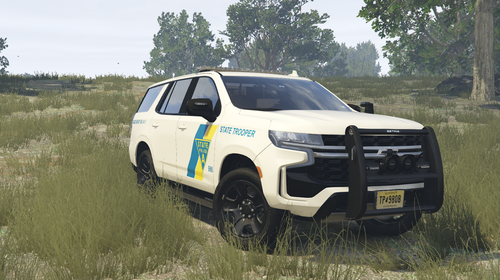 8 car livery pack 2021 Chevy Tahoe (Raz3r) 2020 Ford PIU (Kane104) 2020 Dodge Durango (Raz3r) 2020 Chevy Tahoe (GeorgieMoon) 2018 Ford F-150 (GeorgieMoon) 2018 Dodge Charger (Matt) 2016 Ford PIU (Kane104) 2011 Ford Crown Victoria (Otaku) Vehicles Used:
 -
 Are you generally familiar with replacing liveries or not really? These are for the models that I linked to in the description, and inside the ytd file is the livery, usually something_sign_1, replace with the matching one from my file. There’s plenty of youtube videos and tutorials out there to help
- 14 comments
- 2 reviews
-
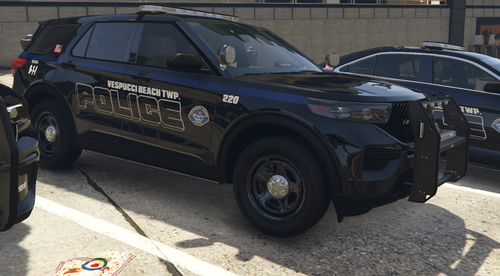 This will be expanded over the next week or so with Traffic, Supervisor, ghosted, and additional patrol liveries. This is based on Montclair, NJ Police Fits Base Models: RAZ3R- 2021 Chevy Tahoe PPV RAZ3R- 2021 Dodge Durango PPV RAZ3R- 2022 Dodge Ram 2500 Georgiemoon- 2013 Ford Explorer PPV Georgiemoon- 2013 Ford Taurus PPV Georgiemoon- 2014 Dodge Charger PPV Georgiemoon- 2018 Chevy Tahoe PPV Georgiemoon- 2018 Ford F150 PPV Kane104- 2016 Ford Explorer PPV Kane104- 2020 Ford Explorer PPV Peralta/Steve6645- 2018 Dodge Charger Peralta/Steve6645- 2014 Chevy Tahoe Peralta/Steve6645- 2006 Chevy Impala Underwood- 2011 Ford Crown Victoria
 -
So i use paint.net for all my liveries, and the drop shadow effect on text will give you that look here. As for the LCPP mod, it’s not back, but never left? It’s still out there in a ton of places by folks doing the good work of keeping it alive even though the original devs had to take it down. Plenty of places it’s hanging around available still
- 14 comments
- 2 reviews
-
-

- 1
-
-
I could probably have a go at it, it’s really mostly just changing “Santos” to “Angeles” on every one lol. I usually stick strictly to lore but i also had a request on my Transit livery pack to do real world versions, so I may. I’m currently working on a massive LCPD pack for the new Liberty City mod that’s floating around, but i’ll return to this and do a real world version after
- 14 comments
- 2 reviews
-
-

- 1
-
-
Thanks! I actually already made a LS County skin pack, but not based on the real LACo, but that’s a thought. I actually was thinking of doing a Ventura-based BCFD, so keep an eye out over the next couple weeks! Thank you, means a lot from the real deal! And I found a couple fivem houses i’m looking to use too, one in Mission Row by the police dept, and another off legion square, hence the battalions, just having trouble getting them to load into the game These are for those models, except the ambulances and the one Enforcer airport rescue, they’re all from his Pierce Arrow and Seagrave and KME packs. I’m doing my best to used as many free packs as I can so this is accessible to everyone, just forced to use paid packs like some ambulances because the free ones aren’t as good. But the upcoming battalion trucks will be free models as well as many EMS vehicles
- 14 comments
- 2 reviews
-
-
- 1
-
-
Full list and breakdown of every livery and how it’s organized is in the ReadMe, but just to sum up, there’s over 80 liveries included here with still some more on the way (folding in my Fast Response liveries and adding Brush Patrol etc) Command Vehicles Battalions 3- Davis 7- Rockford Hills 8- El Burro Heights 16- Legion Square 19- Vespucci Beach/Del Perro 25- Mission Row 21- LSIA And for those sticklers, I am aware that LAFD doesn’t have tower ladders or use Expeditions or Explorers, but I thought I would add some variety and things I like. I’m also aware on the command/battalion vehicles that the unit numbers are decaled on the windows and not on the body but obviously because of the limitations of not being able to change windows like liveries in-game, had to compromise. Almost all of the trucks are from Medic4523. I used his Pierce Arrow Pack for the bulk, as well as the Seagrave Pack, Ram Ambulance Pack, Ram Pickup pack, Peterbilt Pack, KME engine, and Freightliner pack. https://modification-universe.com/forums/resources/mbm4523-dlc-pack.327/ New Ram Ambulance https://modification-universe.com/forums/resources/lafd-non-els-mini-pack.1454/ 2022 Expedition 2018 Tahoe 2021 LAFD Tahoe https://www.lcpdfr.com/profile/491480-varicai/ from his discord but will fit any Raz3r 2021 Tahoe Kenworth Heavy Wrecker https://www.gta5-mods.com/vehicles/non-els-fivem-ready-kenworth-t440-heavy-wrecker Pierce Enforcer (LSIA rescue livery)
- 14 comments
- 2 reviews
-
-

-
- 6
-
-
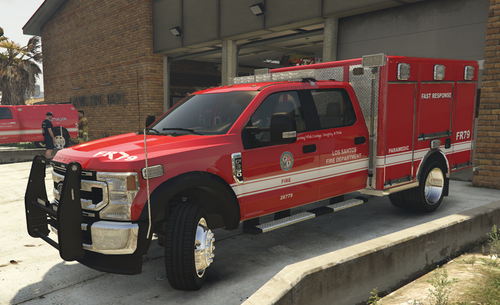 Based on LAFD's Fast Response vehicles, I threw this together using Ripple's Type 1 squad truck https://ripplesvehicledev.com/collections/fire-ems/products/type-1-squad-truck
 -
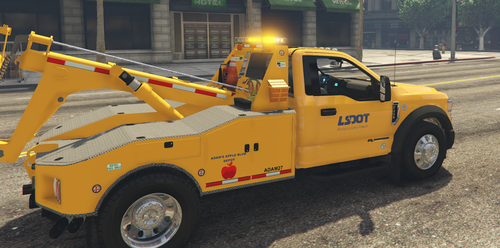 You're absolutely right, my mistake! Just uploaded with them included, enjoy! Blue Ram livery is in the SADOT subfolder, and red Ford liveries are in LSDOT
 -
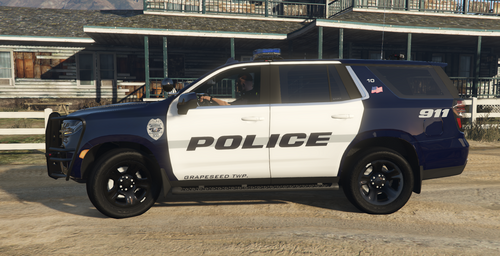 The town logo and police seal are based on Santa Paula, CA, a similar citrus farming town. Livery designs are original by me. These are pictured on GSD's Code 3 Pursuit package but will fit most common models of GeorgieMoon, Raz3r, Kane104, and Matt. All vehicles have one livery and one window file, except 2021 Tahoe which has both a patrol and a Chief livery. PLEASE NOTE the F-150 livery is for the LONG BED (6.5 ft) ONLY. It will not fit the short bed (5.5 ft), so don't come at me saying it doesnt work.
 -
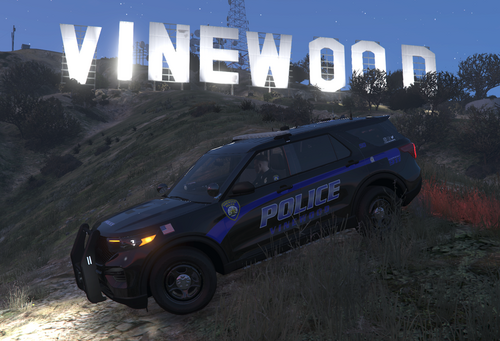 This is a semi update to my older livery pack, now uniform livery across the department, with multiple bureaus for most vehicles. This was based on a mixture of Winnetka, IL police department and Baltimore, MD police department. The pack pictured is Ripple's mPower pack. There are patrol liveries, supervisor liveries, traffic liveries, and special operations liveries (which would be K9, SWAT, etc. It's a well-funded but small department, so any specialties fall under Special Ops)
 -
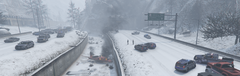
From the album: Small Plane Crash by Braddock Pass
-
-
Grand Theft Auto V Screenshot 2024.12.19 - 01.39.20.83.png
-
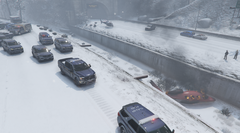 Grand Theft Auto V Screenshot 2024.12.19 - 01.38.58.62.png
-
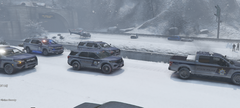 Grand Theft Auto V Screenshot 2024.12.19 - 01.38.45.79.png
-
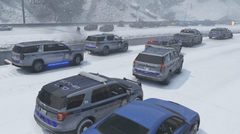 Grand Theft Auto V Screenshot 2024.12.19 - 01.38.35.89.png
-
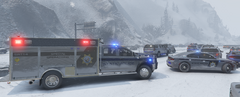 Grand Theft Auto V Screenshot 2024.12.19 - 01.38.25.25.png
-
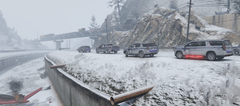 Grand Theft Auto V Screenshot 2024.12.19 - 01.38.07.83.png
-
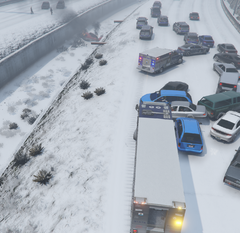 Grand Theft Auto V Screenshot 2024.12.19 - 01.37.40.03.png
-
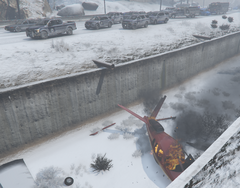 Grand Theft Auto V Screenshot 2024.12.19 - 01.37.01.89.png
-
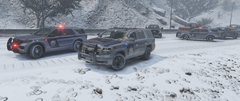 Grand Theft Auto V Screenshot 2024.12.19 - 01.36.54.33.png
-
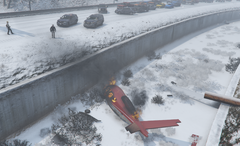 Grand Theft Auto V Screenshot 2024.12.19 - 01.36.43.38.png
-
 Grand Theft Auto V Screenshot 2024.12.19 - 01.36.32.35.png
-
-
From the album: Small Plane Crash by Braddock Pass
-
From the album: Small Plane Crash by Braddock Pass
-
From the album: Small Plane Crash by Braddock Pass
-
From the album: Small Plane Crash by Braddock Pass
-
From the album: Small Plane Crash by Braddock Pass
-
From the album: Small Plane Crash by Braddock Pass
-
From the album: Small Plane Crash by Braddock Pass
-
From the album: Small Plane Crash by Braddock Pass
-
From the album: Small Plane Crash by Braddock Pass
-
From the album: Small Plane Crash by Braddock Pass

