


.jpeg.f6c2067dd89a569e3654a922133a7d57.jpeg)
SpartanGaming
Members
-
Joined
-
Last visited
Everything posted by SpartanGaming
-
-
-
 any plans for the MCCD? (Motor Carrier Compliance Division)
 -
-
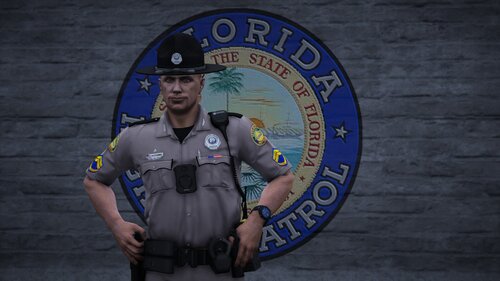 Tact Five Designs, it's a FiveM vehicle converted to SP
 -
Hello Hello, been a while. This is EUP for the Florida Highway Patrol, i originally made this for personal use but since it has become quiet much and i see a lot of other Florida fanboys/girls i thought i could maybe share it. I might add some stuff once winter time arrives, i think i can do something more with that. apparently blue with colored patches and black with grey patches is not being used by CVE with blue only appearing due aging, washing and sun exposure but for now i left these in so people can still use these in case they want to. BE AWARE: this does have textures for paid assets and the pictures have paid assets in them these items mostly include ThinLineSanctuary and Pyro's Dev Shop. the point blank vest is a Discord Booster release by Pyro's Dev shop but i included textures for his LA vest model pack as well which i used before. you are NOT allowed to share or release the textures as your own work. You ARE allowed to use the patches, logo's, ranks as you please, these are all from google so i don't mind, i don't own google lol LINKS: ThinLineSanctuary models used: SWAT outfit: https://www.thinlinesanctuary.com/collections/3d-models/products/crye-g3-set Motor Unit Winter/rain jacket: https://www.thinlinesanctuary.com/collections/3d-models/products/fleece-jacket Pyro's Dev Shop Assets used: Polo's: https://pyrosdevshop.com/products/polo-shirts Long Sleeve Shirt: https://pyrosdevshop.com/products/long-sleeve-t-shirt?pr_prod_strat=e5_desc&pr_rec_id=3cf29c830&pr_rec_pid=9542030164251&pr_ref_pid=8416865943835&pr_seq=uniform recommended to use (my textures were made for these models): https://pyrosdevshop.com/products/patrol-shirts?pr_prod_strat=jac&pr_rec_id=1159b6821&pr_rec_pid=8929075069211&pr_ref_pid=9542030164251&pr_seq=uniform BDU Pants being used: https://pyrosdevshop.com/products/capital-pants?pr_prod_strat=jac&pr_rec_id=8ded008e1&pr_rec_pid=8098428420379&pr_ref_pid=8929075069211&pr_seq=uniform badge, hat, etc..: https://pyrosdevshop.com/products/florida-highway-patrol-sahp for high ranking troopers: https://pyrosdevshop.com/products/collar-epaulette-ranks alternative vest: https://pyrosdevshop.com/products/la-model-pack free models by Kuwu:
-
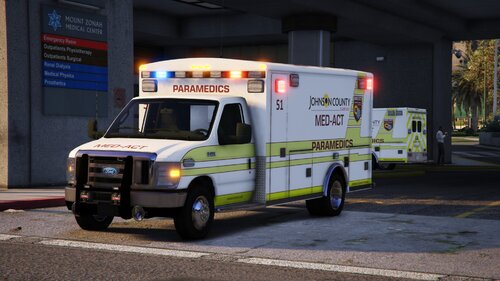 hello there, decided to make some liveries for the Johnson County MED-ACT these are not 100% but should be close. these liveries are made for the Ford E450 Ambulance pack by Medic4523 (see below) currently they all are similar with minor changes based on the Ambulance vehicles (lightning placement etc) in the future i hope to be able to add the newer liveries as well and give each number their correct livery to match the real life ambulances currently all numbers are taken from real JOCO EMS Ambulances but the liveries are not there yet. each ambulance has 3 liveries only one is reflective as that is how the pack was made by medic4523 Liveries: Medic1 (reflective): - Medic 30 - Medic 33 - Medic 34 (these liveries their numbers are specifically made to not cover the reflective parts, if you change to a livery not listed above, livery issues might happen) Medic1a: - Medic 35 - Medic 36 - Medic 37 Medic1b: - Medic 51 - Medic 52 - Medic 53 Medic1c: - Medic 45 - Medic 54 - Medic 73 Medic1d: - Medic 63 - Medic 64 - Medic 65 Link to Medic4523's Ford E450 Ambulance pack: https://modification-universe.com/forums/resources/ford-e-450-ambulance-pack.52/
 -
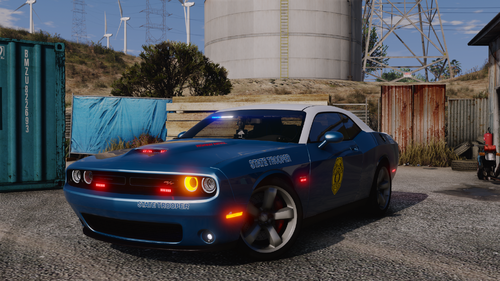 any chance these get K-9 Variants?
 -
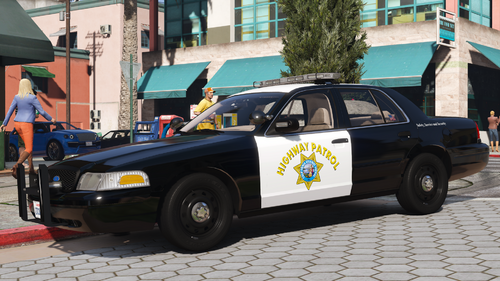 ohh......that explains a lot and i'm out here trying to figure out what i did wrong lmao
 -
any idea how i can fix these black wheels? 1, 2 and 3 are good but 4, 5 and 6 are fully black
-
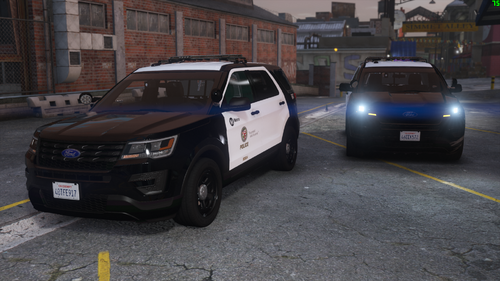 the vehicle works fine, you have to read the readme. it also helps to have SSLA, might not need it specifically for this car but it's still good to have nonetheless.
- 68 comments
- 6 reviews
-
idk how many of you have Messageboards but after some testing, it does seem to be that mod, i went twice in a row to mission row pd, the bug happend which then also causes Roleplay+ to crash, i removed Messageboards DLC, it did not happen, put it back in, sure enough......happend again at mission row, took it back out and..........not happening, there seems to be conflict between messageboards and mission row, idk maybe his boards are not certified by the LSPD lol but it does seem to be the problem, it is however important to note that i used Mission Row as example as i was able to force the bug to happen there. it did happen once or twice down in the county with roleplay+ randomly crashing and props such as Compulite tablet, Breathalizer, narcotics tester, stretchers (ems, coroner) to become invisible, then trying to use the clipboard, roleplay+ crashes and the weapon bug sure enough is also going on, this however was all with messageboards being in the game.
-
 dude you're supposed to post vehicle textures in here, not promote your youtube channel!
 -
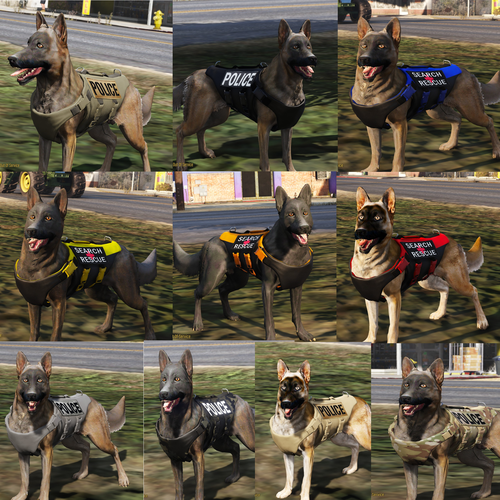 honestly i've completely forgotten about this but i'll keep it in mind, thanks for reminding me lol
- 4 comments
- 2 reviews
-
-
 this didn't help but i did set the "disable minimap" to false and that helped, i have my minimap disabled by default so this option was pretty "useless" if that makes sense, but apparently if it set to true it will also disable the PLD. thank you anyways tho!
- 294 comments
- 29 reviews
-
is there a way to get Player Location Display to keep showing while in dashcam mode? this mainly neceseray during pursuits to be able to call out locations while in dashcam, now it disappears and you can't call out the location, street or direction of travel
- 294 comments
- 29 reviews
-
 they are fully ELS but they require SSLA to properly work, his vehicles use the same keys and same method as normal els cars, they just have a more accurate lighting pattern and lightning reflections
- 53 comments
- 5 reviews
-
-

- 1
-
-
- rph
- lspdfr plugin
- legacy
- rph
-
Tagged with:
-
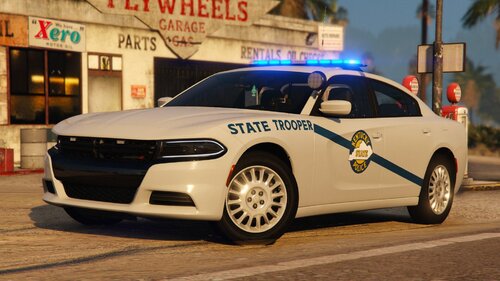 i love that more and more states are getting featured, i hope you add more cars in the future, this is a state i'm interested in doing down the line!
 -
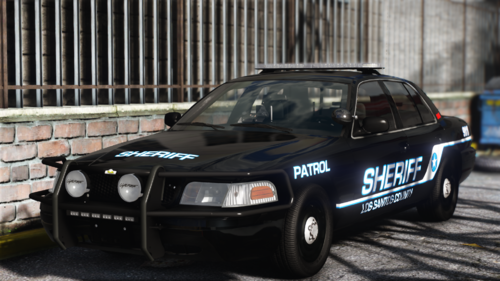 if you're on a older build of gta 5 you can use it, if you're not (like me due PC switch issues) then you will have to wait for SSLA to update
 -
 small suggestion to maybe give "FHP7A" which is the whelen CVPI without pushbar to give it the Shark fin antenna like in the picture below, just to kinda be closer to the real life counterpart, not entirely neccesary but i like creating my Units based on real units lol
- 300 comments
- 22 reviews
-
-
- 1
-
-
-
-
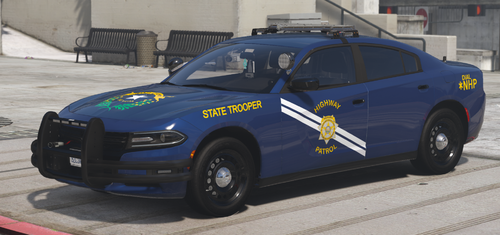 actually i saw a picture of the ford Taurus with a blue scheme, as well as the motor units, i think for the motor units the blue livery and their blue BDU go well together lol
 -
 i fixed it, i believe you simply need to update the game to the latest build, i was still on 2845 which apparently is already a year old, that explains why certain plugins don't work properly lol i tested it with 2 builds with same plugins and same method on the 3095 it works and on 2845 it doesn't work no matter so yeah just update, make sure you have no plugins that might overlap (seatbelt plugin by Faya is fine) and it should work
- 447 comments
- 17 reviews
.thumb.jpeg.460b82642fc165022fa0ab22983c4eaf.jpeg)



.thumb.png.2ab768efcbe65de23a7d11999ca83cb8.png)
