K.McIntosh
Members
-
Joined
-
Last visited
Everything posted by K.McIntosh
-
Still not working I don't know why, I've included my updated log below. RagePluginHook.log
-
Okay I’ll see if it works.
-
Good Morning all, I am having troubles with LSPD:FR. Whenever I load into LSPD:FR and do anything for a few minutes it just crashes, I've updated Rage Hook Plugin and I got a new version of ScrRagePluginHook.logipt Hook V. Any help would be much appreciated, below is my RageHookPlugin Log.
-
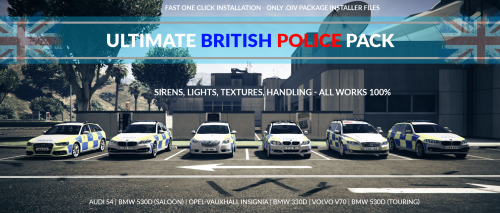 How do I uninstall it, I want to change over to an Australian pack but the siren is stuck with the british style sirens.
- 52 comments
- 22 reviews
-
When will it be available for download?
-
My mods also aren't working. OpenVI is telling me to update Open.ASI even after I've pressed update, when I go back into ASI manager it tells me to update again.
-
I've been trying to install mods and when I get in game they aren't loaded in and are still showing the original vehicles. OpenVI has been telling me to keep updating some of the stuff even though I have updated it multiple times, I'm also on bootcamp so maybe that is the issue. They are showing up on OpenVI but aren't loading in game.
-
It's fixed, Thank you for helping me.
-
How would I do that? Actually take that back
-
RagePluginHook.log
-
I only have logs not the RagePluginHook.log.
-
I have multiple, do you want the most recent one or all of them?
-
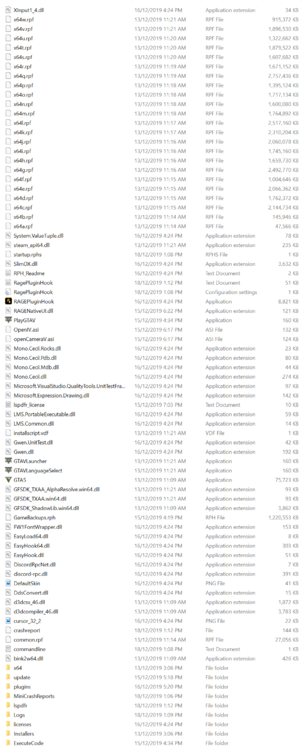
LSPD:FR keeps crashing and I don't know why. Here are my game files (I'm also on Bootcamp so maybe that's why), I have my timeout set to 23000 and have been changing it to see if I could stop LSPD:FR from crashing. I have also just got LSPD:FR 0.4.