


PaddMadd
Members
-
Joined
-
Last visited
Everything posted by PaddMadd
-
 He protecc He attacc But most of all HE HECKIN BACC WITH MORE DANK PACC I literally stopped all GTA modding when you left, none of the other mods were the same. Thank you for giving me a reason to lurk here again lmao
 -
-
-
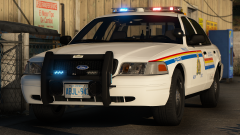 That Silverado reminds me of the CVSE pickups. Skin idea?
 -
 Dank.
Dank. -
 Dank.
Dank. -
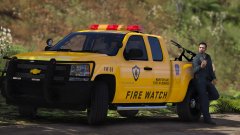 This is quite cool, and IMO would make a great replacement for the pranger.
 -
-
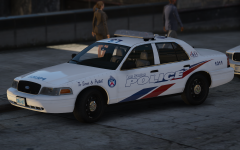 Having done mods for SA back in the day, I know what it's like to have people demand mods, then piss and moan when it's not an exact replica or there's a texture not quite right. At the end of the day, you gotta make your mods for you. There will always be someone whining about how they wish X was done differently, or why Y was used instead of Z. Don't worry about what other people want, make the stuff that YOU want. As far as Scuderio's or Twistedscopes' packs are concerned, I honestly don't think having three packs would've been a bad thing, as there's variety with the different base models which would make it easier for people using skin packs. Another upside would be PC performance: You stick with F5544's DSF CVPI, but one of them may use thehurk's Forza CVPI, which may cause problems for potato PCs. Either of them might not also have the attention to detail that you do, so who knows. Like I said, make the stuff that you feel like making, don't worry about trying to please everyone else!
 -
I'm looking forward to these, TPS has some pretty cool vehicle setups. What's your plan for unmarked/stealth vehicles? inb4 flashpoint suburban
-
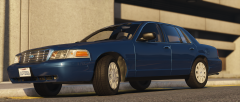 Street Appearance Package
 -
It's about time someone made a proper SAP, good job.
-
-
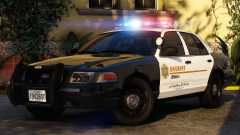
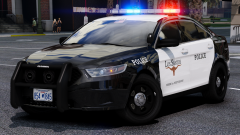
I'd love to see your take on more LASD-inspired vehicles, especially the ones that people often ignore or forget about. OSS CVPI: This one's a personal favorite, and seems to be the most simple. They all seem to have identical lighting, as well as the same grey for the unmarked cars. The lighting, cage, and lack of a rambar is something that hasn't been replicated aside from BXBugs123's ponymobile, and the default LSSD unmarked Stanier in RDE. The slicktop cars seem to be outfitted the same, but have what looks to be a GoRhino rambar. FPIS: Nobody's ever attempted this that I know of, your Blaine County model is as close as we've ever gotten. Then again, it's most likely correct to the real thing so idk lol. Tahoe: Your Blaine County/Sandy Shores Tahoes were pretty damn close to the LASD counterparts, but I'm suggesting it anyways simply because we only have one true LASD Tahoe. Charger: I know the '09 is rather dated, I can't find anything on them using the newer model Chargers. I'm sure that an '09 would be well-loved, as the model seems to have been forgotten in favor of the 2014 as well. Volunteer: This would make a great replacement for the security car, and could be done with nearly anything in the LASD fleet. Search & Rescue: None of their vehicles would be useful for patrols and they're kind of all over the place in regards to vehicles and equipment, but they'd be good ideas for SWAT trucks or something. SEB: Mostly tactical stuff, but a paramedic Suburban would make a good replacement for RDE's battalion chief trucks or something.
-
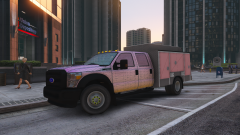 This would be great for everything from a tactical unit, CVE, brush/jaws truck, or even public works. I'd be happy to attempt some skins to give you ideas if you want!
 -
 I'm really glad that this update has come out. I 've always wanted to give RDE a try, but couldn't get older versions to work. Overall, the mod is great. The many different types of emergency units that spawn in the world is great, and gives a level of detail and immersion that isn't possible with anything else. The extra emergency vehicles work great for LSPDFR as well, I have more slots than I know what to do with, and they actually all spawn in the world rather than only with a trainer. I'm getting a lot of map textures disappearing in the higher wanted levels, but that's most likely due to my PC not being able to keep up with the carnage(word of warning: DO NOT replace everything with ELS-enabled vehicles unless you are sure your PC can handle it). Nonetheless, I'm still having a ton of fun with RDE
- 1,524 comments
- 85 reviews
-
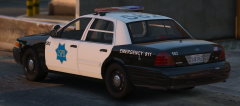 This makes my peepee the big peepee
 -
-
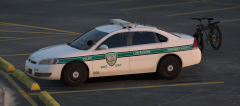 Do more! More! They're like vitamins to us.
 -
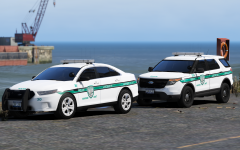 I agree with this decision
 -
muh dick Why no hubcaps for the FPIU, tho?
-
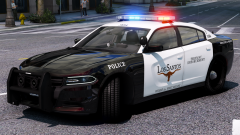
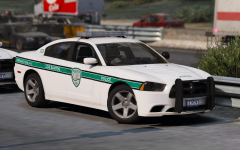 Wow, the Charger pulls off that setup quite well. I'm looking forward to this one.
 -
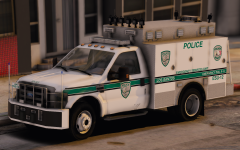 wow very nice u relese now ok thx
 -
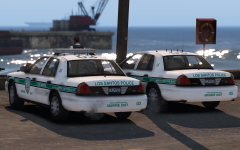 The skin is really nice, the unique color scheme and simplicity of it really works well, even on a car with that much equipment. If you'll take some suggestions for the vehicles though, some bumper wraps and either some colored lenses for the Freedom or perhaps swapping it out for an Edge would make these stand out from your Paleto pack. That's just my two cents though so pls no bully.
 -
.png.3da353971e7f56dbcb2e57b9033513a0.png) A FS JetSonic would be a great retro lightbar choice, it seems to be the most common one used on the SSP.
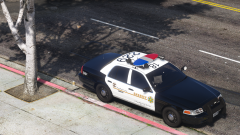
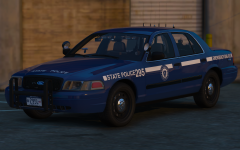
A FS JetSonic would be a great retro lightbar choice, it seems to be the most common one used on the SSP.



.png.3da353971e7f56dbcb2e57b9033513a0.png)