




FPIUGuy
Members
-
Joined
-
Last visited
Everything posted by FPIUGuy
-
i removed an add-on weapon entry from my pr loadouts.xml and it seems to have fixed everything
-
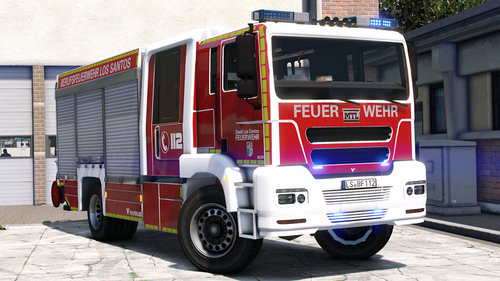 does the roller doors open?
 -
it should have the same as the last log i think as I've been having the same error ever since RagePluginHook.log
-
freeze when i press f, lspdfr crashes and get an error of some sort of unhandled exception i think when i force duty lspdfr crashes and i still get that eup error
-
no and i dont plan too because it has too many dependencies
-
I do that and then the game freezes when I try to open the f4 menu
-
yes, my rph is up to date, my lspdfr should be too
-
-
tried that, still crashes.
-
I get an error saying i dont have eup lo installed when i have it in my openiv and i installed it again in case it needed to update, when i try to forceduty lspdfr crashes, sued a log reader and said i need to update yourshift and simplectrl, i did that and it still crashes RagePluginHook.log
-
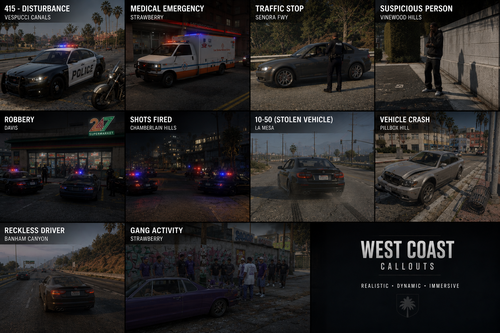 is there a way to remove or disable the seatbelt functionality? i already have a seatbelt mod and it kind of conflicts with each other and gets kind of annoying especially on motorcycles
- 34 comments
- 5 reviews
-
looks like lml worked
-
Sounds good, I’ll try openiv first then lml, thanks boss
-
thanks boss i appreciate it
-
ive tried that a few times, nothings worked yes exactly that, incredibly annoying
-
ok i did that, and got the same error, went into my directory to make sure dinput was named correctly and it was, i tried it again and then the launcher wouldnt even open to launch the game, so i clicked directory on the rockstar launcher and it prompted me to sign in so i did, and then tried to launch the game but it said it was already running, went into my task manager and there was no gta running
-
-
another thing my rph log isnt update, it seems like its not generating a new one, that log is from the 9th at 5 o'clock
-
ive just verified my files for the fourth time, still gotten the same error, lspdfr is only in the plugins folder, nothing in my main route, im sorry about this
-
i updated lspdfr and rph, manually and with the auto install twice
-
i got too many mods to go through all of them to find which ones the problem RagePluginHook.log
-
renaming the mods and verifying my files didn't work
-
Updated gta, scripthookv, rph, lspdfr. open with and without rph, rockstar launcher just keeps saying exiting unexpectedly, hitting retry and safe mode doesn't do anything I'm not reinstalling everything btw because I've heard that works for some people but fck that
-
-
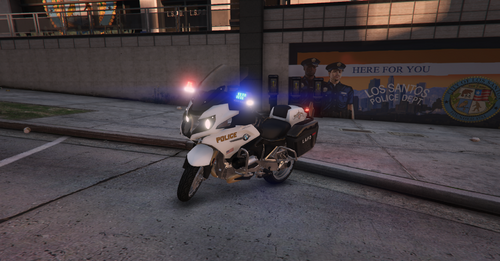 Absolutely gorgeous model! The DLS settings are excellent, the "interior" is great, and not to mention i was getting so tired of all the generic R1200s all based on the same crappy model




