



Rabbit GTA V Development
Insiders
-
Joined
-
Last visited
Everything posted by Rabbit GTA V Development
-
 Maybe. Not sure just yet
 -
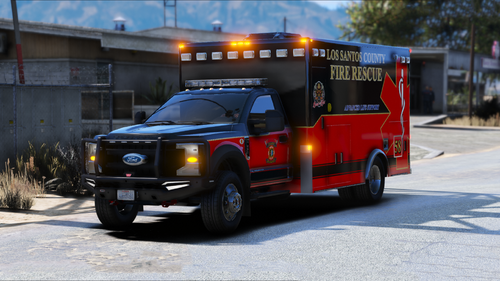
Assembled and prepared by: ЯΛBBIƬ® GTA V Development Livery By: ЯΛBBIƬ® GTA V Development Join my discord for project updates, community voting and much more! *** Please report any bugs to me directly. I DO NOT OWN RIGHTS TO ANY PART, PICTURE, OR INSIGNA YOU SEE IN THIS MODEL. This release is exclusive to Modification Universe and LSPDFR.com. This model's lighting environmental was tested with a modified visualsettings.dat and no additional graphics mods. Do not claim my work as your own. You may use this release to create content with credits given. You do not have my permission to physically modify or redistribute this model. You may release alternate liveries given you provide my original model link. *** --------------------------------------------------------------- INSTALLATION: Addon: To install, navigate to the dlcpacks folder via OPEN IV Location: Grand Theft Auto V\mods\update\x64\dlcpacks Drag and drop **rabbitambo** into the dlcpacks folder Add the dlc pack line to the dlclist.xml Location: Grand Theft Auto V\mods\update\update.rpf\common\data Edit dlclist.xml Add line: <Item>dlcpacks:/rabbitambo/</Item> --------------------------------------------------------------- **** DO THIS IF YOU'RE USING AS AN ADDON **** >>>StopThePed<<< File location: Grand Theft Auto V/plugins/LSPDFR/StopThePed.ini Locate line 111 (yours might be different), and change AMBULANCE vehicle model name to AMBULANCE2 or Copy and paste AMBULANCE vehicle model name line (mine is 111) with this: AmbulanceModels=AMBULANCE2 --------------------------------------------------------------- ELS: Install any ELS XML's with the pack via GTA V root folder Location: Grand Theft Auto V\ELS\pack_default --------------------------------------------------------------- >>> Replace <<< (DO NOT RECOMMEND ----> ROLLS OVER EASILY) To install this vehicle, Navigate to the latest patch day that you install vehicles to via OPEN IV (I've found success with patchday25) and drag desired vehicle files into the patch day. Location: Grand Theft Auto V\mods\update\x64\dlcpacks\patchday**ng\dlc.rpf\x64\levels\gta5\vehicles.rpf ***AMR livery available here***
-
 I've been back for a few months. Still posting to MU as well You can spawn it via a mod menu
 -
I provide replacement files and much more to supporters of my patreon as well as installation help. the free version is minimal. You could always drag the yfts and ytds from the dlc pack and rename em.
-
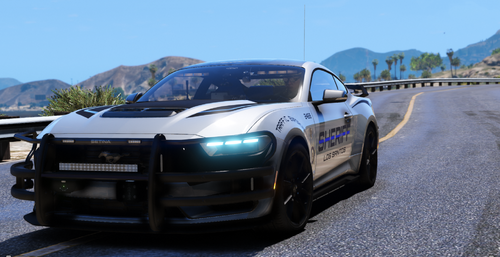
Assembled and prepared by: ЯΛBBIƬ® GTA V Development Livery By: ЯΛBBIƬ® GTA V Development Join my discord for project updates, community voting and much more! *** Please report any bugs to me directly. I DO NOT OWN RIGHTS TO ANY PART, PICTURE, OR INSIGNA YOU SEE IN THIS MODEL. This release is exclusive to Modification Universe and LSPDFR.com. This model's lighting environmental was tested with a modified visualsettings.dat and no additional graphics mods. Do not claim my work as your own. You may use this release to create content with credits given. You do not have my permission to physically modify or redistribute this model. You may release alternate liveries given you provide my original model link. *** --------------------------------------------------------------- INSTALLATION: Addon: To install, navigate to the dlcpacks folder via OPEN IV Location: Grand Theft Auto V\mods\update\x64\dlcpacks Drag and drop **rabbit24mustang** into the dlcpacks folder Then add the dlc pack line to the dlclist.xml Location: Grand Theft Auto V\mods\update\update.rpf\common\data Edit dlclist.xml Add line: <Item>dlcpacks:/rabbit24mustang/</Item> --------------------------------------------------------------- ELS: Install any ELS XML's with the pack via GTA V root folder Location: Grand Theft Auto V\ELS\pack_default --------------------------------------------------------------- ***This download includes the variant seen in the pictures above*** Ghosted (no rambar) version as well as all blue lighted variant, replacement yft/ytd files, and PD/HP alternate liveries are available here.
-
 what do you mean? the coronas or the textures?
 -
It doesn't. Couldn't add collisions and have it toggle off as well. I tried and the bug I found was that once you took it off you couldn't put it back on without respawning it or restarting your game (worst case).
-
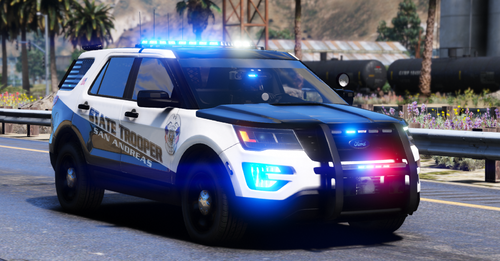
Federal Signal Lighting Package; RnB; Addon Only; Extra 10 Push bar / rambar Assembled and prepared by: ЯΛBBIƬ® GTA V Development Livery By: ЯΛBBIƬ® GTA V Development Join my discord for project updates, community voting and much more! *** Please report any bugs to me directly. Known Bugs: no push bar collisions I DO NOT OWN RIGHTS TO ANY PART, PICTURE, OR INSIGNA YOU SEE IN THIS MODEL. This release is exclusive to Modification Universe and LSPDFR.com. This model's lighting environmental was tested with a modified visualsettings.dat and no additional graphics mods. Do not claim my work as your own. You may use this release to create content with credits given. You do not have my permission to physically modify or redistribute this model. You may release alternate liveries given you provide my original model link. *** --------------------------------------------------------------- INSTALLATION: Addon: To install, navigate to the dlcpacks folder via OPEN IV Location: Grand Theft Auto V\mods\update\x64\dlcpacks Drag and drop **rabbit16fpiu** into the dlcpacks folder Then add the dlc pack line to the dlclist.xml Location: Grand Theft Auto V\mods\update\update.rpf\common\data Edit dlclist.xml Add line: <Item>dlcpacks:/rabbit16fpiu/</Item> --------------------------------------------------------------- ELS: Install any ELS XML's with the pack via GTA V root folder Location: Grand Theft Auto V\ELS\pack_default --------------------------------------------------------------- ***This download includes the top mounted light variant only*** Slicktop & K-9 versions as well as all blue lighted variant available here.
-
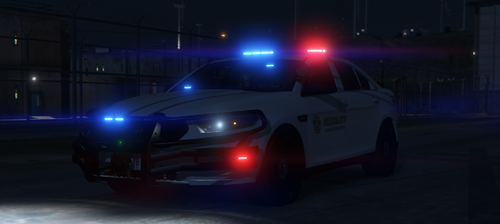 Whelen Lighting Package; RnB; Addon Only; Extra 10 ALPR; Working Cargo Door Assembled and prepared by: ЯΛBBIƬ® GTA V Development Livery By: Rockstar Games, Assembled by ЯΛBBIƬ® GTA V Development Join my discord for project updates, community voting and much more! *** Please report any bugs to me directly. I DO NOT OWN RIGHTS TO ANY PART, PICTURE, OR INSIGNA YOU SEE IN THIS MODEL. This release is exclusive to Modification Universe (pre-released) and LSPDFR.com. This model's lighting environmental was tested with a modified visualsettings.dat and no additional graphics mods. Do not claim my work as your own. You may use this release to create content with credits given. You do not have my permission to physically modify or redistribute this model. You may release alternate liveries given you provide my original model link. *** --------------------------------------------------------------- INSTALLATION: Addon: To install, navigate to the dlcpacks folder via OPEN IV Location: Grand Theft Auto V\mods\update\x64\dlcpacks Drag and drop **rabbittaurus** into the dlcpacks folder Then add the dlc pack line to the dlclist.xml Location: Grand Theft Auto V\mods\update\update.rpf\common\data Edit dlclist.xml Add line: <Item>dlcpacks:/rabbittaurus/</Item> --------------------------------------------------------------- ELS: Install any ELS XML's with the pack via GTA V root folder Location: Grand Theft Auto V\ELS\pack_default --------------------------------------------------------------- Pre-release previously only available on Modification Universe. ***This download includes the top mounted light variant only*** Slicktop version as well as all blue lighted variant available here.
 -
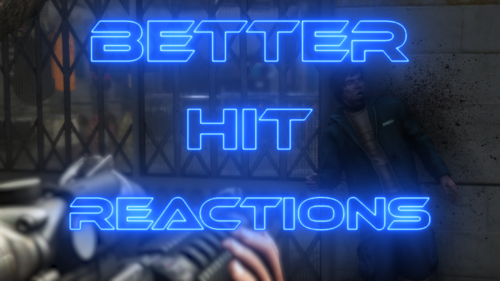 Bad ass 🔥 Thanks Astro
 -
 It plays police radio chatter in the background. It does nothing to the default dispatch sounds. The best example is if you listen to police radio chatter on YouTube while you played. This plugin does that for you in game.
- 637 comments
- 51 reviews
-
I spoke with Razer about this in October of last year. ED posted a picture of his modifications to razers TRX on Facebook. I sent a screenshot to razer and he confirmed that it was is trx, noting that ED was banned a while ago and should not have access to it. I know what he's done because I've witnessed it first hand. I can't speak on GM because I don't know what exactly happened but if youre saying that he had access to his models when he wasn't supposed to then paid when he got caught well if it walks like a duck and quacks like a duck well then it's a..... Fact of the matter is, the guy is a POS and needs to go. He's gotten away with it for far too long and it's communities like this who won't do crap because it'll be lost revenue. Funny how I get "warned" for links in my descriptions but his are still up. It's a double standard and selective enforcement at best.
-
That's funny because ED posted a picture of razers Ram TRX he modified on Facebook which he would of not had access to since he was banned already. I asked Razer on Discord and he confirmed it (also have screenshots to prove it) so yes he has used leaks. He never released the TRX publicly but still doesn't make it right.
-
Thanks for the transparency. Your reply actually cleared it up unlike Will who was condescending and made excuse after excuse. He needs re-training in his responses. I'll reach out the the dev and see if thats what he wants to prosue.
-
@Back12 posted evidence of ED conducting business on this site. Is that not an enforceable rule since it's not allowed? This guy is actively doing this to multiple people. I get you can't control what's done on discord but at the very least you can control his actions on this site. Or no? This is very true. I've confirmed this with razer. Razer said he's been banned for using leaks and yet he's still posting razers models on his builds. Crazy. He gets the site clicks man. That's all they really care about. People don't know better. They see nice screenshots and don't really know the trash behind it. Devs work hard to provide content for free and it's guys like ED whos ruining the reputation of this site and the moderators don't care. I stand by my first comment. He's protected for some odd reason. If only they knew the lies he hides behind. When I first started modding, he reuploaded one of my vehicles with his texture. I asked him to take it down and he got nasty, saying very questionable things. It's sad that he allowed to be a cancer to this community.
-
Not sure if he knows but it's well known all over discord and everyone I've talked to knows. Doubt anything will happen because he gets this site clicks from his constant broken releases.
-
Typical attitude from ED. He's known to use leaks as well. He needs to be banned from this website like MU but he has the staff here protecting him so that'll never happen.
-
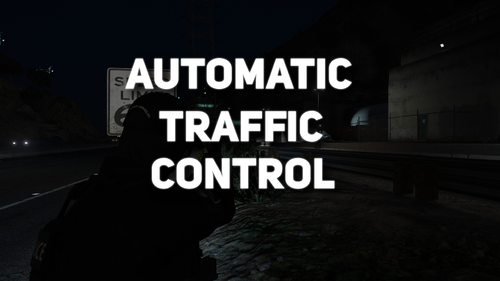 Great idea but it stops emergency vehicles as well which is a major bug.
 -
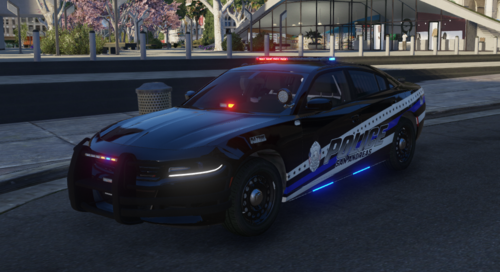 Zaddy is A1 🥴
 -
-
 Great work! Is there way to have the MDT sound ON as default instead of having to put it on everytime I load in?
- 446 comments
- 46 reviews
-
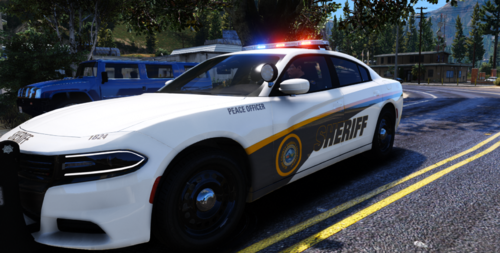 Colors clash. Maybe it has to do with the thickness of the yellow letter outline but it also looks like SHERIFF is too small. The real vehicle graphics colors don't clash as bad. Regardless good attempt.
 -
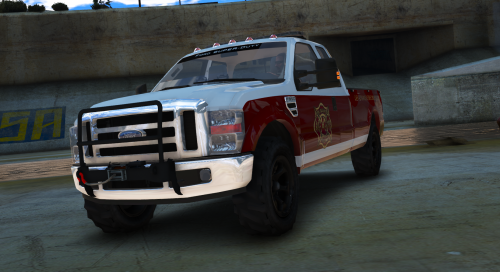 The non douchey thing to do would be to message him privately instead and voice your opinion on the "bullshit" you believe is occurring instead of going after him in the comments section. I can't stand that crap. Its ppl like you on this site, ppl who think their shit don't stink, is why I no longer use this site to release and "force" ppl to join my discord for content. Get over yourself. Great job on the model powers. Keep up the good work 💪
 -
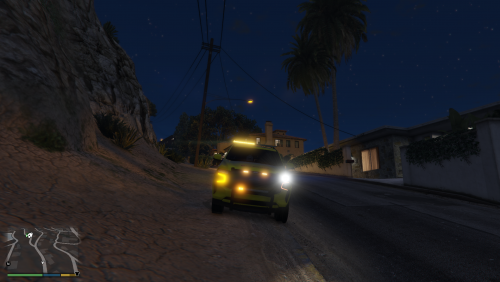 That's dope. Great job converting everything!
 -
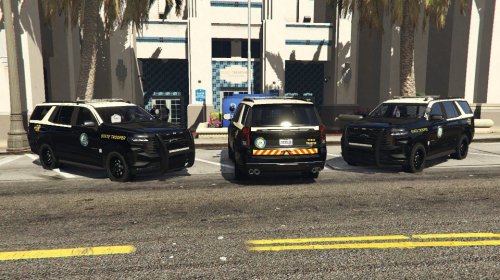 Looks great!





