
ShiftinSmiles
Members
-
Joined
-
Last visited
Everything posted by ShiftinSmiles
-
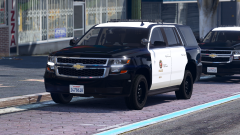 I'm not Tactical Donut, but I live near Los Angeles. No, LAPD doesn't utilize 2020 Tahoes or 2018 Chargers. If you look at the list he's made, these two cars are marked as fictional. I still think they're a nice touch.
 -
 Very nice pack. I first saw it in a Benzo Video, then joined the stream to see none other than Jedahdiah himself! Very exciting. I am having an issue with the add-on pack, but that couldn't possibly take away this 5-star review! I decided to go with the other option for now and wow, those cars are amazing! Great job!
- 143 comments
- 23 reviews
-
-

- 1
-
-
ok well the addon started working and it is amazing. good job jed! edit 2: it started working after i downloaded the gtapolicemods version
- 143 comments
- 23 reviews
-
-
- 1
-
-
I'll take note of Ripple's cars, and reinstalling isn't too much of an issue. Already did it, but no biggie. Thanks! EDIT: so it looks like Ripple is in the clear, and his cars are not the case. One of my .oiv files ended up being the problem and edited the vehiclelayouts.meta.
-
reinstalling gta v
-
Did you put your VCFs into Grand Theft Auto V (root) > ELS > pack_default? Did you install els.asi and els.ini into the GTA V Root folder (basically the folder where all the game files are)?
-
RPH/GTAV Crashes due to specific slots, usually SUVs. This was my problem. Now, I've solved it. no need to reinstall gta v (don't waste time like me) so what happened? recently I found red dead redemption 2 euphoria, and I downloaded both .oiv parts. today, looking into it using 7-zip, the weapons.meta oiv edited vehiclelayouts.meta. MORAL OF THE STORY: if you're crashing, it's most likely your vehiclelayouts.meta. what you need to do is head to mods>update>update.rpf>common>data>ai and look for vehiclelayouts.meta which should say Compressed;Encrypted at the end, or under attributes. if it doesn't check the size. the original layouts.meta size is 1,961 KB. mine was 1,937 before I replaced it with the original. so hopefully this helps!
-
 Police4 in-game comes with a tint for the vanilla model. You need to edit your vehicles.meta, or replace it with the one located in this download. There's a forum post located in the spoiler below that might help. EDIT: you need to install the vehicles.meta listed in this car pack because there are LODs connected to it. Do you have Packfile Adjuster, HeapAdjuster, and a custom gameconfig.xml? If not, they are located in the spoiler below. For the config, I recommend using stock or 1.5x, as sometimes this may cause the game to lag since LSPDFR reads all the cars or something like that.
- 110 comments
- 39 reviews
-
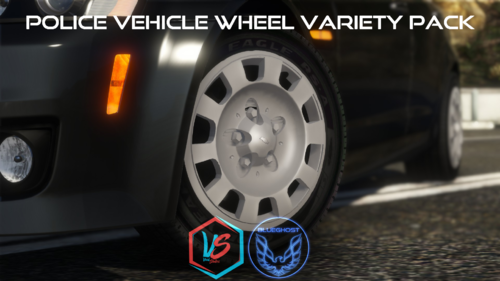 I enjoy this pack because it works. Definitely have much more variety to vehicle customization, and I can sort of stand out from the A.I. Nobody wants to be a robot, am I right? Anyways, 11/5. Definitely would recommend for others!
- 88 comments
- 18 reviews
-
-
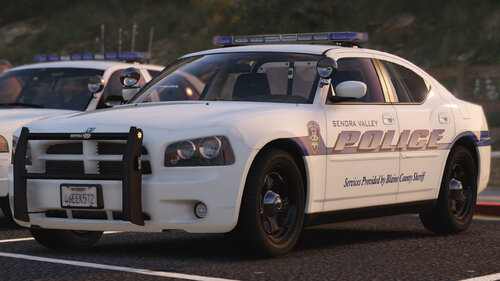 I like this pack. The cars are very beautiful, and it's fun to use. The 2010 Charger has to be the best part. The ELS work is amazing, and it's what I would think of as a department ran by another department. 11/5, definitely a must-use for new players. #myfirstreview
- 38 comments
- 16 reviews
-
-
- 1
-
-
 I feel a little late to this pack, definitely enjoyed it, not sure if you've found your ELS yet. The ELS XMLs are actually just located inside of their respective folders. There isn't a separate folder called VCFs.
- 84 comments
- 28 reviews
-
To arrest someone in LSPDFR using the default keybindings, you would hold E at gunpoint in order to perform the action of "Takedown." To pull someone over also using default keybindings, hold shift to signal, and wait until they completely stop. Make sure you are using the signal because once you get out, AI considers that you are not code 3 and will no longer yield. If you are signalling using the default keybinding, post your RAGEPluginHook.log located in your GTA V Directory.
-
LSPDFR.dll is crashing whenever I pull my backup menu and may periodically crash. I have no backup modifiers installed. Recently, it crashed when I called for a transport unit, even though it was working fine in my last callout. I require some assistance, as this annoys me. RPH Log attached. RagePluginHook.log
-
At this point, I got sort of tired of how it broke, so I just removed my mods folder and reinstalled everything. It's all fixed now. I thank you so much for how far you've helped me.
-
I highly recommend following FirstThirtyMinute's Tutorial Series. LINK:
-
Should I copy it to a mods folder or just take it out of the _mods folder?
-
That seemed the fix the slots, and it looks like they were replaced appropriately with the vanilla cars. What do I do after this?
-
And we're back to square one. This time, I believe it's linked to my duty belt and mic+bodycam plugins. PASTEBIN: https://pastebin.com/ncxsBwVy EDIT: Now I'm thinking that it's not the duty belt and mic+bodycam replacement. Those worked fine when I force-duty. They may be linked to the cars.
-
I've removed Traffic Policer. Do you know how I could go about fixing my broken Police Stanier? Based on the hash and the research I've done, it links to the Stanier. There are probably a couple more vehicles that are broken. Not sure. EDIT: Forgot this: it appears my crashing has ceased.
-
I don't think this is really the problem. I actually went on the game to have some fun and reinstalled the LAPD Based Megapack. I deleted it before, and that's probably why that was there. Let me know if you see anything else wrong in this new log: RAGEPluginHook Log: https://pastebin.com/U8gB3tYN REPLY 2: So now my LSPD:FR is deciding not to crash. In April, I entered a no-crash stage, and then it came back on 5/20. So I think I have some sort of crash that keeps coming back. I might keep this topic updated...
-
Post your RAGEPluginHook Log. The most recent one.
-
This is a common issue. There was a fix released by the maker of EUP (forgot his user, sorry). Have you installed EUP Outfit Configurations made by the person who made EUP?
-
So how is it being rejected? I've accepted calls and the horn has blared before. Is it whenever you press Y? I don't think it's the K-9 Charger. When this happens again, try pressing B to open the Backup Menu. If that doesn't load, check your settings under LSPDFR in the Pause Menu. If you see skills, you need to restart your RPH. It's happened to me before.
-
Based on the mods you have, it might be from one of the callouts. If you look on the map, what are the white blips marked? If they are marked enemy, then that's just from one of the mods. Some icons in LSPD:FR will be blipped red to show that they are an LSPD:FR Enemy, which means that you can go into a pursuit for them. If you're holding shift down behind a vehicle, it'll be registered for a traffic stop, and you can pull them over. Hope this helps!