
ShiftinSmiles
Members
-
Joined
-
Last visited
Everything posted by ShiftinSmiles
-
 Pattern's a little slow for me but overall good. Goes for all your slicktop cars (they are all fire).
- 3 comments
- 3 reviews
-
It should be this file. Same spot under Properties but this file below.

-
Ensure your RagePluginHook is up to date. Then go ahead and go to your GTA 5 Directory, right click "GTA5.exe" and select Properties. Then go to "Details" and screenshot everything there.
-
If you want to keep that XML, I suggest using an online XML checker and seeing what typo was made.
-
Attach your Ragepluginhook.log which is in your game directory (search it up in your file explorer and double click the first file that pops up).
-
Can you attach your Ragepluginhook.log file? Just search it up in your game directory and double click the first file that pops up (should be the latest one).
-
Looks like something may be up with Yobbin Callouts. Try uninstalling that and testing the game.
-
Uh, I don't think this is it. Go to your GTA 5 Game Directory in your File Explorer and search up "Ragepluginhook.log" which should give you all of your logs. Just double click the first one that appears before you get swarmed and go ahead and attach that file.
-
If you are using the Steam Version, go to your Steam and go to GTA 5. Then, right click and hit Properties. After that, go to Local Files and Verify the game integrity. If you're using the Rockstar Version, then go to the Rockstar Launcher, go to Settings, and hit the game you want to verify under "My Installed Games." It should display some options to the side of the game. Press the button that says Verify game integrity. That should find missing files and install them.
-
-
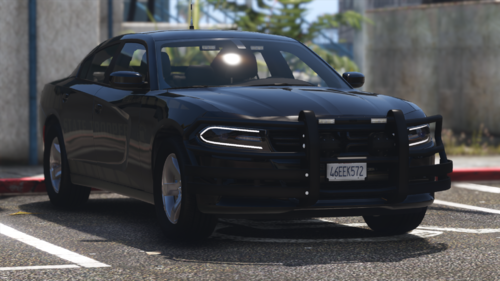 I'm not from Florida but this is legit awesome work. Traffic advisors are very sexy.
- 32 comments
- 9 reviews
-
-
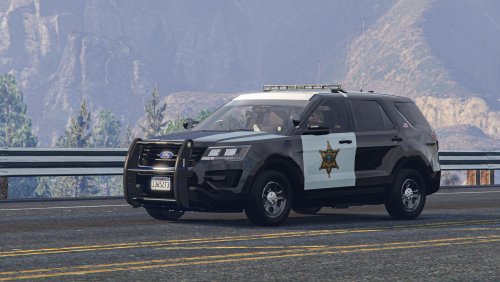 I don't know how you did it but... this is literally a monstrous perfection. A total of three variations packed in one car! Perfect for this RHPD livery I found! I'm very satisfied.
- 71 comments
- 16 reviews
-
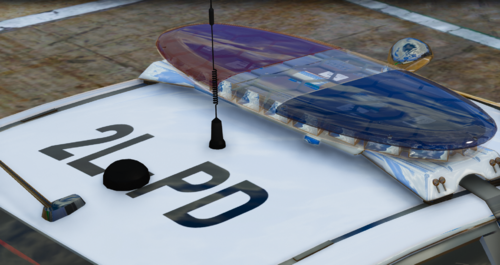 Definitely a good pack. However, you should capitalize the "t" in "Police and Community together."
 -
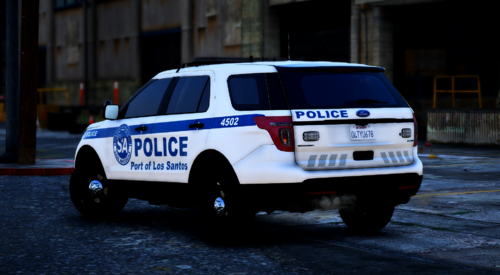 Absolutely awesome! That seal is definitely perfection, and the liveries have this super nice touch to 'em.
- 5 comments
- 1 review
-
 Yes. You must toggle the DLS.ini to ONLY control config-enabled vehicles. This will mean that Dynamic Lighting System only targets non-ELS vehicles with a config made for them.
- 272 comments
- 20 reviews
-
-

- 1
-
-
-
If you make your own config or use a public one, a siren can be set. I believe there's more instruction in the read mes.
- 272 comments
- 20 reviews
-
Definitely isn't a replacement. I'd say that DLS is a less popular ELS (still very popular) that is designed differently. Since DLS is based off of a controlled Non-ELS which has more patterns, it is a good choice. If you're having issues with ELS, it is something with your ScriptHookV. Personally, I use ELS for a non-lore game and DLS for a lorified game (i.e. vanilla edited vehicles).
- 272 comments
- 20 reviews
-
Go to your DLS.ini file and make sure that Non-DLS Vehicles are controlled by DLS. DLS only works with non-ELS cars since ELS cars require the script which double screws over DLS. Otherwise, I'm not too sure about your issue. You could hit up the support tickets.
- 272 comments
- 20 reviews
-
It could be the vehicle you're trying to use. Make sure that none of your sirensettings collide, and use sirensetting limit adjuster for the best experience.
- 272 comments
- 20 reviews
-
 Great, but 100% better if you use the lore friendly addons. You can pair it with the DLS Config Mega Pack on gta5-mods to get an even better experience.
- 358 comments
- 17 reviews
-
-
- 1
-
-
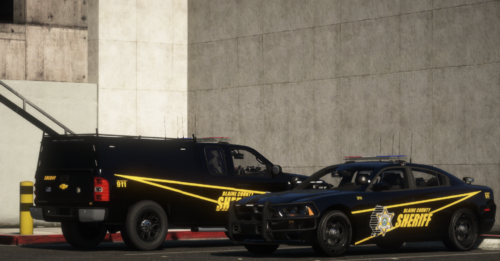 The pictures show Blaine County, however the title says Los Santos County?
 -
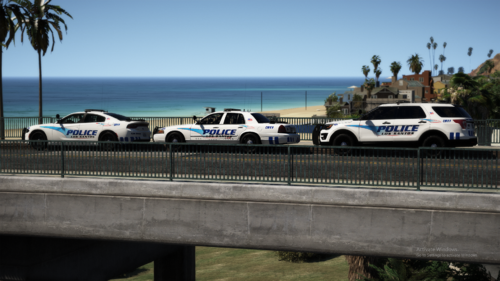 More packs need that traffic advisor pattern in stage one. I am just in love with the back and forth, plus the simplicity of the stages.
- 66 comments
- 18 reviews
-
It can be used with ELS, but you need to scroll down in your DLS.ini to modify this line: //Enable or disable Siren Control for non-DLS enabled vehicles. SirenControlNonDLS=false and make "true" into "false" as shown above.
- 272 comments
- 20 reviews