



Plundr
Members
-
Joined
-
Last visited
Everything posted by Plundr
-
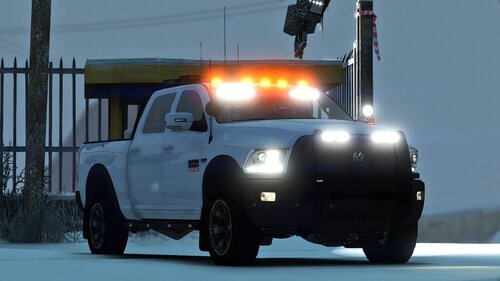 Perfect! I'm a huge Ram guy and I love having this in my game. I also made a skin for it:
- 33 comments
- 10 reviews
-
-

- 1
-
-
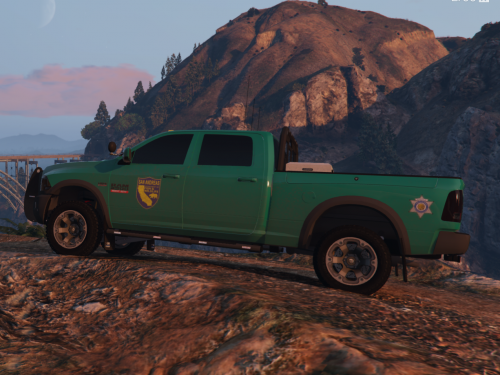 A California based Game Warden Skin, made for Steve6645's 2018 Dodge Ram 2500 model. I felt as if the California Game Warden vehicles were too boring, so I added a little more, but kept it simple too. Get the model here:
 -
 Using OpenIV, open the vehicle's .ytd file and replace the file named "silv_sign_1.png" with the file of the same name provided in the mod.
- 3 comments
- 1 review
-
.thumb.png.9d0943161b37f863c291d6d6664edefb.png) Num Pad 9 on Keyboard or D-Pad Right and Left Shoulder on Controller but you need to set controls to true in the INI
Num Pad 9 on Keyboard or D-Pad Right and Left Shoulder on Controller but you need to set controls to true in the INI- 368 comments
- 33 reviews
-
It's always the simple things I forget to check. Thanks man.
-
I'm not sure what is going on but every time a pursuit starts LSDPFR Crashes. Sometimes immediately, sometimes after a few seconds. Obviously, this is frustrating as normal patrols get fairly boring. Any help is appreciated, I can provide any additional information you guys may need. Strangely, Rage doesn't prompt me to create a crash report every time, so here are the crash reports i was able to create: Crash Report 3.txt Crash Report 1.txt Crash Report 2.txt
-
LSPDFR crashes when I'm in a pursuit. This doesn't happen all the time, but most of the time. I thought it was when i called for back up during a pursuit but it seems to happen during pursuits that i don't call backup on either. Any help is appreciated. I've attached a Log but I'm not sure if it is the correct log. This is my first time asking for help so I'm not sure what to upload honestly. RagePluginHook.log
-
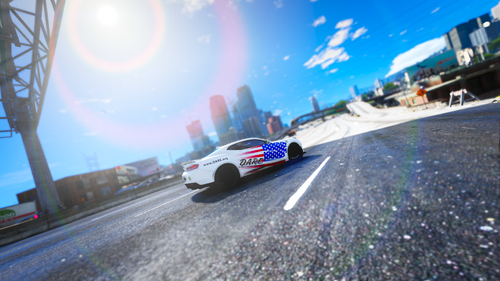 Drug Abuse Resistance Education (D.A.R.E.) is an education program that seeks to prevent use of controlled drugs, membership in gangs, and violent behavior. It was founded in Los Angeles in 1983 as a joint initiative of then-LAPD chief Daryl Gates and the Los Angeles Unified School District as a demand-side drug control strategy of the American War on Drugs. For more information visit: https://dare.org/ Please report any bugs or issues to me! Get the Camaro here: Credits: Vanny - for the Camaro https://www.lcpdfr.com/profile/311534-vanny/content/?type=downloads_file
- 1 review
-
-
- 1
-
-
-
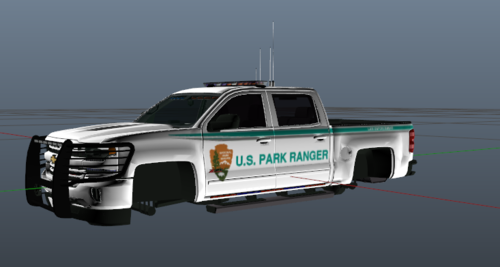
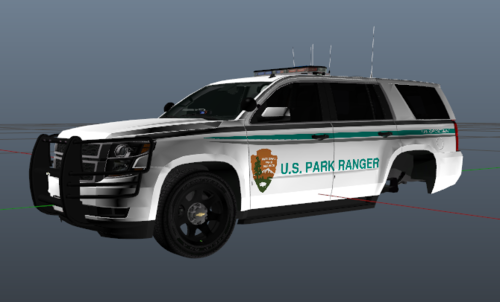 US Park Ranger livery for a 2015 Tahoe. Please report any issues in the comments. Get the Tahoe here: Credits: RangerZ - For the tahoe https://www.lcpdfr.com/profile/352179-rangerz/
 -
-
This is my very first upload so please report any issues or any constructive criticism you may have. Saw someone request a Park Ranger Skin for this Silverado and decided I would try to make one. Get the Silverado here: 2018 Silverado by West Coast Wookie CREDITS: West Coast Wookie - for the truck https://www.lcpdfr.com/profile/262795-west-coast-wookie/
- 3 comments
- 1 review
-
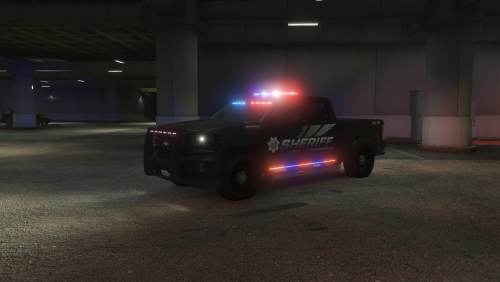 I know this is an old comment but I'm going to start working on this. Been thinking about a new project and this is a good idea.
- 68 comments
- 8 reviews
-
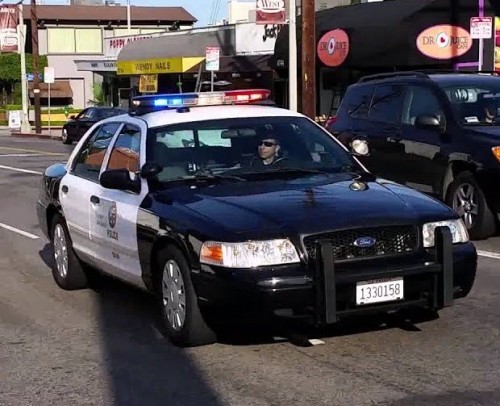 First time installing audio mods here. Where do I put the sirens?? I've replaced the Weapon and Resident RPFs already but I have no idea where to put the vehicle WAVs. EDIT: I figured it out. To anyone that needs help like me, In OpenIV, go to Mods>x64>audio>SFX>resident> then drag and drop the "vehicles.oac" file into OpenIV, it will convert to an .awc file by itself.
- 51 comments
- 7 reviews
-
 I'm having issues installing?? I put the files in the Plugins > LSPDFR folder. Did I miss something? Not a mod- just a camera setting. See below:

.thumb.png.9d0943161b37f863c291d6d6664edefb.png)
