


Realize
Members
-
Joined
-
Last visited
Everything posted by Realize
-
Does your game work smoothly while launching it without rph??
-
Damn, sorry to hear that, however by your words I assume the game itself has launched properly, only the configuration was messed up, am I right? If so, that makes me sure there's a conflict into at least one of your xmls. Unfortunately we cannot rely on RPH log at this case, it is not going to display the exact location. https://www.lcpdfr.com/downloads/gta5mods/misc/28735-eup-backup-configurations-93/ - I've used this one as soon as 8.3 version of EUP has been released. I'm pretty sure of its reliability, although I usually adjust the uniforms to suit my own preferences. Try this out and then hit me up. I believe you use Ultimate Backup plugin, it is compatible with this one, so you can make sure whether it works correctly.
-
Try downloading this: https://www.lcpdfr.com/downloads/gta5mods/datafile/32429-eupfr-ultimate-edition/ I recall struggling with such a similar case in the past and this was exactly what helped me out to get my game done. Also, reinstalling all your stuff related to LSPDFR would be worth of giving it a try too if it doesn't help. Don't forget about making a backup.
-
Hm, they look correctly. Do you use EUP?
-
And did it launch properly?
-
Don't bother yourself with RPH folder indication. There may be a lack of some files into your LSPDFR then. Can you take a screenshot of your root folder?
-
Wow, thanks for such a quick response. I've been looking for it half of the day. Thread can be closed.
-
Have you messed with data's xmls?
-
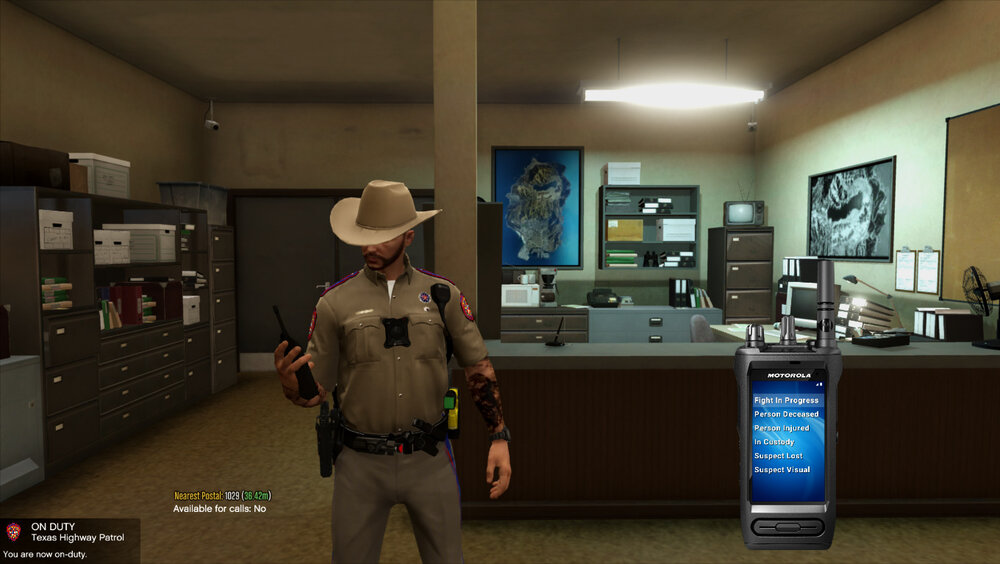
First of all, forgive me if my question has nothing in common with basic LSPDFR itself. Anyway, let's get straight to the point - anyone knows what plugin does that radio come from? Its key bothers me, as it is assigned to "C" key, whereat reverse camera takes its place too and they both collide with each other. I've been trying to find it on my own, still effectless.
-
Have you tried launching gta with out rph?
-
Bejoijo's website. There's a basic, english version.
-
I really have no clue what's the matter with all the cars spawning there for you. I've never stumbled upon such strange bug. Have you tried removing your plugins list to check whether it still persists?
-
Well then just replace everything, including .xml files as soon as a new update comes out. Don't forget to make a backup of your old files if you edited them.
-
I tend to hear an explosion sound too, not only in the middle of LS, it happens everywhere - Sandy Shores, Paleto Bay, it doesn't really matter. It is rare therefore I thought it may've been an airplane crashing into the mountain yet seeing this thread and Benzo's comment that all cumulated started sowing seeds of uncertainty in my mind. He may be right about it being caused by Menyoo trainer, I'm going to check it out on my own as soon as ScriptHook update will be released.
-
It is in your root game folder. RPH text document. I really doubt it has something to do with .dlls that are going to be updated. If you ran it on to the latest, stable version, more probable is one of your .xml being broken.
-
I've never heard anybody struggling with it in the very beginning. Drop your log in here, there may be a conflict with your .xml if it comes to an error at this stage.
-
There was a new patch to the game yesterday. We have to be patient and wait out a few days until lspdfr and rph get a compatiblition patch to the last update and likely even more to get scirpthook to work with it.
-
First off, have you created a character? Secondly, provide your log, please.
-
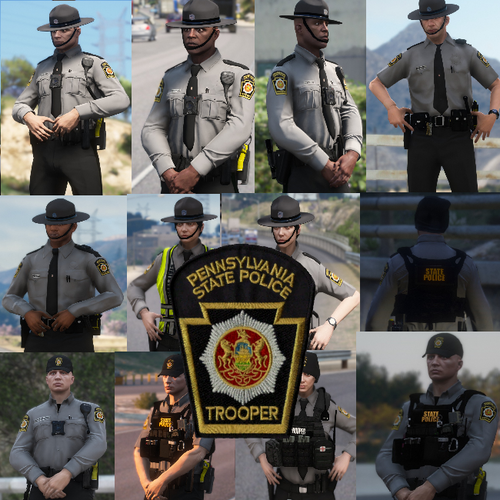 I'm pretty sure you've found a solution by now - it is a bug, we cannot fix it up unless you're a texture maker himself, so you can just edit it on your own. The fastest way to get out of the bug is just exchanging the hat drawable with another one, either just keep the basic, just exchange the texture one. This way the chinstrap is removed, but the hat keeps its textures.
- 26 comments
- 2 reviews
-
 I can't fathom what particular this script contains that it makes the game crash as soon as it's outdated second time in a row. I've been searching for a possible reason of my game approaching out of memory error once again and here was the reason. I recall also wasting half of my day on fixing up a few months ago so if anyone comes across the same error, make sure this one is updated otherwise you can be stumbled upon the same thing I've been second time in a row.
- 60 comments
- 20 reviews
-
-
 Vest 10 nowhere to be found at 8.3. I recall using it on daily back on to 8.2 and 8.1 with no issues. Any solution?
- 554 comments
- 46 reviews
-
-

- 1
-
-
Like I said - I don't even launch the game via RPH, but when I do it usually ends up infinite loading, and meanwhile every attempt of launching the game through Rockstar Launcher does what screenshots display either desktop crash. Unless it is done without ScriptHookVDotNet then it loads up with no issues, but scripts aren't working. @EDIT I got the solution. Persistent Weapon Flashlight was the script that was causing all the mess. Removing it off the folder made insta load of the game with no issues spotted so far. Thread can be closed.
-
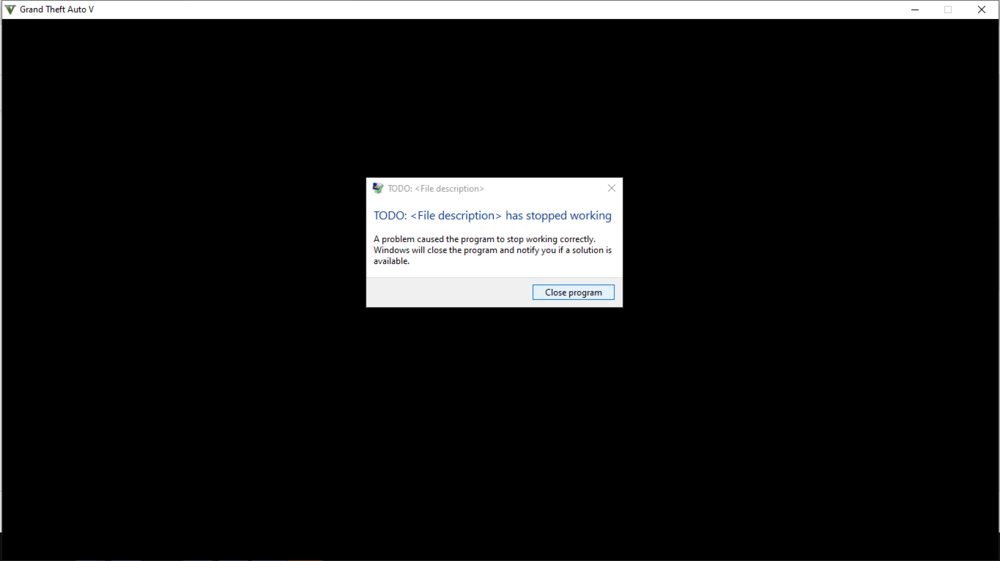
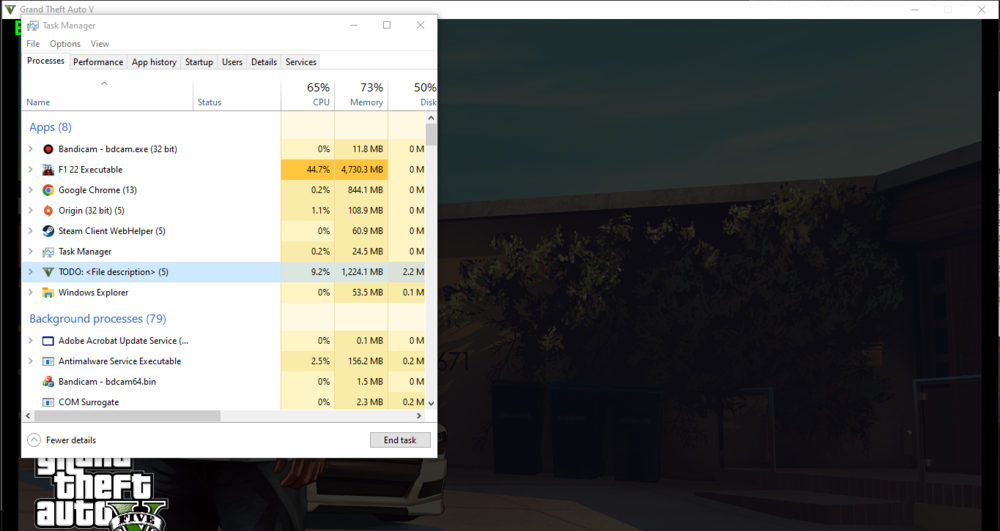
hello there, first of all I wanna specify what I'm talking about. I haven't played GTA for a while and as I wanted to there was a Halloween update which didn't let me to play as scripthook wasn't updated as early as lspdfr, so no - I didn't mess with the game at all. I waited out a short period of time and it has been updated. hell yeah, there we go. Then I came across a next issue - crashes. I've spent some time searching the cause of it and I figured it out it has to be ASI related one. Ok, all of the ASI files were taken out of the main directory file, tested one by one. The one responsible for crashes turned out to be ScriptHookVDotNet.asi. Game works fine with out it therefore suggestions of mods folder being responsible for the crashes can be excluded. I was into testing scripts one by one as well as I did previously with ASI files, yet I figured out there's no possibility of even launching the game with ScriptHookVDotNet in the root folder. I did remove all my scripts to that test too. For the time being, I'm stuck at launching it, struggling with TODO error (a screenshot will be attached). My quick research made me realize this is a straight common error, caused by the latest update - at least that's what I've found by far, likely at reddit and youtube. My question is - is that fixable, or there's an obligation to wait for a patch/update? I can provide any logs if necessary, but I just find it useless - as there is literally nothing in there. @EDIT GTA was completely renamed to "TODO: <File Description>" in task manager. A screenshot has been attached to the files down below.
-
I've got that too, and as soon as I removed my scripts and tried to launch GTA without RPH I've got "TODO" error, which I found is up to be dealt by Rockstar as they messed up the latest update. Nothing more than waiting can be done.


