
aebian
Members
-
Joined
-
Last visited
Everything posted by aebian
-
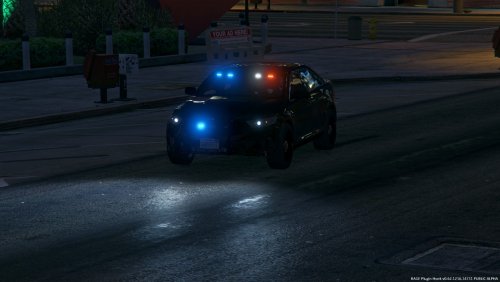 Hey @krul , any chance you will add a template for the 2014 marked charger? ^^ But nice models ^^ nvm found it, here is the template: https://i.imgur.com/EBR7pNO.jpg
- 80 comments
- 28 reviews
-
-

- 1
-
-
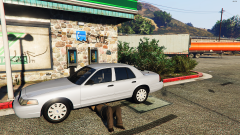
From the album: IAA escorting Karen Daniels out of San Andreas country to a prison at Area
"Agent Dave Norton just removes a GPS Tracker from his car that was installed by Steve Haines" -
 Sorry Sentinel, I don't like CHP's Livery Style that much. But hell yes your car looks awesome with the FHP lore skins! And gosh details, so many! I love it :3 And the big antenna that bounces in the wind omg gimme! Had to replace the CHP decal and the K9 Letters with a blank emtpy texture to get it like this. Pretty simple, thanks for that.
- 85 comments
- 36 reviews
-
-
- 1
-
-
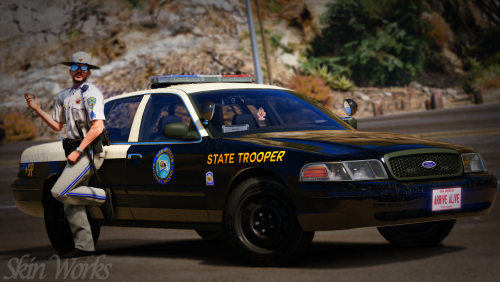 Hell yes! I'm currently seeking for a "lore friendly realism pack" for San Andreas. I got LSPD with Jed's TSP Pack, all I needed was some State Patrols and yikes this is awesome. After playing a while with the liveries, damn fuck SAHP. SHP ftw! Car in-place as add-on --> hwaypat1 :D Name has its origin from s_m_y_hwaycop_01 This is one of the best skin packs out there. Gosh thanks really.
- 42 comments
- 19 reviews
-
-
- 1
-
-
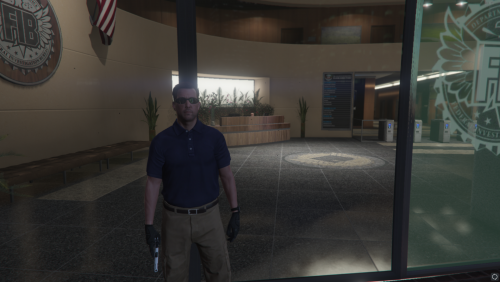 "It's not only about cars and women. The best friend at war is the gun, your gun. And with this little extension you will stand out from the crowd. " ------------------------------------------------------------------------------------------------------------------------------------------------------------------------------------------------------------------------------------------ Knight Industries in cooperation with Springfield Armory proudly present: Product Name: Springfield Armory - M1911 [Sound] Optimized for: Agent use / government use Weapon in the video Used: https://www.gta5-mods.com/weapons/colt-1911-animated For installation and modification please consult your nearest Knight Industries garage at the Los Santos Government Facility - Sustancia Road. We hope you are satisfied with our new product. Regards, Director of Knight Industries
 -
 Greetings, This is a awesome modification. No more "I-have-every-weapon pocket" and the configuration is also nice. Works well, is well documented, what more coulds you ask for? One suggestion: Make this mod free. Cut it lose from LSPDFR because also outside the "simulation" I would love to have this. I just need 4 weapons and with this mod I would be able to.
- 58 comments
- 12 reviews
-
-
- 1
-
-
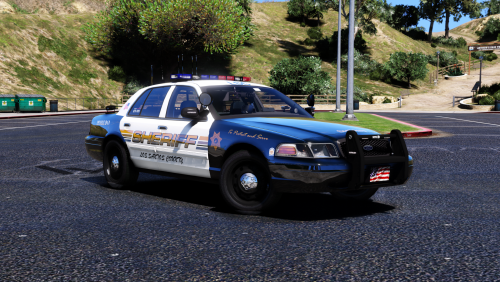 Jesus this car is just awesome. I love the level of details (absolutely my style). You have my five stars thats for sure. I even made a skin for that car and it just fits nicely. Thanks for the template and the work on this. Sad that you lost the Z3D file but well its still awesome as f*ck.
- 23 comments
- 18 reviews
-
-
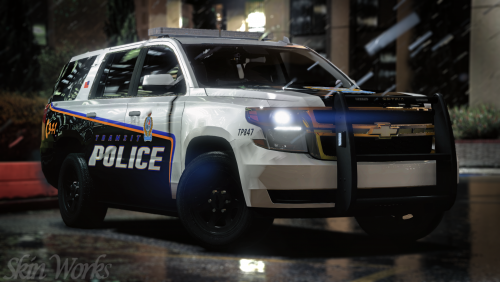 Had to etablish a standard for my fleet. I choosed this one cause its awesome, well done and has a awesome quality.
- 7 comments
- 6 reviews
-
-
- 1
-
-
Oh and I just re-read your question. I think it's impossible that GTA is getting the info from another vehicles.meta. Because the car is only available as police7 (and vanilla only goes until police4) and the vehicles.meta controls which model and textures are getting used. And these info's are only available in my vehicles.meta because GTA does not have any more police cars. So there is something else I missed. Not sure what exactly.
-
 @MrPotato Are you planning to update the car? Would be awesome. So far I really really like it.
- 18 comments
- 3 reviews
-
I'm editing my own in E:\Games\Steam\steamapps\common\Grand Theft Auto V\mods\update\x64\dlcpacks\dlc_opAebian\dlc.rpf\common\data\levels\gta5\vehicles.meta My content.xml: <?xml version="1.0" encoding="UTF-8"?> <CDataFileMgr__ContentsOfDataFileXml> <disabledFiles /> <includedXmlFiles /> <includedDataFiles /> <dataFiles> <Item> <filename>dlc_opAebian:/common/data/ai/loadouts.meta</filename> <fileType>LOADOUTS_FILE</fileType> <overlay value="true" /> <disabled value="false" /> <persistent value="true" /> </Item> <Item> <filename>dlc_opAebian:/common/data/levels/gta5/vehicles.meta</filename> <fileType>VEHICLE_METADATA_FILE</fileType> <overlay value="true" /> <disabled value="false" /> <persistent value="true" /> </Item> <Item> <filename>dlc_opAebian:/common/data/levels/gta5/popcycle.dat</filename> <fileType>POPSCHED_FILE</fileType> <overlay value="true" /> <disabled value="false" /> <persistent value="true" /> </Item> <Item> <filename>dlc_opAebian:/common/data/carcols.meta</filename> <fileType>CARCOLS_FILE</fileType> <overlay value="true" /> <disabled value="false" /> <persistent value="true" /> </Item> <Item> <filename>dlc_opAebian:/common/data/carvariations.meta</filename> <fileType>VEHICLE_VARIATION_FILE</fileType> <overlay value="true" /> <disabled value="false" /> <persistent value="true" /> </Item> <Item> <filename>dlc_opAebian:/common/data/dlctext.meta</filename> <fileType>TEXTFILE_METAFILE</fileType> <overlay value="true" /> <disabled value="false" /> <persistent value="true" /> </Item> <Item> <filename>dlc_opAebian:/common/data/handling.meta</filename> <fileType>HANDLING_FILE</fileType> <overlay value="true" /> <disabled value="false" /> <persistent value="true" /> </Item> <Item> <filename>dlc_opAebian:/common/data/vehiclelayouts.meta</filename> <fileType>VEHICLE_LAYOUTS_FILE</fileType> <overlay value="true" /> <disabled value="false" /> <persistent value="true" /> </Item> <Item> <filename>dlc_opAebian:/%PLATFORM%/levels/gta5/vehicles.rpf</filename> <fileType>RPF_FILE</fileType> <overlay value="true" /> <disabled value="false" /> <persistent value="true" /> </Item> <Item> <filename>dlc_opAebian:/%PLATFORM%/levels/gta5/vehiclemods/policefm_mods.rpf</filename> <fileType>RPF_FILE</fileType> <overlay value="true" /> <disabled value="false" /> <persistent value="true" /> </Item> <Item> <filename>dlc_opAebian:/common/data/carraddonContentUnlocks.meta</filename> <fileType>CONTENT_UNLOCKING_META_FILE</fileType> <overlay value="true" /> <disabled value="false`" /> <persistent value="true" /> </Item> </dataFiles> <contentChangeSets> <Item> <changeSetName>CCS_dlc_opAebian_NG_STREAMING</changeSetName> <filesToDisable /> <filesToEnable> <Item>dlc_opAebian:/common/data/handling.meta</Item> <Item>dlc_opAebian:/common/data/levels/gta5/vehicles.meta</Item> <Item>dlc_opAebian:/common/data/ai/vehiclelayouts.meta</Item> <Item>dlc_opAebian:/common/data/carcols.meta</Item> <Item>dlc_opAebian:/common/data/carvariations.meta</Item> <Item>dlc_opAebian:/common/data/levels/gta5/popcycle.dat</Item> <Item>dlc_opAebian:/common/data/ai/loadouts.meta</Item> <Item>dlc_opAebian:/common/data/dlctext.meta</Item> <Item>dlc_opAebian:/%PLATFORM%/levels/gta5/vehicles.rpf</Item> <Item>dlc_opAebian:/%PLATFORM%/levels/gta5/vehiclemods/policefm_mods.rpf</Item> </filesToEnable> <txdToLoad /> <txdToUnload /> <residentResources /> <unregisterResources /> </Item> </contentChangeSets> <patchFiles /> </CDataFileMgr__ContentsOfDataFileXml> extratitlesupdate.meta (at the bottom): dlclist.xml: But Sirens do work and Lights aswell, just they don't do anything: Regards, Alex
-
Also noticed that stopping a vehicle with LSPDFR is not possible with the added cars. Changing the audiohash also makes no difference. Anyone has maybe a solution for that? Thanks, Alex
-
 @Lt.Caine Hey Caine, so many comments here that I'm not sure if that has been answered as it is not in your documentation PDF's: Do I really need to restart GTA V every time I make changes to one of my VCF files? Second thing, it's a feature request: Could you PLEASE add in your ini file a way of adding cars to your ElsTrafCtrlOn feature? So that for e.g. police7, a new added car to the game can use it? That would be awesome, thanks!
- 2,699 comments
- 240 reviews
-
Greetings guys, I have a problem with added police cars. They are ELS enabled and are working fine except on thing: When I use Stage 3 normally all cars are clearing the way, if I do this on a regular police car slot (police, police2, police3, police4, sheriff, sheriff2, fbi, fbi2, etc.) but not on my added police cars. I looked at my meta's and they are fine as far as I can tell. vehicles.meta: <Item> <modelName>police7</modelName> <txdName>police7</txdName> <handlingId>gauntlet</handlingId> <gameName>POLICE4</gameName> <vehicleMakeName /> <expressionDictName>null</expressionDictName> <expressionName>null</expressionName> <animConvRoofDictName>null</animConvRoofDictName> <animConvRoofName>null</animConvRoofName> <animConvRoofWindowsAffected /> <ptfxAssetName>null</ptfxAssetName> <audioNameHash>gauntlet</audioNameHash> <layout>LAYOUT_STANDARD</layout> <coverBoundOffsets>BUFFALO_COVER_OFFSET_INFO</coverBoundOffsets> <explosionInfo>EXPLOSION_INFO_DEFAULT</explosionInfo> <scenarioLayout /> <cameraName>DEFAULT_FOLLOW_VEHICLE_CAMERA</cameraName> <aimCameraName>MID_BOX_VEHICLE_AIM_CAMERA</aimCameraName> <bonnetCameraName>VEHICLE_BONNET_CAMERA_MID_EXTRA_HIGH</bonnetCameraName> <povCameraName>DEFAULT_POV_CAMERA</povCameraName> <FirstPersonDriveByIKOffset x="0.000000" y="-0.055000" z="-0.040000" /> <FirstPersonDriveByUnarmedIKOffset x="0.000000" y="-0.040000" z="-0.020000" /> <FirstPersonProjectileDriveByIKOffset x="0.000000" y="-0.115000" z="0.000000" /> <FirstPersonProjectileDriveByPassengerIKOffset x="-0.100000" y="-0.140000" z="0.000000" /> <FirstPersonProjectileDriveByRearLeftIKOffset x="0.000000" y="0.020000" z="-0.020000" /> <FirstPersonProjectileDriveByRearRightIKOffset x="0.000000" y="0.020000" z="-0.020000" /> <FirstPersonDriveByLeftPassengerIKOffset x="0.000000" y="0.000000" z="0.000000" /> <FirstPersonDriveByRightPassengerIKOffset x="0.000000" y="-0.055000" z="-0.010000" /> <FirstPersonDriveByRightRearPassengerIKOffset x="0.000000" y="0.000000" z="0.000000" /> <FirstPersonDriveByLeftPassengerUnarmedIKOffset x="0.000000" y="0.000000" z="0.000000" /> <FirstPersonDriveByRightPassengerUnarmedIKOffset x="0.000000" y="0.000000" z="0.000000" /> <FirstPersonMobilePhoneOffset x="0.155000" y="0.273000" z="0.535000" /> <FirstPersonPassengerMobilePhoneOffset x="0.136000" y="0.223000" z="0.425000" /> <FirstPersonMobilePhoneSeatIKOffset> <Item> <Offset x="0.136000" y="0.156000" z="0.445000" /> <SeatIndex value="2" /> </Item> <Item> <Offset x="0.136000" y="0.156000" z="0.445000" /> <SeatIndex value="3" /> </Item> </FirstPersonMobilePhoneSeatIKOffset> <PovCameraOffset x="0.000000" y="-0.150000" z="0.665000" /> <PovCameraVerticalAdjustmentForRollCage value="0.000000" /> <PovPassengerCameraOffset x="0.000000" y="0.000000" z="0.000000" /> <PovRearPassengerCameraOffset x="0.000000" y="0.000000" z="0.000000" /> <vfxInfoName>VFXVEHICLEINFO_CAR_GENERIC</vfxInfoName> <shouldUseCinematicViewMode value="true" /> <shouldCameraTransitionOnClimbUpDown value="false" /> <shouldCameraIgnoreExiting value="false" /> <AllowPretendOccupants value="true" /> <AllowJoyriding value="false" /> <AllowSundayDriving value="false" /> <AllowBodyColorMapping value="true" /> <wheelScale value="0.253800" /> <wheelScaleRear value="0.253800" /> <dirtLevelMin value="0.000000" /> <dirtLevelMax value="0.300000" /> <envEffScaleMin value="0.000000" /> <envEffScaleMax value="1.000000" /> <envEffScaleMin2 value="0.000000" /> <envEffScaleMax2 value="1.000000" /> <damageMapScale value="0.600000" /> <damageOffsetScale value="1.000000" /> <diffuseTint value="0x00FFFFFF" /> <steerWheelMult value="1.000000" /> <HDTextureDist value="5.000000" /> <lodDistances content="float_array"> 15.000000 30.000000 70.000000 140.000000 500.000000 500.000000 </lodDistances> <minSeatHeight value="0.862" /> <identicalModelSpawnDistance value="20" /> <maxNumOfSameColor value="10" /> <defaultBodyHealth value="1000.000000" /> <pretendOccupantsScale value="1.000000" /> <visibleSpawnDistScale value="1.000000" /> <trackerPathWidth value="2.000000" /> <weaponForceMult value="1.000000" /> <frequency value="100" /> <swankness>SWANKNESS_1</swankness> <maxNum value="2" /> <flags>FLAG_EXTRAS_REQUIRE FLAG_HAS_LIVERY FLAG_EXTRAS_ALL FLAG_EXTRAS_STRONG FLAG_LAW_ENFORCEMENT FLAG_EMERGENCY_SERVICE FLAG_NO_RESPRAY FLAG_HAS_INTERIOR_EXTRAS FLAG_REPORT_CRIME_IF_STANDING_ON FLAG_PARKING_SENSORS</flags> <type>VEHICLE_TYPE_CAR</type> <plateType>VPT_BACK_PLATES</plateType> <dashboardType>VDT_GENTAXI</dashboardType> <vehicleClass>VC_EMERGENCY</vehicleClass> <wheelType>VWT_SPORT</wheelType> <trailers /> <additionalTrailers /> <drivers> <Item> <driverName>s_m_y_hwaycop_01</driverName> <npcName /> </Item> </drivers> <extraIncludes /> <doorsWithCollisionWhenClosed /> <driveableDoors /> <bumpersNeedToCollideWithMap value="false" /> <needsRopeTexture value="false" /> <requiredExtras>EXTRA_12</requiredExtras> <rewards> </rewards> <cinematicPartCamera> <Item>WHEEL_FRONT_RIGHT_CAMERA</Item> <Item>WHEEL_FRONT_LEFT_CAMERA</Item> <Item>WHEEL_REAR_RIGHT_CAMERA</Item> <Item>WHEEL_REAR_LEFT_CAMERA</Item> </cinematicPartCamera> <NmBraceOverrideSet /> <buoyancySphereOffset x="0.000000" y="0.000000" z="0.000000" /> <buoyancySphereSizeScale value="1.000000" /> <pOverrideRagdollThreshold type="NULL" /> <firstPersonDrivebyData> <Item>STD_POLICE2_FRONT_LEFT</Item> <Item>STD_POLICE2_FRONT_RIGHT</Item> <Item>STD_POLICE2_REAR_LEFT</Item> <Item>STD_POLICE2_REAR_RIGHT</Item> </firstPersonDrivebyData> </Item> And last but not least, carvariations.meta: <Item> <modelName>police7</modelName> <colors> <Item> <indices content="char_array"> 134 134 134 134 134 134 </indices> <liveries> <Item value="false" /> <Item value="false" /> <Item value="false" /> <Item value="false" /> <Item value="false" /> <Item value="false" /> <Item value="false" /> <Item value="false" /> </liveries> </Item> </colors> <kits> <Item>0_default_modkit</Item> </kits> <windowsWithExposedEdges /> <plateProbabilities> <Probabilities> <Item> <Name>Standard White</Name> <Value value="100" /> </Item> </Probabilities> </plateProbabilities> <lightSettings value="1" /> <sirenSettings value="1" /> </Item> Does somebody has any clue?
-
 This program is awesome. It saves time and keeps my plugins updated. So many of them I would manually search and check for updates while this just reminds me if there are updates. Every developer should integrate their plugins with this program.
- 136 comments
- 30 reviews
-
-
- 1
-
-
Greetings officers, I have a simple question. I have two suburbans from policesco. And the ELS is not working 100%. I'll explain the error in the video below: As I said I also changed the lightning settings in the carvariations.meta but thats not the problem. Do you have any clue? Thanks! Regards, Alex ISSUE RESOLVED, I ACCIDENTLY DIDN'T CHANGE THE VALUE OF diffusetint TO 0x00FFFFFF
-
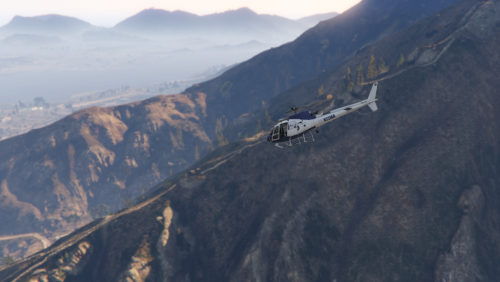 "Who thinks that dominating the road is everything? With this little beast even your rich rogue will pay his price and if not enough, who did not want to work his day off in a helicopter? This model is leightweight, agile and eco-efficient. " ------------------------------------------------------------------------------------------------------------------------------------------------------------------------------------------------------------------------------------------ Knight Industries in cooperation with International Affairs Agency proudly present: Product Name: International Affairs Agency - Eurocopter AS350 Écureuil Optimized for: IAA personnel / government use Helicopter Used: https://www.gta5-mods.com/vehicles/as-350-ecureuil For installation and modification please consult your nearest Knight Industries garage at the Los Santos Government Facility - Sustancia Road. We hope you are satisfied with our new product. Regards, Director of Knight Industries
 -
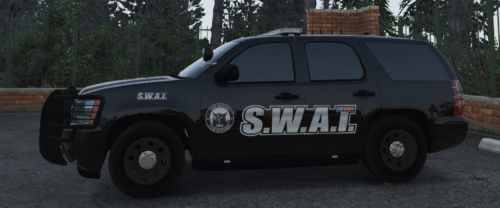 "Who thinks that having a SWAT team needs to be top secret? With this new Chevrolet Tahoe you will catch the bad guys in no time. The car comes in two variants, pitch black with limited markings for night time operations and who is boss edition. " ------------------------------------------------------------------------------------------------------------------------------------------------------------------------------------------------------------------------------------------ Knight Industries in cooperation with National Office of Security Enforcement proudly present: Product Name: Special Weapons And Tactics - Chevrolet Tahoe 2013 Optimized for: SWAT personnel / government use Car Used: For installation and modification please consult your nearest Knight Industries garage at the Los Santos Government Facility - Sustancia Road. We hope you are satisfied with our new product. Regards, Director of Knight Industries
- 2 comments
- 1 review
-
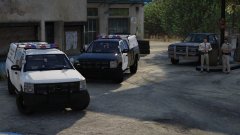 Woah, awesome.
 -
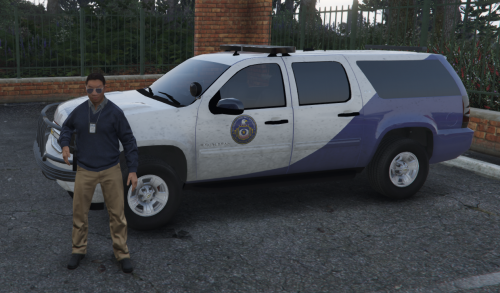 Outch yes you're right. I changed it.
 -
Greetings folks, I'm searching for a way to force specific liveries on a vehicle for AI. In this case I use a Chevy Suburban 2008 on the PRANGER (Park Ranger) slot. Using the default vehicles.meta modified to allow multiple liveries. Do you guys have any ideas? Everything else is default. -- Second thing is that I want to have all extras a vehicle model has to be enabled by default on any car, even AI. My flags line is this: <flags>FLAG_EXTRAS_REQUIRE FLAG_HAS_LIVERY FLAG_EXTRAS_ALL FLAG_EXTRAS_STRONG FLAG_LAW_ENFORCEMENT FLAG_EMERGENCY_SERVICE FLAG_NO_RESPRAY FLAG_HAS_INTERIOR_EXTRAS FLAG_REPORT_CRIME_IF_STANDING_ON FLAG_PARKING_SENSORS FLAG_IS_OFFROAD_VEHICLE</flags> My requiredExtras are: <requiredExtras>EXTRA_1 EXTRA_2 EXTRA_3 EXTRA_4 EXTRA_5 EXTRA_6 EXTRA_7 EXTRA_8 EXTRA_9 EXTRA_10 EXTRA_11 EXTRA_12 EXTRA_13 EXTRA_14 EXTRA_15 EXTRA_16 EXTRA_17 EXTRA_18 EXTRA_19 EXTRA_20 EXTRA_21 EXTRA_22</requiredExtras> Any idea why the cars are still spawning sometimes without the extras? Regards, Alex
-
"Powerful, understated, reliable, the qualities of an excellent International Affairs agent. Why should that stop at your car? The new IAA Chevrolet Tahoe screams operations success just as much as its predecessor, enough space for secret operations included. Armored version with rambar available." ------------------------------------------------------------------------------------------------------------------------------------------------------------------------------------------------------------------------------------------ Knight Industries in cooperation with International Affairs Agency proudly present: Product Name: International Affairs Agency - Chevrolet Suburban 2008 Optimized for: IAA personnel / government use Car Used: For installation and modification please consult your nearest Knight Industries garage at the Los Santos Government Facility - Sustancia Road. We hope you are satisfied with our new product. Regards, Director of Knight Industries
-
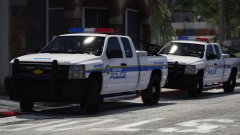 Yikes!
 -
 Cudos for this awesome mod. Not only that it does exactly what its supposed to do, rather then having the possibility to add own weapons or update the xml file with weapons from the new R* DLCs. As example: I have added the Pistol Mk2 from the Doomsday DLC to the list and it just works without problems <3 Thank You @PieRGud
- 561 comments
- 97 reviews