


orion13622
Members
-
Joined
-
Last visited
Everything posted by orion13622
-
 Excellent model, however the lights don't reflect on anything. I've got the carcols.meta that came with it. Neither the red and blue, nor the blue project any light on the buildings. Please assist.
- 66 comments
- 1 review
-
I offered a solution. Honestly no real reason to quote something that isn't true, much less be rude about it. You're not stuck with the default settings on GTA, the resource I offered as a solution changes that so you can use the lights and sirens like ELS, but not have to use ELS.
-
I was referring to the use of FiveM, I've had this for over a year now without incident.
-
While I have been on here for a while, as someone who wants to contribute, I'm not about to offer something I wouldn't check myself. 30 Years of IT have taught me not to trust everything, but most people here run an AV that will stop stuff like that, not to mention the repercussions from the admins for doing something so stupid as to post an infected or snooping site. Hope you like Luxart, we thought of using ELS, but too much to make sure clients get it installed. Most of our players just want to connect and play. Enjoy!
-
Why? It's a direct link to the Luxart Vehicle Control, which is what you are asking for. would you prefer I put this instead:
-
Check out lux_vehcontrol. We use this exclusively on our server and it works wonderfully. Click here for more information
-
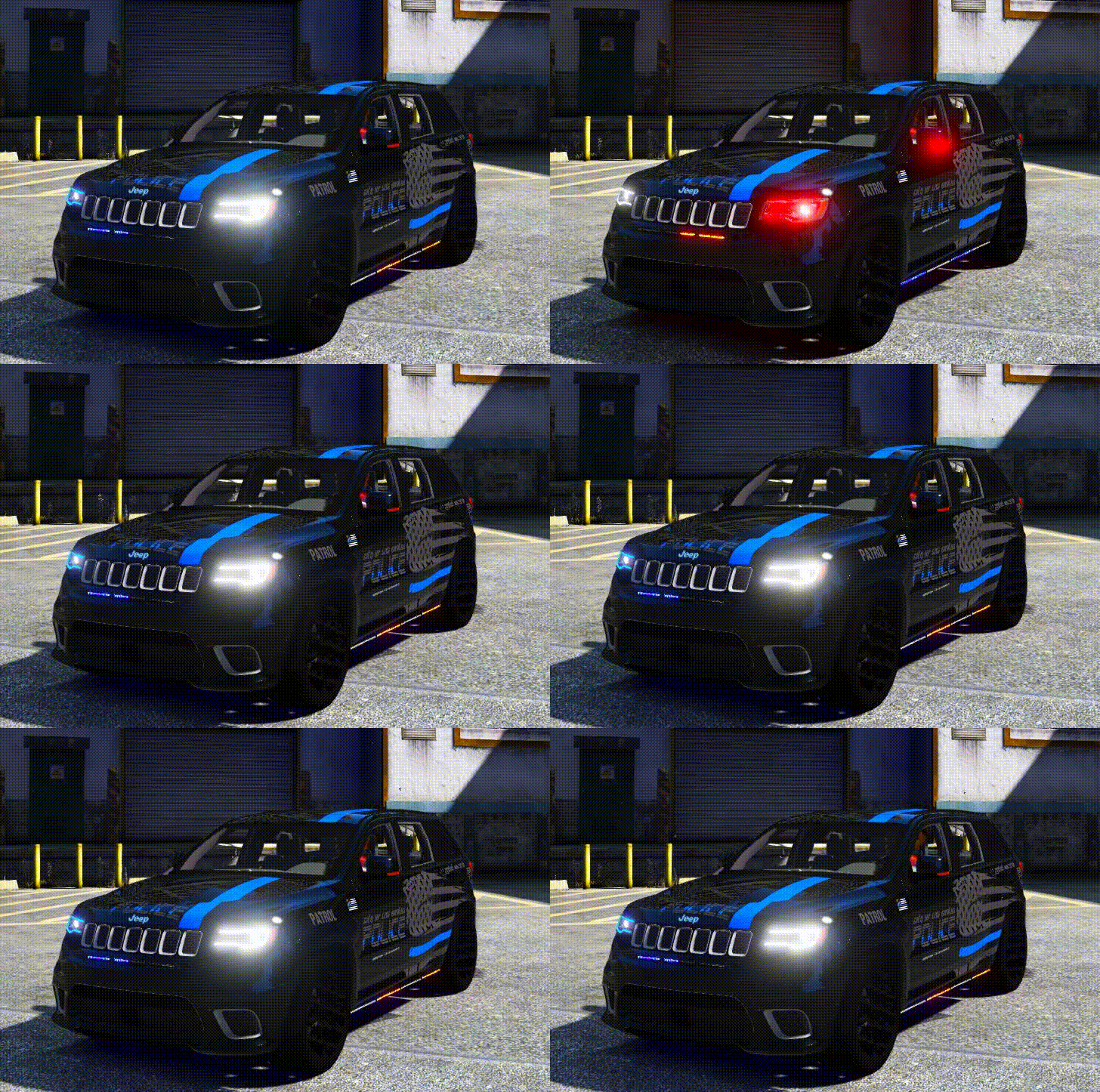 Update: It appears that the issue is being caused by the dirt feature of the game. The more dirt you put on the car, the worse it gets. On my server we use vMenu, with no dirt, the blemish disappears. If you place the dirt value to 15, the blemish gets significantly worse. I've tried replacing the file vehicle_genericmud_car with another one that I know works thinking that perhaps the mud file was the cause of the issue. Keep in mind, I renamed my working file to the exact name of the file in the 18jeep.ytd (vehicle_genericmud_car.dds). The file I replaced it with didn't make a difference. The model is acting like there is still something missing from the texture files, even if you remove the file vehicle_genericmud_car.dds altogether. So for the time being, and until the author updates this model (which is a really nice one, and one I love using on our server as the Admin), I am forced to use the Keep vehicle clean option when driving this vehicle. For the author, please let us know if you find the answer to this issue. Many thanks!
- 45 comments
- 3 reviews
-
I can confirm that the issue only presents itself when you get in the vehicle. As to which texture is causing the problem, I'm trying to remove one at a time to verify this. If I come up with an answer I'll share it unless the author submits a newer version that corrects this. Normally this issue would be caused by a file being over the 16MB limit, but none of the texture files exceed this. Biggest one was the livery at 10MB.
- 45 comments
- 3 reviews
-
Cleaning the vehicle is not a valid solution to the problem of the textures not being correct. The issue is with the dirt textures. If that was the case, you might as well just check the box for "Keep Vehicle Clean" in your vMenu.
- 45 comments
- 3 reviews
-
Yeah I've got the same issue with the all blue. If you change the amount of dirt on the vehicle, the textures do what you have shown. Thought about copying the red/blue files to see if that clears it up, but really like the all blue lights. Hope the author can resolve this.
- 45 comments
- 3 reviews


