BadBrad134
Members
-
Joined
-
Last visited
Everything posted by BadBrad134
-
 nice
nice -
-
-
-
-
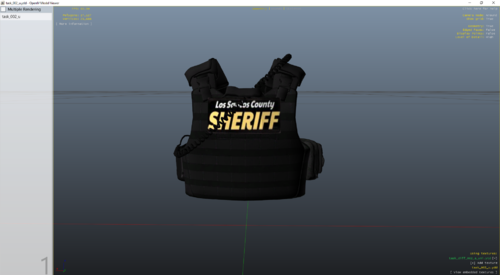 Fantastic ive been looking for a LSSD vest, this is perfect. Wish more people gave LSSD more love than BCSD.
- 3 comments
- 1 review
-
I haven't changed anything in the ini file, so it had to be something I added on.
-
Go in open IV and update. You may have to reinstall EUP.
-
Same issue here
-
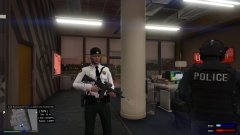 I like these uniforms
 -
-
I have tried that already, game crashes now. Even the regular game don't start now 🤷♂️
-
-
I can't wait, I'm going crazy not being able to play!!!
-
I wish there was a way you can skip the off duty stuff when starting LSPDFR. I love it when it automatically loads you on duty.
-
-
It will probably be picked up by another network that don't care about the politics. I bet it will get more views second time around. ??? Hmmm🤔
-
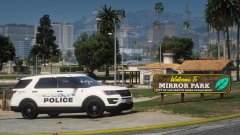 Sweet!!!
 -
It must've been something I downloaded. I started a fresh start and it isn't happening anymore. Thanks!!!
-
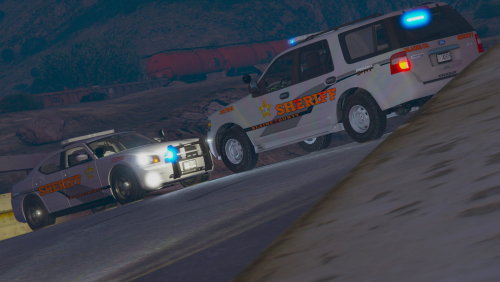 Wow I never thought I'd see the day where someone would make a Pike County pack. I'm formally from Pike. Small world!!!!
- 30 comments
- 3 reviews
-
Does anyone know how to disable the stolen police car ambient event? Its very annoying
-
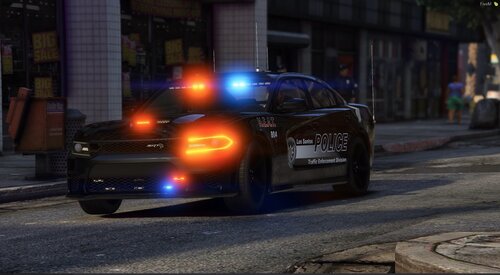 Too bad non ELS, this looks sick
 -
@KaneJr I've been having the same issue, but I finally got it to work!!!! On top of @A Stranger suggestion with adding the program your exception list, try this as well: Open your main GTA V directory Right click the GTA 5 exe, and click properties Go to the compatibility tab Check "Run as an administrator" Do the same with the RPH exe This worked for me, I hope this helps
-
So I finally got it to work. I ended up running both Rage and GTA as admin and it work
-
I have windows security so how do I do that last part?