


Firefighterboy
Members
-
Joined
-
Last visited
Everything posted by Firefighterboy
-
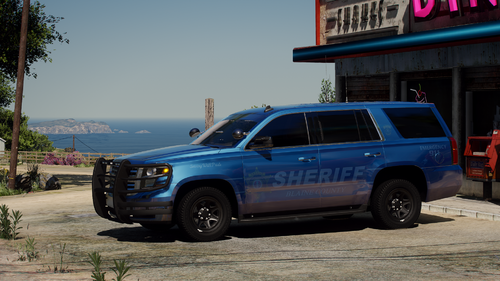 Love the pack! Only minor complaint I have is that the visor lights on the unmarked vehicles, seem a bit smaller than anticipated. Otherwise I think it's awesome!
- 77 comments
- 10 reviews
-
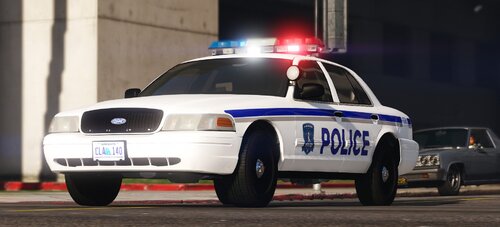 Never expected a local PD pack 😛 Looks awesome!
 -
Once a pursuit is concluded, all AI ELS lights turn off. This certainly isn't a huge issue, however it does break the realism some. If there is any fix to this please let me know. 🙂
-
.thumb.png.9d0943161b37f863c291d6d6664edefb.png) I love the immersion and realism this implements into the game, however I do have one issue. The helicopter will follow the suspect, however it won't actually "locate" them. Let's say there was a pursuit, they got away and I could no longer see the suspect, the helicopter would follow, but won't locate them. I hope you know what I mean. 😛
I love the immersion and realism this implements into the game, however I do have one issue. The helicopter will follow the suspect, however it won't actually "locate" them. Let's say there was a pursuit, they got away and I could no longer see the suspect, the helicopter would follow, but won't locate them. I hope you know what I mean. 😛- 368 comments
- 33 reviews
-
I've got both of them but thank you anyways!! (Pretty well perfect English by the way! All good)
-
Is there any callout packs that are mainly "Backup Callouts"? What I mean by that is, callouts such as Traffic Stop Backup, Unit Requesting Code 2 Backup etc... If there is anything like that please let me know!
-
For some reason, nothing will work in my 'sripts' folder. I have tried using "Realistic Speed Radar" and the new "SimplePoliceHelper" and neither of them work in game. I have "ScriptHookVDotNet" installed. I have "NativeUI" installed. As well as "ScriptHookV". If i'm missing something let me know, or any ideas let me know!
-
 Yea that's what i have done. I'm not sure why it doesn't work. I can't get "Realistic Speed Radar" to work as well, that also would go into the scripts folder. Thanks anyways!
- 69 comments
- 6 reviews
-
This looks awesome! I personally can't get it to work. However I can never get anything to work that goes into the 'scripts' folder. I was just wondering if there would be a tutorial in the future, or someone could give me a step by step because i'm apparently missing something...
- 69 comments
- 6 reviews
-
I would like to tag onto this, whenever I go to 'go on duty' the game always crashes. I looked for the line And it wasn't there. I then re downloaded RPH and it still wasn't there... My RPH.log is attached, I just changed my name to <Name>. RagePluginHook.log
-
Thanks for that! However I still can't get it to work, i redownloaded everything *shrug* And I have been using 'Speed Radar Lite' for the time being.
-
Anyone got any suggestions for a semi-realistic speed radar? The "Realistic Speed Radar" won't work for me. Thanks 🙂
-
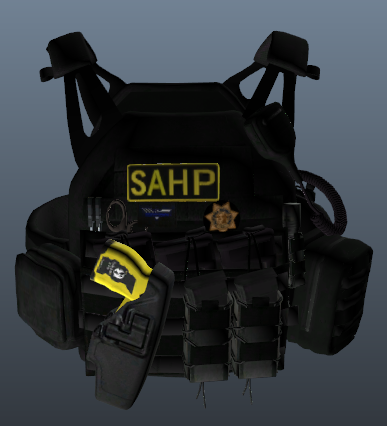 Have you made one yet? I did a quick look and didn't see one. No rush if you haven't.
- 14 comments
- 2 reviews
-
I am having the same issue as well, I've tried reduced setting (Safe Mode). I have Restarted my PC multiple time. I also have gotten frustrated from all of this XD. I personally thought it was a PC problem, so I removed my stuff from my PC for more memory which didn't help either. However last night I did update my PC as I went to bed and GTAV was working fine before... And that's the only thing i can think of. I am hoping a few GTAV gods may be able to help me here. Edit: I just removed my mods folder in hope it might help... Unfortunately it did not. Edit #2: I just removed the most recent update from Windows (Feb 15) And everything works as before!!
-
Out of curiosity, what was your problem? I'm looking for a solution for mine, and this might be it...
-
So, some of these work well... and some do cause issues i just haven't removed them (No reason why). Why would i remove things that work well and i don't have issues with?
-
LSPDFR loads up nicely, so does GTAV. But when i go to go on duty i always use "Forceduty" in the RPH console, LSPDFR crashes. I've tried a number of times in the past 20 mins and it has crashed every time. I even went into the station and go on duty that way and LSPDFR still crashed. Any ideas? Edit: Should add that when LSPDFR crashes, it freezes the whole game, meaning i have to close it, open it up again. RagePluginHook.log
-
All fixed! Except for the RPH "Startcallout" RagePluginHook.log
-
I have a bunch of different callout packs installed. This evening i just downloaded Coastal Callouts (Which seems wicked) and now a bunch of my callouts won't actually callout... Like i won't get called to them. Callout manager see's them. But says there is an error. A few callout packs still work, and i even reinstalled some and it won't work. Another small issue, in my RPH console, i can't start a callout either (I've had this issue for a while) Every letter I type after "Startcallout" it pops up saying "Unexpected Command..." and it will for every letter.
-
Steam says the last time i updated GTAV was December 13th, which is when the update came out. I've also reinstalled RPH twice... 🤷♂️ It's almost as if it didn't update... Any thoughts?
-
The newest RPH patch support is 1868. However when i go to launch RPH it says "Unsupported game patch" Installed game version: 1737 Latest game version: 1737 and Suported game versions: 1868... What do I do?
-
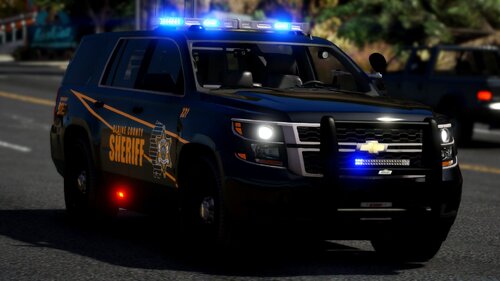 For some reason my lightbar won't work, i'll redownload though 😛 Edit: Still got the same issue, went through the vehicle components and none of them worked, when i went to use my take downs, it's almost as if it shines on the ground underneith. ELse the ELS menu buttons are blue. Not 100% sure why.
- 17 comments
- 1 review
-
So, as far as i can tell, you can't launch GTA5 until Script Hook V updates... Correct?
-
Yeaaaaa, the update i need is Script Hook V, i can disable it to play but it would get rid of some mods like ELS which is no fun at all...
-
 Not sure if you'll get back to me, but i was wondering if there was a way to have extra siren buttons. For examples 1-8 or something. And if there is a way, is it possible to add only 2 siren tones from different sirens? Thanks! 🙂
- 2,697 comments
- 239 reviews


.thumb.png.9d0943161b37f863c291d6d6664edefb.png)
