ParaOx
Members
-
Joined
-
Last visited
Everything posted by ParaOx
-
 I tried that but it cancelled out the entire placement of the prop. Maybe I'm doing it wrong? I place the barrier, then without placing a second one, I right clicked to back out and cancel placement.
- 299 comments
- 25 reviews
-
I didn't notice any option for this, but I was wondering if there was any way to place a single barrier without placing tape too? Sometimes I just want 2 diagonal barriers and a taped off area to the side.
- 299 comments
- 25 reviews
-
-
 What does this update add? The changelog for 1.4 is the exact same update that's been here for awhile now.
- 365 comments
- 20 reviews
-
 Ah okay. Thanks for the clarification then.
 -
Oh are the broken down engines that you can fix not ambient? Just callouts?
-
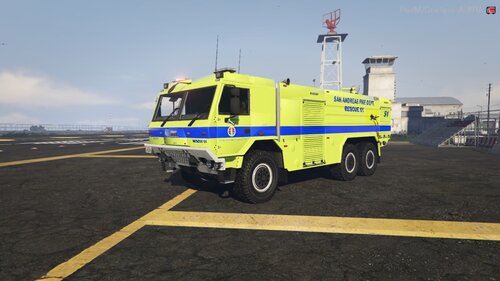 Not sure why, but the lightbar on top doesn't turn on with the other lights for me.
 -
 Wondering if a functional safety on your weapon could be at all possible to add as a feature? Since the moment you fire your firearm, dispatch will be notified. Might add a bit of realism or that extra something? Maybe? Just an idea I had thought of.
- 633 comments
- 57 reviews
-
-

- 3
-
-
I've tested this plugin several times, and unfortunately found it to be yours that was the culprit of roughly 15-20 FPS loss upon going on-duty. First of all, when you have the disabled engine feature enabled, I'm not sure if it's because the script is checking for a broken engine every so often and continuously firing that command or not, but it costs 5 FPS alone. Second, I thought upon disabling that ambient feature, the FPS loss would be no more, however the plugin itself results in a 10FPS loss for me. Maybe this is just case by case basis, but I thought I should let you know in case you need to do some more optimization. Lovely callout pack, shame it causes lag for me though.
-
-
That's pretty quality stuff there. Male Cop is top notch.
-
 So the plugin seems to be working, as I can see the gun being holstered and unholstered, but the intimidation mode doesn't seem to work anymore. It was working flawlessly for awhile, but I recently had to reinstall LSPDFR and its plugins, and now the intimidation mode does not function. 😞
- 561 comments
- 97 reviews
-
 It seems to me like the issue you fixed in your Version 2.5.1 is happening to me. Not sure why, as I downloaded the latest and greatest. Tail lights and other lights too bright.
- 67 comments
- 10 reviews
-
@BOSSSSSSA Upon installing this, all lights on every car and building/lamppost at night have become my personal lensflares. The coronas end up massive, essentially blocking the view of anything around them. I used the .OIV installer and I am using VisualV
- 67 comments
- 10 reviews
-
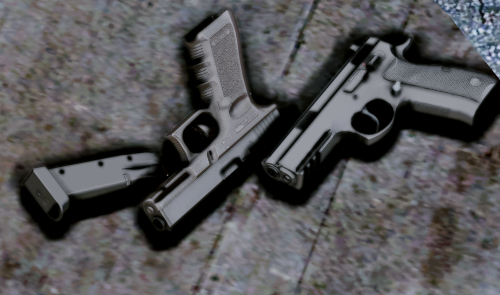 Loving the pack so far! All assets look very high quality and the animations work as well! Love that you added new attachment assets for the guns, as well. The flashlights are top notch. Looking forward to seeing what you do with long guns and maybe shotguns if you get there!
- 68 comments
- 15 reviews
-
Awesome. Thanks for the response!
-
Would you go about multiple liveries in the same manner? Example: <Vehicle livery"1" livery"2" livery"3">name</Vehicle> ? @TreadRed
-
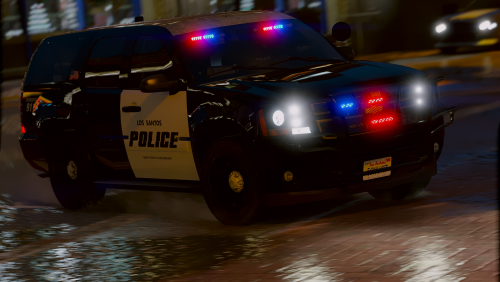 Question....The underbody behind the wheels is showing up as chrome for some reason... Any ideas what's causing it?
- 18 comments
- 10 reviews
-
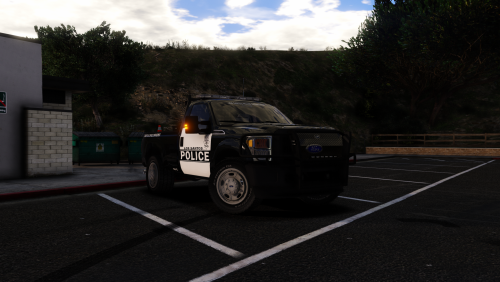 Hi @DcK I installed the car as an addon, but the interior textures show up as metallic and the ELS sirens don't work, nor do the lights. I also tested it again by adding it in as a replacer, and I got the same results. Pretty sure I'm not missing any steps, but if you could help troubleshoot my issue, I'd greatly appreciate it.
- 15 comments
- 5 reviews
-
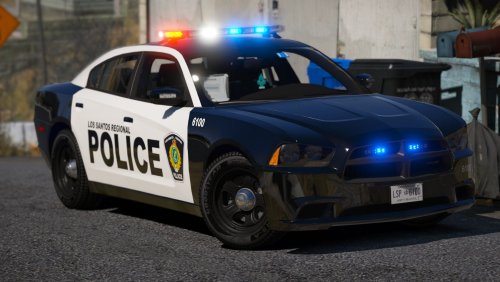 Hi there. I added in the '13 FPIU as an addon and for some reason the lightbar on it does not work. All the other lights do work however, and the ELS system seems to be functioning fine. Edit: Nevermind. The issue was the tint value. All's good. P.S: Amazing models and liveries. Seriously top notch. 🙂
- 22 comments
- 17 reviews
-
-
- 1
-