Skip to content
View in the app

A better way to browse. Learn more.

LCPDFR.com

A full-screen app on your home screen with push notifications, badges and more.

To install this app on iOS and iPadOS
  1. Tap the Share icon in Safari
  2. Scroll the menu and tap Add to Home Screen.
  3. Tap Add in the top-right corner.
To install this app on Android
  1. Tap the 3-dot menu (⋮) in the top-right corner of the browser.
  2. Tap Add to Home screen or Install app.
  3. Confirm by tapping Install.

J. Cooley

Members
  • Joined

  • Last visited

  1. Jacob Cooley     Performed a traffic stop on a Golden Brown Washington with registration 35FKF024 in Rockford Hills, West Eclipse Blvd
  2. Jacob Cooley     Performed a traffic stop on a Graphite Black Washington with registration 25MUI814 in Rockford Hills, Mad Wayne Thunder Dr
  3. Jacob Cooley     Finished responding to a TransitAssistance in Rockford Hills, Movie Star Way
  4. Jacob Cooley     Responded to a TransitAssistance in West Vinewood, Las Lagunas Blvd
  5. Jacob Cooley     Performed a traffic stop on a Black Unknown Vehicle with registration 66BKE862 in West Vinewood, Spanish Ave
  6. Jacob Cooley     Performed a traffic stop on a Gun Metal Unknown Vehicle with registration 07UUJ622 in Mount Chiliad, Senora Fwy
  7. Jacob Cooley     Performed a traffic stop on a Black Warrener with registration 05CPJ227 in La Puerta, South Arsenal St
  8. Jacob Cooley     Performed a traffic stop on a Classic Gold Panto with registration 27EGL542 in Textile City, San Andreas Ave
  9. Jacob Cooley     Finished responding to a ShotSpotter in Little Seoul, Vespucci Blvd
  10. Jacob Cooley     Responded to a ShotSpotter in Little Seoul, Adam's Apple Blvd
  11. Jacob Cooley     Performed a traffic stop on a Black Unknown Vehicle with registration 40VUI334 in Vespucci Canals, Vespucci Blvd
  12. Jacob Cooley     Finished responding to a FireAssist in Rancho, Macdonald St
  13. Jacob Cooley     Performed a traffic stop on a Sunrise Orange Unknown Vehicle with registration 04ADU445 in Rancho, Jamestown St
  14. Jacob Cooley     Responded to a FireAssist in Davis, Carson Ave
  15. Jacob Cooley     Finished responding to a ShotSpotter in Rancho, Little Bighorn Ave
  16. Jacob Cooley     Responded to a ShotSpotter in Strawberry, Strawberry Ave
  17. Jacob Cooley     Performed a traffic stop on a Silver Surge with registration 45QWV067 in Tataviam Mountains, Palomino Fwy
  18. Jacob Cooley     Finished responding to a Shoplifting2 in Chamberlain Hills, Forum Dr
  19. Jacob Cooley     Responded to a Shoplifting2 in Alta, Elgin Ave
  20. Jacob Cooley     Performed a traffic stop on a Graphite Black Prairie with registration 02WBV049 in Vinewood Hills, Los Santos Freeway
  21. J. Cooley changed their profile photo
  22. Phoenomenal1 started following J. Cooley
  23.    J. Cooley reacted to a file: Florida Highway Patrol
  24. So I have the MLO for the Mission Row police station by GABZ and was wanting to know if there is a way to change the locations of the trigger for the Locker Room spawn point and if there is a way to add an on foot drop off location as well as moving the vehicle drop offs. Currently I have one drop off point in front and one around the back of the station and they are both vehicle only.
  25.    Mikofiticus reacted to a gallery image: BVPD01.png
  26. I have the same map and am also trying to move the locations of triggers. Could you link the thread you saw so I can take a look? Also, are there actually attributes such as "dutypoint" that you can change the coordinates for? I don't see anything like that in the station.xml file. Greatly appreciate your time!
  27.    J. Cooley reacted to a file: Resource Adjuster
  28.    J. Cooley reacted to a comment on a file: grapeseed police
  29. It says "Grapeeed" on the side of the cars instead of Grapeseed
  30.    thegreathah reacted to a gallery image: GSPchrg02.png
  31.    GTAKING23000 reacted to a gallery image: WhiteCHPChrg.png
  32.    Sentinel55 reacted to a gallery image: WhiteCHPChrg.png
  33.    TheFrenchman40 reacted to a gallery image: CHP Chungus.png
  34.    TheFrenchman40 reacted to a gallery image: WhiteCHPChrg.png
  35.    purplepotatoes14 reacted to a gallery image: CHP Chungus.png
  36.    TheFrenchman40 reacted to a gallery image: VSPK9_charger
  37.    TheFrenchman40 reacted to a gallery image: VSPK9chargerTS.png
  38.    TheFrenchman40 reacted to a gallery image: VSPTahoe.png
  39.    J. Cooley reacted to a comment on a gallery image: VSPK9_charger
  40.    J. Cooley reacted to a comment on a gallery image: NSP 14 Bcharger.png
  41. Thank you so much! There are so many states that don't have a lot of skins for lspdfr, so I decided to take the opportunity to make some lol
    • 188 downloads
    • Version 1.0.0
    It's what the title says. These are the vehicles I recommend (sorted by pack): Marked 18 Charger Marked 14 Tahoe 14 Charger Slick top 18 Charger 16 FPIU Slick top 14 Tahoe
    • 368 downloads
    • Version 2.0
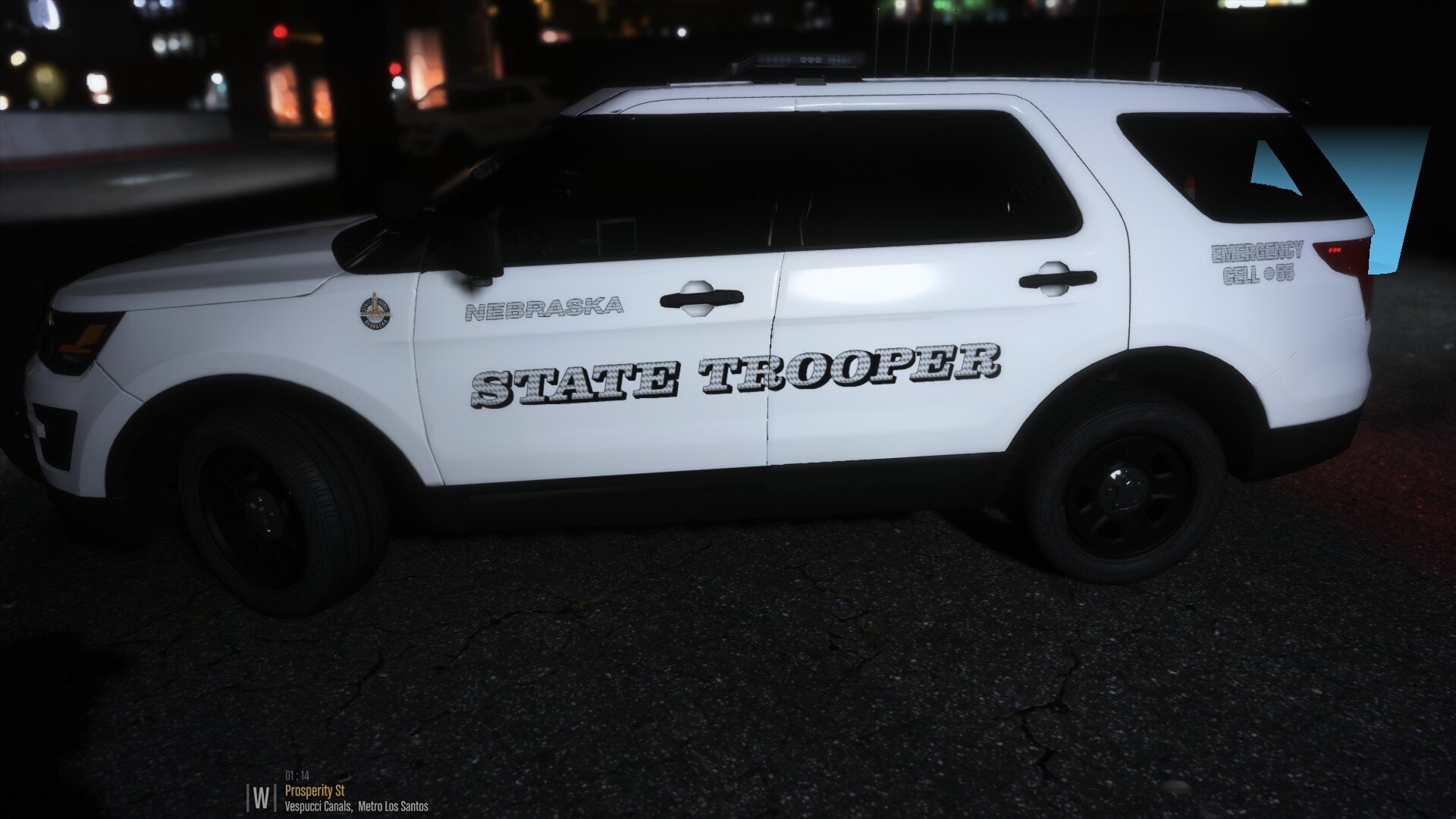
    As the title states, this skin pack is not entirely accurate. The pack is based off of the Nebraska State Patrol. From the TickleMyElmo LSPD pack: 2018 Charger 2018 Ram 2013 Harley From the AST pack: CVPI 2010 Charger 2008 F250 16 FPIU 14 Charger 16 FPIS 14 unmarked Tahoe
  42. Honestly, I didn't really know what to do with the back of the charger, so I decided to separate the "State" and "Police" like they do on the back of the newer FPIU models. I thought about doing it like Vermont does the back of their chargers. (Sorry for the blurry image, but it was pretty much the only picture I could find) Also, thank you, I appreciate it!
    • 38 downloads
    • Version 1.0.0
    Howdy, this is my first skin, and I know there's some work that needs to be done, but I thought this would be interesting to see. This was made for the 2018 charger by TickleMyElmo.

Account

Navigation

Search

Search

Configure browser push notifications

Chrome (Android)
  1. Tap the lock icon next to the address bar.
  2. Tap Permissions → Notifications.
  3. Adjust your preference.
Chrome (Desktop)
  1. Click the padlock icon in the address bar.
  2. Select Site settings.
  3. Find Notifications and adjust your preference.