Wikd
Members
-
Joined
Everything posted by Wikd
-
-
To anyone who comes in this thread with the same question. If you change the pixel format to DX1 it will fix this.
-
-
-
 Will definitely think about adding some stuff like that once all the vehicles are done!
- 8 comments
- 2 reviews
-
-
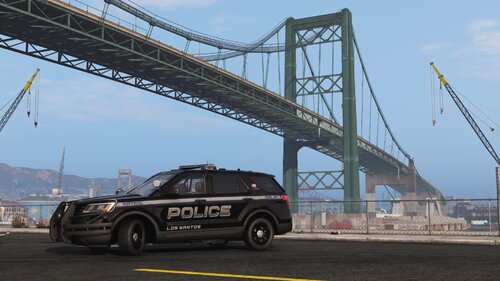
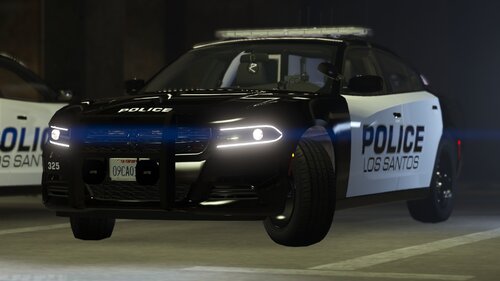
V0.6.0 Included are textures for: Ripples LSPD Legacy Pack Textures: LSPD 2011 CVPI LSPD 2014 Charger LSPD 2014 Tahoe LSPD 2016 FPIS LSPD 2016 FPIU LSPD 2018 Dodge Charger LSPD 2019 Tahoe LSPD 2019 Silverado LSPD 2020 FPIU LSPD Supervisor 2011 CVPI LSPD Supervisor 2014 Charger LSPD Supervisor 2014 Tahoe LSPD Supervisor 2016 FPIS LSPD Supervisor 2016 FPIU LSPD Supervisor 2018 Dodge Charger LSPD Supervisor 2019 Tahoe LSPD Supervisor 2019 Silverado LSPD Supervisor 2020 FPIU Ripple's LSPD Legacy Pack: Install Watch this video: Textured by Wikd I am not responsible for ANY DAMAGES. Do not claim this work as your OWN and do NOT REUPLOAD to any sites. If anyone has any ideas on how to make the CVPI look better comment plz.
- 8 comments
- 2 reviews
-
-

- 6
-
-
 Glad you like it man, keep up the good work!
 -
-
Hi, to add a new holster to CopHolster you need to open the XML and scroll down and add a new line to the MP_M_FREEMODE_01 slot (This will be down the bottom) once here you can see a bunch of already added holsters under <weapons> that look like. <Item WeaponSet="Pistols"> <Component>8</Component> <Holstered>16</Holstered> <Unholstered>18</Unholstered> </Item> Now make sure to change the component slot to 7 otherwise it will not be in the correct slot. to add a new one copy and paste this line just below the one at the bottom and match up the numbers of the holster in game to the numbers in the XML but take note that if your using EUP Menu usually you need to -1 to the item you wanna add for example 134 becomes 133. For further example if I wanted to add a holster that's in slot 100 (Holstered) and 101 (Unholstered) it would look like this <Item WeaponSet="Pistols"> <Component>7</Component> <Holstered>99</Holstered> <Unholstered>100</Unholstered> </Item> Hope this helped and if you have any more questions just hit me up!
-
 Note: You cannot view these files in Windows Photo Viewer the images are too large and need a programme like dds to viewer to view them, regardless the textures still work if you install them normally and use the names of the files to go off.
- 43 comments
- 1 review
-
-
- 1
-
-
-
-
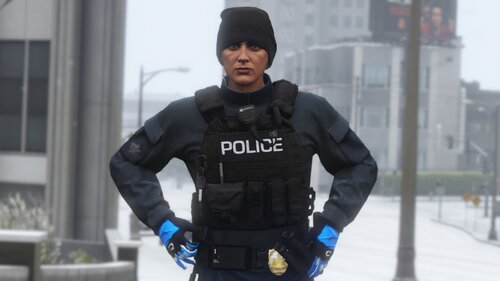
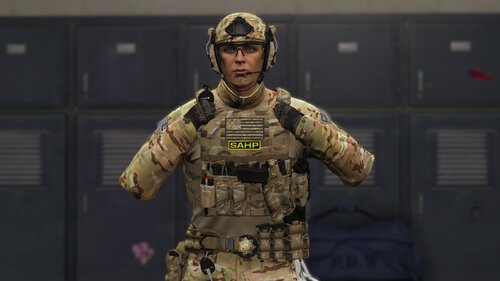
Included are textures for: Laggo's Emerson 6094A Vest. Laggo's JPC Vest. Laggo's Tactical Battle Belt. Laggo's Fast Helmet & Oakley's. Laggo's Safariland 6360 Holster's. Hanako's G3 Shirt. Laggo's Emerson 6094A Vest: -Black Base -Black Police -Black BCSO -Black LCSO -Black SAHP -Green Base -Green Police -Green BCSO -Green LCSO -Green SAHP -Multicam Base -Multicam Police -Multicam BCSO -Multicam LCSO -Multicam SAHP -Tan Base -Tan Police -Tab BCSO -Tan LCSO -Tan SAHP Laggo's JPC Vest: -Black Police -Black Sheriff -Black SAHP -Tan Police -Tan Sheriff -Tan SAHP -Multicam Police -Multicam Sheriff -Multicam SAHP -Green Police -Green Sheriff -Green SAHP Laggo's Safariland 6360 Holster's. -Tan -Green -Multicam -Training Variants Laggo's Tactical Battle Belt: -Tan -Multicam -Green Laggo's Fast Helmet: -Black -Tan -Multicam -Green Hanako's G3 Combat Shirt: -Black Multicam NOOSE -Black Multicam -Black -LSPD Blue -Blue -Green Multicam Marshall -Green Multicam -Green Sheriff BCSO -Green Sheriff LCSO -Green -Grey -Multicam FBI -Multicam SAHP -Multicam -Tan (MODELS NOT INCLUDED) Install: Watch this video Textured by Wikd I am not responsible for ANY DAMAGES. Do not claim this work as your OWN and do NOT REUPLOAD to any sites. (some things may be incorrect but I will update this page with the correct information in due time)
- 43 comments
- 1 review
-
-
-

- 6
-
-
-
-
-
-
-
-
-
-
-
Does anyone know the fonts used on the Pleasanton Police cars? I am looking to make some textures and would help out a ton!
-
Make sure you're using the latest patchday, patchday24 is the latest right now.