


HMystery
Members
-
Joined
-
Last visited
Everything posted by HMystery
-
Show me your game folder.
-
Reinstall EUPMenu or revert any changes you've made to it. You also have quite a few outdated or broken plugins which I would recommend you move as they could cause issues in the future, remove in Plugins/LSPDFR; FelixsCallouts; KucheraCallouts; LoreCallouts; PriorityCallouts; Section136Callouts; SMCallouts; SwatResponseCallouts.
-
You have a SlimDX error. Do the following: 1. Add your GTAV Folder to AV Exceptions. 2. Delete SlimDX from your GTAV Directory, restart your PC. 3. Reinstall/install RPH. If it asks to replace files, press yes. Solution from the Official RagePluginHook FAQ/Discord. If that doesn't work, please go to the RagePluginHook FAQ Docs. Look for the SlimDX error: https://docs.google.com/document/d/1Hp2Qco0qsgKfohkhjYWUxTr2OF7NSCkp8uSZwWz6rRQ/edit
-
What won't start?
-
Delete Travis Lui.ls from /GTAV/lspdfr/chars
-
Check the RagePluginHook FAQ. https://docs.google.com/document/d/1Hp2Qco0qsgKfohkhjYWUxTr2OF7NSCkp8uSZwWz6rRQ/edit
-
Update RageNativeUI. https://github.com/alexguirre/RAGENativeUI/releases
-
Delete GTA5.exe and verify.
-
To update RPH, download & install LSPD:FR Manual. That comes with the Latest version of LSPD:FR.
-
I recommend you read the readme It tells you what to do.
-
-
Remove Simple Callouts.
-
Log says you do. In Plugins/lspdfr
-
Move RageNativeUI to your Game directory. Currently in Plugins/LSPDFR
-
Well. You can try forcing the callouts to start by pressing "M". Police Radio or something like that and pressing "Request Callout". You could also use Callout Manager, but that, iirc, is broken/outdated.
-
The reason only LSPD:FR shows up in the console is because it is an RPH Plugin. Install LSPDFR Plugins (Callouts, etc) to Plugins/LSPDFR. Upon going on duty, the LSPD:FR Plugins will be loaded.
-
Reistall the ASI Manager. Unistalling it removes support for your mods folder and other mods. Once you are down with that. Update your mods folder by copying the update.rpf & update2.rpf files from your update folder to mods/update. Replace them.
-
Albo's plugins do work if you update them via: https://github.com/Aschtar?tab=repositories Updated by Aschtar.
-
Remove in Plugins/LSPDFR; BetterEMS; CleanUpTheMess; CustomPullover; Custom Pullover; Fire Callouts; HWYCallouts; OfficerPorciPlugin.
-
Rename mods to _mods, retry.
-
As cakuzma said. Revert any changes you've made to any .xml's (UB by the looks of it)
-
Send your RagePluginHook.log
-
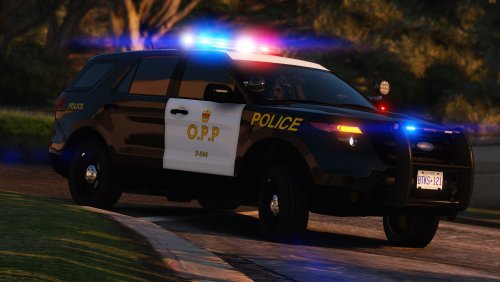 He is going to keep the idea in mind for future updates.
 -
Send your RagePluginHook.log
-
Thank you for the info! Gonna bring that to his attention and see what he thinks of it.

