




Gruntelicious
Members
-
Joined
-
Last visited
Everything posted by Gruntelicious
-
 Heyho! Love that mod, tried it as replace for Compulite after switching to PR insteed of using Reports+ and fell in love with the features. Only problem I got so far is having most of the time someone else than the owner as driver of a vehicle and the Driver doesn't show up in the MDT when not present (= not spawned). Can you check this? I expect the plugin to generate some data of the owner instead of a "Could not find ped in database" message.
- 713 comments
- 33 reviews
-
-
 Awesome! Looks like it's time to update my since 2023 untouched installation ^^
- 733 comments
- 56 reviews
-
-

-

- 2
-
-
 Will test this now on my 2 years old installation - will see how fluid it runs ^^ P.S.: Is there a reason for the "KucheraCallouts.dll" to be in "GTA/lspdfr/audio/Kuchera Audio"? Looks like mistake to me, just FYI ❤️
- 196 comments
- 36 reviews
-
-
- 1
-
-
From the album: Obey & Survive
-
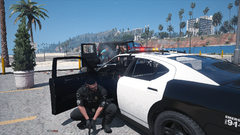
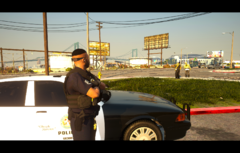
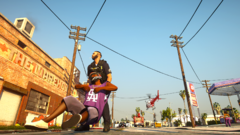
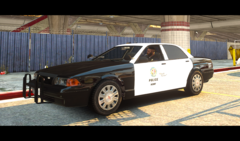
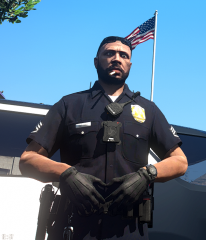
My Adventures as Sgt. Errol Armstrong! *Insert Epic Introjingle here* In this album I will share some moments of my daily LSPDFR experience. The good ones (I write tickets. AND reports!) ... and the bad ones (Smoking pot, drinking beer, giving zero fucks...) 😄 But atleast its nothing spezial - Just some screenshots with a little story sometimes🤷♂️ P.S.: I like my game lorefriendly and "vanilla-like", modded with modern cruisern, buffalos, scouts etc... Vapid > Ford P.P.S.: The purpose of this album is to keep some memories, not to provide something to someone.
-
I guess just like the other replacement cars: Name it like one of those cars and place it in a newer patchday or own DLC - done.
-
 Totally understand that, the "one active BOLO with a huge area" works very very well. My suggestion is big "if" the Multi-BOLO comes.
- 195 comments
- 23 reviews
-
People disableing the system cause the vanilla form of it is unpractical, the idea behind is good. LSPDFR Players are very used to edit lots of configs, I think you're overestimating that depency. (I mean, that's like saying no one would use STP's flashlight edit cause they need to edit the LSPDFR.ini). Due to the nature of those "BOLOs", the full information is already known (the system is based on a already seen and chased suspect in a car), their is no need to apply the random BOLO-variations, just a readout of the database of current "escaped suspects" and addition to the pool of current BOLOs. Otherwise I understand your second point - but I just want to truely suggest you to keep it in mind for a very further state of this plugin, when you actually reach your goal of multi-BOLOs.
- 195 comments
- 23 reviews
-
I'm sure this will never happen. You will have to go with a LSPDFR-Clone like "Police Simulator: Patrol Officer". (Next month releases "The Precinct", also on consoles. Check it out!)
-
Are we talking about LCPDFR or LSPDFR?
-
Du machst dich da auch etwas zu sehr verrückt denke ich, "Code 4" bedeutet perse ja nicht "Einsatzabschluss", sondern dass die Situation unter Kontrolle ist. Eine abgeschlossene Maßnahme bedeutet zwar immer dass die Lage Code 4 ist, aber umgekehrt wiederum bedeutet ein Code 4 nicht unbedingt dass eine Maßnahme abgeschlossen ist 🙂 Ergo hast du da faktisch keinen Logikbruch wenn nach dem Neutralisieren aller Gefahren Code 4 ausgerufen wird - eine Crime Scene löst sich auch im echten Leben danach nicht einfach in Luft auf 😄
-
Das hängt vom Kontext ab und "was" und mit welchen Mods du eigentlich spielen willst. Bei Alkohol denke ich z.B. als erstes an Public Intoxication, in den USA ist das ne ganz andere Angelegenheit als in DE. Ich selbst spiele mit STP + Compulite und nutze dafür Configs aus einer Hand, bei welchen die wählbaren Vergehen, die gefundenen Items und die Fragen dazu aufeinander abgestimmt sind. Das hier, um genau zu sein: Das ist vom Color-Code absolut nachvollziehbar aufgebaut, die Configs führen einen mMn gut ran welches Vergehen wann angebracht ist. Davon abgesehen: Bisschen mit den Gesetzen auseinandersetzen... oder einfach wählen was dir am sinnigsten erscheint ;D Dein LS, deine Regeln, deine Gesetze - DAS ist das schöne an Videospielen und der Freiheit in LSPDFR ^^
-
Klar, gibt zig FivePD Communities, das wäre das gängige "LSPDFR Koop-Erlebnis". Es gibt allerdings auch zig RP-Server auf FiveM, RageMP und AltV, welche neben Civ- und Crime-RP auch eben Cop-Rollen benötigen, da hast du die (zweifelhafte ;D) Erfahrung zwischen Realitätsverlust und Übermut mit echten Menschen als Cop zu interagieren.
-
Which gameversion? ELS requires Scripthook, which is currently not working on the newest gameversion due to the recent update.
-
Heyho! I have a suggestion for the BOLO-System, which is one of the BEST features evers. LSPDFR itself brings this (kinda) annoying "Lost Suspect encouter" feature, which always forces you into pursuits when not pressing G fast enough or beeing disabled in the lspdfr-config. My idea is to just link the BOLO-System with that feature/database if possible. You said you wanna go for multi-Bolo, and this would be a win-win I guess. What do you think about it?
- 195 comments
- 23 reviews
-
-

- 1
-
-
Stations.xml (Gamefolder/LSPDFR/Data) Set the Agency to SAHP Or do you mean the spawning at all?
-
Bro... that's a old one 😄
-
.thumb.png.b9e18d9931090871b064059f2c315cf8.png) Maybe your Modfolder is "outdated"? If you use your current installation since the last gameversion the update only applied to your gamefiles, but not automatically to your modfolder. MAYBE you have to update the DLC List in your modfolder manually to get the newest Update MLO working?
Maybe your Modfolder is "outdated"? If you use your current installation since the last gameversion the update only applied to your gamefiles, but not automatically to your modfolder. MAYBE you have to update the DLC List in your modfolder manually to get the newest Update MLO working?- 700 comments
- 23 reviews
-
-
I'm way more interested in where this question has it's origin 😉 But yeah, just a quick view on the home page answers your question.
-
 Heyho! Is there a way to implent an option to let (chosen?) hotkeys only work outside a car? I really want to set up all my Emotes on Numblock, but got conflicts with mods I need the numblock for while driving, i. e. Spotlight. Would be a huge improvement imho!
- 71 comments
- 14 reviews
-
Schau mal unten links bei deinem ersten Screenshot 😉 Der Dispatch kommt rein, du musst ihn nur noch mit Y, via Calloutinterface (da dann über die CAD-Spielmechanik) oder GrammarPolice (Funk) annehmen ^^ Die Auswahl des Callouts über das Calloutinterface wie im zweiten Screenshot löst nur aus, dass genau DIESER Call JETZT gedispatched wird. Annehmen musst du ihn dann dennoch manuell. Normalerweise kommen die Einsätze zufällig rein, das Menü ist nur ein kleiner "Lifehack" um eben gezielt einen Callout dispatchen zu lassen. P.S.: Wenn mal jemand drübergucken soll kannste mich auch auf Discord anschreiben, selber Name wie hier im Forum.
-
.thumb.png.2bed8e24a02c929e4e15a3f0d53c4e54.png) So is this just a overhaul and remaster of the Standard EUP Packages? Like remastered LSPD Utility Clothes etc... I'm exactly waiting for something like that.
So is this just a overhaul and remaster of the Standard EUP Packages? Like remastered LSPD Utility Clothes etc... I'm exactly waiting for something like that. -
Mir ist es kurz nach dem Update passiert, dass - warum auch immer - einzelne Basegamedateien aus dem Spielverzeichnis gelöscht wurden, darunter die gta5.exe, wodurch ich die selbe Rückmeldung von RPH hatte wie du. Startet das Game denn ganz normal, wenn du GTA Vanilla startest? Und wenn nicht, fehlen dir auch essentielle Dateien? (Ich denke es kann sicherlich auch andere, naheliegendere Ursachen haben, aber da das meine jüngste Erfahrung war will ich das dennoch mal mit ins Rennen geworfen haben)










.thumb.png.b9e18d9931090871b064059f2c315cf8.png)

.thumb.png.2bed8e24a02c929e4e15a3f0d53c4e54.png)