



londonrials
Members
-
Joined
-
Last visited
Everything posted by londonrials
-
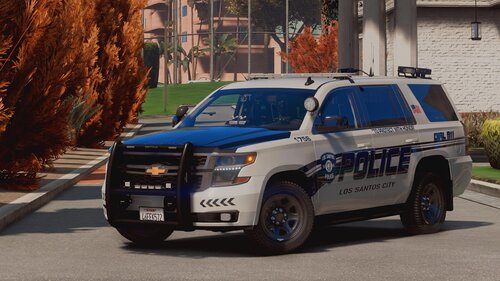 Love this pack's textures as well as the models of the assets inside (computer, etc). Going to be using this one for a while!
- 44 comments
- 11 reviews
-
 I just did like 2 hours of testing, and at least in my game, AI Traffic Fluidity & Discipline 9.1.1 (with or without Improved Pursuit AI 1.2) does not work with NPC Style Cover Animations 2.0. But funny enough, using ONLY Improved Pursuit 1.2 and not Fluidity & Discipline 9.1.1, works perfectly fine with NPC Style Cover Animations 2.0. If I try to use all there, I will consistently receive a Corrupted Files error when the RHP loading is RIGHT before loading the LSPDFR plugin.
- 366 comments
- 32 reviews
-
 Dude... I wrote that comment almost 3 years ago. Whatever this mod is like now, it's not how it was like when it FIRST came out. Look at the date of the comments you reply to and use context clues next time. I wrote that comment on the first day this mod was released. P.S. I wouldn't have made the comparison if I hadn't already tried both mods first. I made a whole tutorial video and became friends with the developer for a few months until we stopped talking to each other, so no, I didn't just randomly say it out of the blue. I said that because I tried both and they seemed the same.
- 557 comments
- 28 reviews
-
.thumb.png.54c06eaaf86957cad8ad4654d0b2599d.png) I know this is an old upload but do you happen to have the .psd files or the logo itself available still?
I know this is an old upload but do you happen to have the .psd files or the logo itself available still?- 7 comments
- 1 review
-
 This looks really nice. It'll improve the immersion of my patrols. Nice job Jordan!!
 -
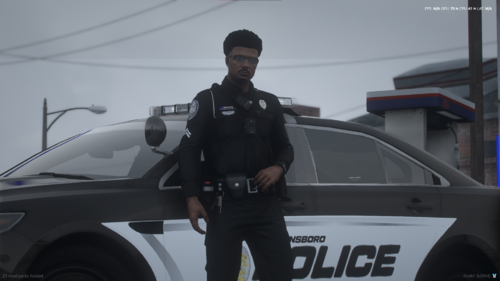 I. The quality is nice. Nothing to write home about but a lot better than other people's packs. II. There's no male pants with this pack, only female. III. For newbies that are installing this, they're forced to go to YouTube or the forums to learn how to install this. If you're putting out content, it's a good idea to insert a readme with instructions on how to install it, even if it's common knowledge.
 -
 I didn't use the copy here but rather the copy over on GTA 5-Mods. It works fine for me. Haven't been updated since 2020 and I haven't had any issues with it. You might want to troubleshoot some more. I was able to have a full on 2 hour patrol with no major issues (or any issues relating to this mod).
- 342 comments
- 20 reviews
-
-
Looks pretty similar to Lt. Caine's PLD. Not saying two are the same as I do spot the differences just wanted to bring up the similarity in case you forgot to credit them for inspiration or whatever else. PLD has been apart of the community since 2015.
- 557 comments
- 28 reviews
-
-

-

- 9
-
-
 Looks good. Saw this a few days ago but going to try it out today hopefully. Can't wait to give it a review.
- 61 comments
- 8 reviews
-
 Dude why you’re telling me this? I’m not the author 😂😂, I literally do this with my own files… I’m the wrong person to be telling this. And like the other person and like I said the updates notes are coded to be below the description and as authors we are required to fill them out. As this conversation been going for a while now I’m losing interest and you’re just complaining about completely secondary things now. Take care, bye ✌🏾✌🏾
- 2,349 comments
- 238 reviews
-
-

- 1
-
-
@Kreemerz | The update notes that all authors are required to put something for. Big section below the main download page section. Looks like this:
- 2,349 comments
- 238 reviews
-
The updates notes literally says: "jsut updating the version umber to display a more accurate one. No need to downloand and reinstall, no new content." But you already knew that or else you wouldn't have been able to ask your original question. 1. Alex did answer your question in the update notes. You even answered your own question within the question itself. 2. I'm not Alex so I don't know but it's pretty obvious that he wasn't gloating or flexing his numbers. You said that he published an update with no content because he wanted more downloads so he basically said why would he do that if he already have 2 million+ downloads. In case you ain't realize, you can count on your hands the amount of files on this website with download numbers in the millions. LSPDFR itself, LCPDFR itself, Albo's old stuff, ELS, and EUP. Just a pro tip from a non-pro: If you want to get help for something that's clearly already answered, maybe you shouldn't accuse the author of farming download numbers when he's already one of the community's leading authors. Just saying... 🤷🏾♂️
- 2,349 comments
- 238 reviews
-
-
- 2
-
-
 Thanks, I'm glad you like the pack. You can use any of our characters by going to the pause menu > LSPDFR > then select the option about switching characters. It'll bring you to the character selection menu where you should see the character(s) you installed. Hello SalonGuy! Hope all is well. I think you might be confused on the basics of this file. Our characters aren't the characters you load up from the EUP menu (outfits are planned in the future though) but rather these are the characters you load up from LSPDFR itself. While LSPDFR is loaded and ready to play go to the pause menu > LSPDFR > and select the switch characters option. Once the character selection menu appears, you should see all the characters you installed.
- 24 comments
- 3 reviews
-
I forgot to say earlier this week but it's insane how fast the downloads are going! While I don't have 40k downloads or something, I didn't think I would reach 500. Seriously thought it was going to maybe like 40 people? At the total most. Check the other day was had 570 and we're already at 581 at the time of writing. THANK YOU. Thank to everyone who downloaded, even if you didn't keep or play the files. Just the thought you guy thinking of trying it and just THINKING about giving it a chance it enough for me! Again, THANK YOU FOR 500 DOWNLOADS! 💚💚 Let's go for 1,000 yeah?
- 24 comments
- 3 reviews
-
-
- 1
-
-
@ericcelrosu | Yeah I love backstories, it gives the characters that are made of pixels a little bit of life. A mod like the one you described would be pretty awesome! Right now it's beyond my skill level of C# (the coding language used for GTA mods) but just note I'm always planning and this "mod" (if you can even call it that lol) is just a small piece of the overall plan I have but for right now nothing too crazy. New character coming April 1st.
- 24 comments
- 3 reviews
-
@Mags | Hey can you delete this post for me? I'm too inexperienced for it and was in over my little head. The thread rules said only active developments are allowed and since I'm postponing it for a long undefined period of time (longer than 2 years). As it's super embarrassing and it's against the rules can you delete this please? Thanks in advance. P.S I hope pinging you wasn't against the rules. I pinged you in specific because you're the most recent 'last online' moderator I can find and I didn't want to ping an admin didn't seem worthy enough of a request.
-
content deleted (it was embarrassing)
-
Okay, again thank you a lot! I'll make sure to include you in credits for assisting me. Take care.
-
Thank you! One more follow up question if you will, how to I stop an ongoing animation? I know in menus I can just do Stop Animation but obviously coding wise it has to be something different because Friend.Tasks.StopAnimation came invalid. So how would I stop it?
-
Hey I got a question about ped animations. How do I do them. I found two forum topics here on this very site but both are from pre-2020 and I'm not too sure if they still work as I'm getting errors using those templates. Here's my code: Thank you for any kind of help. I couldn't find anything on forums, YouTube, Google, or Reddit. Note: I did have two other questions apart of this message but I found the answer. FriendA = Ped.Tasks.PlayAnimation(AnimationDictionary, "amin@veh@apc@ds@base", "sit"); FriendB = Ped.Tasks.PlayAnimation(AnimationDictionary, "mb@medic@standing@kneel@base", "base"); I'm getting an error for Ped.Tasks and AnimationDictionary. 1. An object reference is required for the non-static field, method, or property 'Ped.Tasks I couldn't find an API reference for this. 2. 'AnimationDictionary' is a type, which is not valid in the given context I'm just overall confused about everything I'm supposed to put after PlayAnimation, the template was super confusing for me. If anyone use an example using one of the animations I picked, I hopefully can understand it better. Please and thank you for any future help.
-
------------------------------------------------------------------------------------------- STATISTICS (Manually updating periodically) BRAINSTORMING & IDEAS BEGUN: Late 2020 DEVELOPMENT START: February 17, 2022 RELEASE DATE: N/A INTRODUCTION Hey everyone! I'm very excited to announce that development on my very first plugin PrivateLife has started on the 17th of this week. I have some good ideas planned for this plugin, some I plan will be available upon launch and others in major or minor updates following. The purpose of this thread is to publicly document the progress of the plugin, and also to build hype for it. I'm not the most well known user on the site, not popular at all- so originally I planned to focus 100% on some normal, simple callout packs I had planned out before even starting development for this grand project so I can slowly build up my recognition thus building hype. But fuck that! I'm choosing to go ahead and start this fun but very frustrating and tiring journey now! STATUS UPDATES In order now to (1) spam the thread (2) be annoying with tiny updates (3) not break the script, ped, & file modifications showroom guidelines, I'm going to only updating the showroom once a week. So every Friday at a random time whenever I'm available that day, I will collect everything I did, tested, finished, and scrapped that week so you guys can be properly updates and informed. PLANNED FEATURES Now let's get on with the juicy stuff! Upon launch PrivateLife will be made up of 3 different modules that can be disabled or enabled by the player at will via the provided settings.ini file. Each module contain separate gameplay features but work together in a clean, flawless action. MONEY MODULE Money is a core piece in the puzzle that is PrivateLife. During this first play of the plugin, players will a starting amount of $500 dollars in cash. But cash isn't the only way to spend money now is it? Players must open up their own bank account at 1 of the 3 financial institutions across San Andreas including Pacific Standard Bank, Blaine County Savings Bank, and 4 different Fleeca branches. The player will receive a debit card (not physical, inventory options planned in far future/after launch) upon opening up their account. Along with inventories; credits cards, debt & interest, loans, and a phone app is planned for updates after launch. Those plans may not become possible, they might not even be possible but I'll try my hardest to make them work in some shape of form while balancing out game performance and functionality. When players are on duty they will receive a certain amount of money every 24 in game hours. I have not decided the amount yet as I'm doing more research into police yearly salaries. You might be asking a good question of: how do we get our bank account money into pocket cash? Well that's the thing... you don't... just kidding. Imagine how stupid that would be lol, anyway along with each bank (branch, main, or otherwise) there will be ATMs outside or inside depending on the location where the player can withdraw money. To deposit you will have to go inside (if you wasn't already) and use the main desk menu which is also the same menu where you opened your account. There will be ATM fees when you withdraw. $1.50 fee if you withdraw from the main building or a branch of the bank you opened your account with. The fee will be $3.50 for all other bank ATMs at the actual bank or branch building. In the future after launch, I will slowly start making the random ATMs across Los Santos functional with the plugin. Like the ATMs at gas station, apartment buildings, parking lots, etc. The fee for those will be at a whopping $5.00 whole dollars for each time you withdraw. The fee (regardless of where you withdraw from) will not be subtracted from the money you're withdrawing. It will be subtracted from the money already in your bank account. So the $5.00 fee for example; if I have $500 dollars in my bank and withdraw $40 dollars I won't only have $35 in cash now. I'll still have my $40 dollars but instead of $460 in my bank account, it'll now be $455 dollars left in my bank account. Cash will be displayed in green and bank balance will be displayed in blue in the plugins HUD. FOOD MODULE PrivateLife will introduce at launch 3 core needs. Hunger, thirst, and stamina. In order to keep your needs up you will need to eat and drink items. Items can be found at a number of gas stations, fast food places, and other stores across San Andreas. After seeing the crazy (and I really do mean crazy) amount of people who gave up on their hunger and thirst mods, that was the pushing factor for me to start learning C# and begin development. Of course items will cost money unless you have the money module disabled then all items across all locales will be free. But with the money module enabled, food items will cost the same everywhere even if it's the same item. For example a burger at Burger Shot will be a different price at Up-n-Atom but it will also be slightly worse or better just like real life! Regardless of money module's enable or disable status, not all items will be available everywhere. The items at LTD gas stations won't be available at Fruit of the Vine's vine store y'know? You know. I know you know! All food and drinks has pros and cons to them. While this food item you just eat might have just restored your health, it also lower your thirst or maybe lower your max stamina for 2 minutes. It all depends, and no worries I'll try my best to make it all somewhat realistic. That brings us to the next module, weight. All food and drink items add weight to your character (not visual, sadly way too many factors that I'm not advanced enough for such as clothing, modelling, etc). To learn more about weight, read below! WEIGHT MODULE Players will have a weight assigned to them. Upon first playing, it will be healthy at 145lbs regardless of character's sex. There are 4 weight classes. Underweight, healthy, overweight, and obese. The weights for these will be considered via CDC's BMI calculator which the value for height will be at 6'0 via the in game's mugshot background. If you're under 90lbs your stamina's maximum limit will be at a dangerously low amount. Once you become underweight, at 90lbs, your stamina will be very slow but somewhat manageable. Health will recover much slower than normal and your hunger/thirst levels will go down faster. Healthy is just well healthy which starts at 136lbs. All values are default. At 184lbs you become overweight which in fact makes you slowly but not too slow. Your stamina recovers much slowly and the maximum is a tiny bit lower than healthy class. Your hunger meter level goes down extremely fast but thirst only goes down somewhat faster than default. At 225lbs or above you become O B E S E (something I most def relate to IRL 😂). Your hunger meter level goes down extremely along with thirst. You are extremely slow and stamia's maximum limit is dangerously low again just like under 90lbs. If you try to fight you will most likely die lightning quick (May or may not introduce muscle and strength in a future update after launch. Depends on the complexity of it all). You can lose weight by running (on or off duty) along with working at the Muscle Sands gym at the beach in Los Santos. I might add more locations later, again depends on the demand for it and how complex it is along with if my current interior method works or not (don't get your hopes up. Custom interiors for food places etc will be in a major title update way way after launch. At launch only banks and gas stations will have interiors because they're vanilla and not custom). MAJOR TITLE UPDATES IDEAS/ALREADY PLANNED I have some major title updates planned already and some are just ideas. Major updates changes the version numbers' first number as I go by (major.minor.patch) system. Also major title updates get their own logo and trailer (similar to how GTA:Online DLCs are nowadays). Here's the list. Custom Interiors Pt. 1 [Planned] (Split into two parts just for labor and not ruining my energy/mental health reasons) Custom Interiors Pt. 2 [Planned] Hobbies & Fun [Planned] (Introduces the 'fun' need (which is only active off duty), along with nightclubs & other small activities to do around San Andreas). Muscle & Strength [Idea] Credit & Loans [Idea] (Introduces credit card option at banks, loans, credit, and the mobile bank app concept (app may or may not be scrapped). Homes & Properties [Concept/Unrealistic Idea] (Introduces 'sleep' need. Small amount of houses & apartments around San Andreas where you can buy and live in (This will most likely come out like 2 years from now if it does come out lol, to: LSPDFR devs maybe add an API for spawn location? 👀). Vehicles & Weapons Overhaul [Idea] (Introduces 2 vehicles dealerships, 1 in Los Santos county and the other in Blaine County. Players can buy the personal vehicle of their dreams.. if they have the money and good enough credit... #yikes. On the other side of the coin, please can buy weapons in gun stores across San Andreas along with gun permits and licenses. Hunting & Survival [Concept/Unrealistic Idea] (Introduces a player inventory RAGENativeUI menu as well as hunting into Hobbies & Fun activities. Hunting can give you animals parts which you can sell to a few shops around the state as well as increases your fun meter). AM I WORKING ON ANYTHING ELSE? Yes! Just because I'm working on the extremely long term development of PrivateLife don't mean it's the only thing I'm working on. Besides for my content creator duties, I'm planning some small callouts and some vehicle textures. No details at the moment besides for the fact the first small callout pack will be focused on the university and it's surrounding areas in Los Santos. DISCLAIMER This is a disclaimer about the major title updates AND just this whole plugin overall. Nothing on this page is confirmed. I'm new to C# language with no coding experience besides for being the top student in my 25 student HTML class in my senior year of school. No python, no C++, nothing. I tried a junior C++ class in high school when I was a freshman and I didn't survive a week and traded into another course. Reason why I'm telling is this is because major title updates are no coming anytime soon after launch. These are updates that are going to take months to develop with maybe one or two per year IF I'M LUCKY AND GET STRONGER IN CODING C#. I'm trying to change the LSPDFR community in unimaginable ways but reality has to come in at some point. Some stuff may not be possible because of a variety of reasons that I can't control. Thank you for reading and I'll be back next week on Friday with the very first update. Any questions, hype, comments, concerns, warnings, suggestions, and anything in between please leave down below and I'll happily reply back! 😄😄 -------------------------------------------------------------------------------------------

-
@biomek7 | Your photos are literally 200x116. That's why they're blurry. I'm not too sure of what your game and monitor situation is but when you normally screenshot, it should take a picture of your monitor(s) so ideally the screenshot should be the same same of all of your monitors. If you play GTA in one monitor then you would most likely crop the screenshot to fit the size of the game's window which I'm strongly betting isn't anywhere close to 200x116 which is damn near unplayable. You might want to review your display settings for Windows and your game. I'm not sure what's going on with your photos but it's weird.
-
Um so about that... lol I didn't mean to put < -20f, I meant to put <= 20f. When they said one typo can ruin your code and take hours to find, they wasn't joking lol. Thanks for the help LMS, I'll make sure to include you in credits.
-
@Figgmuffin | Hope you're doing good considering this was 8 hours ago! So for your question... would you consider providing me with a lovely screenshot of the error message that states it's the wrong file?

.thumb.png.54c06eaaf86957cad8ad4654d0b2599d.png)
