


Tizerthegamer
Members
-
Joined
-
Last visited
Everything posted by Tizerthegamer
-
OK, I will give that a go. Is that what is showing as causing the crash??
-
I have had a number of issues trying to get LSPDFR working without crashing. However, I now have an issue where when I force duty, it is crashing my game automatically. I have attached my RPH log, but never sure what I am meant to be looking for specifically, otherwise would have sorted myself. Would someone be so kind to look through the log and see of errors that may be causing the crash. Thanks in advance for your help. RagePluginHook.log
-
 Not sure if you are aware, but when you do the Gang shootout call, you can shoot as much as you like. Whilst the gang members show they are being shot with blood stains on clothing etc, they do not die, and just keep shooting everyone. First time I have done this call, but good otherwise.
 -
Hi, This is the one, I have installed on my LSPDFR, but not tried yet.
-
 It is not being updated at all.....says this at the top of the information
- 1,178 comments
- 137 reviews
-
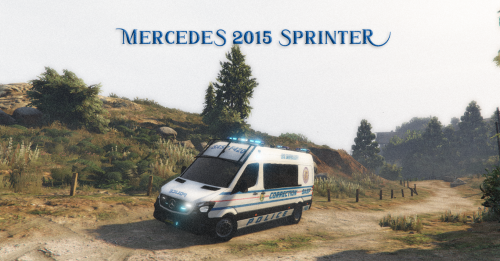 I notice the file is for riot slot. Can this be changed for a policet slot, as this would be perfect for that. I only have the stock GTA policet currently and it is terrible!!
 -
 Hi, thanks, have just watched your video. Thanks for a brilliant tutorial.....Was very informative and can't believe how simple it is.....Great work!!
- 1,364 comments
- 87 reviews
-
-

- 1
-
-
Hi, I think the xml file is missing, the one we are able to change the setttings in and customise Grammer Police. I have downloaded both versions and they appear to be the same. Am I looking in the wrong place?? Currently looking in plugins/LSPDFR/GrammerPolice Have also looked in plugins/LSPDFR and there is only the file there to change your callout name and very basic settings.
- 1,364 comments
- 87 reviews
-
 Excellent callout pack....nice to have a modern twist to some of the callout's that can become a bit mundane at times. Well done, and I look forward to updating your callout pack upon the next release.
- 1,034 comments
- 65 reviews
-
-
- 2
-
-
Could someone send it to me too please, just downloaded the NYPD peds, but don't have any vehicles for them.
-
Hi....downloaded this last night, seems to be very well made, with no signs of bugs or crashes so far. Has a variety of weather systems that come and go throughout, as well as regular updates through 'Life Invader', which I thought was really good, almost like a weather bulletin. Only thing to say is weather seems to be more raining and storms that anything else, but admittedly have only tried this mod twice so far, so will continue using and see how it goes.
-
read my comment above yours
-
If people read all of the information at the top of this screen, I am sure this will answer alot of questions, including the fact that unless you have reverted your GTA version, then you will have to wait for Scripthook and LSPDFR to be updated. There is no way around this, as stated as well. Although Ragehook is updated already, without the others being up to date, all this will do is crash your game. Simple....don't update your game, or revert to this in RPH, otherwise bye bye LSPDFR for now.
-
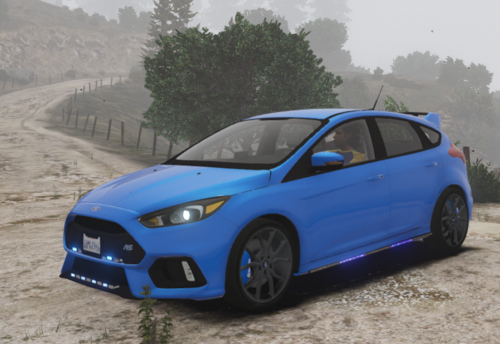 OK that would be great thanks
 -
Could you provide some instructions of where to download files and how to spawn this, as it is not within a replacement slot...seems to be in an add-on one....is it straight forward to install?? Thanks...car looks great
-
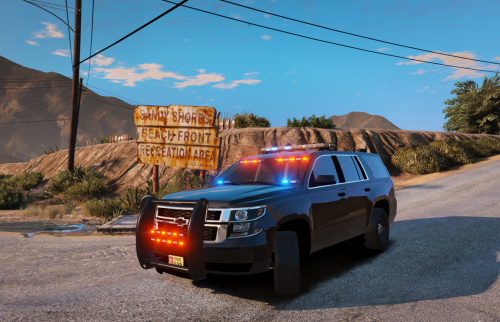 Hi....normally you can press J and this will operate the lights through different stages, ie, traffic advisor, and then stage 2 and 3. This is what key normally works for me on LSPDFR
- 16 comments
- 1 review
-
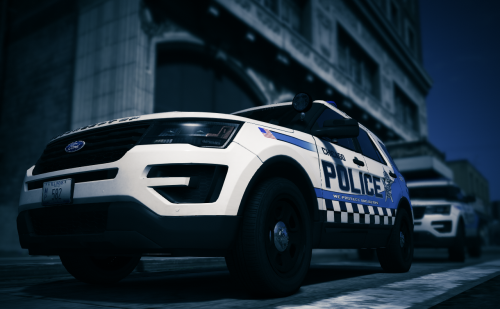 Can anyone help me with how to get these files from Dropbox into Open IV please. Trying to see if I can copy and paste them, but not letting me do this. Thanks in advance.
- 20 comments
- 6 reviews
