


IndianaisMyState
Members
-
Joined
-
Last visited
Everything posted by IndianaisMyState
-
Oh LOL. I never pay attention to that, maybe it is a mod or something? Possibly jsut need to do a fresh copy? I always have two files, the original non-edited version. and then my modded. Incase that happens.
-
Launch with "LaunchGTAIV.exe" Thats the best way for me.
-
Disable the Autosave thing with LCPDFR, them Delete the Savegame. I stopped crashing after that. That seems to be what your issue is as well.
-
Personal Preference. Coming from a LE Family. Don't, as a regular person still don't. I personally believe it is for people who are wanna-be police officers at a young age, and its just not needed. But from personal thoughts outside of LE. I still don't think its needed. Even though it is a very good car. Just my 2 cents.
-
I realize that, was just telling him that. I dont have the money, nor the time. I was just telling him there are none out... I dont see your reasoning on needing to get an attitude towards me. Have a fantastic day.
-
I don't believe there is one out for GTA IV.
-
Also, what i've seen: 1. Don't be BRAND NEW! 2. Be kind and post, before asking.... 3. DONT ASK... Indiana's 2-3-Step guide to being a moderator.
-
Okay! I will see what I can do.
-
Traffic Advisor
-
TA or not?
-
Im going to PM you, so we wont clutter up the form.
-
Yes, K County is a Bueat. I dont think this one is in service anymore but she was a bueat.
-
The free version wont allow you to improt or export, you have to buy the plan on a account. Cant do it like you used to with Zmod 2
-
LOL. If I had Zmod 3, and If I can do stuff with GTA IV in it. I would probably like it more. Or if I had money I would be willing to try it, just dont have money or anything :(
-
I have been using Zmod 2. I dont do any work for 5 as, I dont have the funds to keep Zmod 3, nor do I have the game, I had Zmod 3 to mess around and see what I could do, if it supported GTA IV, I would use it and if I had money. But I do what I can and still do GTA IV
-
Okay, I am hoping I can offer some type of help, I dont have Zmod 3 Anymore, got the trial, but just didn't have funds to keep going with it. But I will try to help as much as I can.
-
I meant as in the Mat. Editor so I can see how it is assigned.
-
Thats the way ELS 8 and GTA IV is, you have to press and hold "T" to make it go. You cant keep pressing "G" It wont switch, it is weird but the way it is.
-
Are you able to Take screenshots of emrgdef and the error?
-
I would be more than happy to attempt to help you. Let me know if you would like my help!
-
Did it export to your desktop? Or will it just not export? Sometimes i've noticed that it will say that but still export with the files and such.
-
Click here
-
Currently Working on a ISP CVED CVPI. Skin was done by myself per pictures on the internet and with personal views IRL. Attempted to base off of my dads old CVPI, will do the Tahoe that he has currently as soon as this one is finished. Pictures In Spoiler:
-
FYI, Your picture is not view able. But I think it has, not sure though.
-
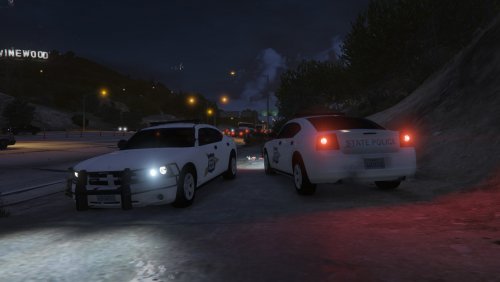 I like that you attempted to do a skin for Indiana. But due to the amount of inaccuracies I had decided to give it a 1 Star Rating. Thank you for your attempt though. Also, I am aware that it is only your fourth skin. For that is is okay, but just for future reference it would be best to do more research!
- 10 comments
- 2 reviews

