


Rylxnd
Members
-
Joined
-
Last visited
Everything posted by Rylxnd
-
 Could it be possible to repair the vehicle when changing the components through the station garage? Vehicle in GTA 5 needs to be repaired when adding high poly extras.
- 295 comments
- 34 reviews
-
Waiting for the day we have ELS ported to GTA V Enhanced!
-
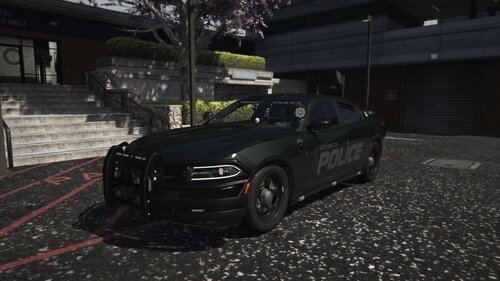 Looks great. Any chance we could get an update with textures for the CVPI and RAM 1500 ?
- 30 comments
- 3 reviews
-
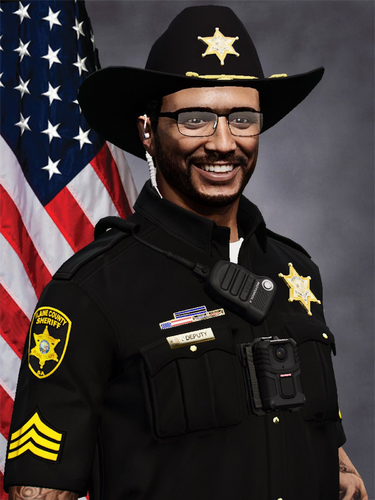 @TheInfamousDev The LSPDFR replacement files for the props have the names for FiveM 😕
 -
Does this one work with EUP 9.7?
-
 I have the MCMenu key set to None but it will open the Menu if I hit the Windows key or Alt - Tab then re enter the game window?
- 261 comments
- 25 reviews
-
-
 With the lore friendly plates, there's only the texture replace, but there is no replace for the plate normal textures? There also are some lore friendly liveries missing such as the ghost charger.
- 135 comments
- 20 reviews
-
-

- 1
-
-
 If I install just the vehicles (without metadata) then the mod will load fine. As soon as I add the vehicles.meta entries it crashes. If your curious, I'm replacing the models which is how I was able to test. So the issue lies somewhere in the vehicle's metadata files.
- 243 comments
- 16 reviews
-
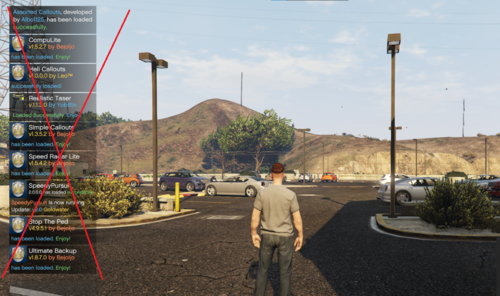 I agree. This is amore of a "use at your own risk" kind of plugin.
 -
This simple plugin flushes and removes all those annoying notifications that pop-up for the first 20 seconds of your shift. Personally, I find these very annoying, as it blocks the entire side of the screen. And gets annoying really quick. Warning This plugin blocks all notifications on start-up. Meaning it WILL block notifications warning you about updates, and other critical notifications. Use at your own risk! I am not responsible if anything happens to your game or mods. Installation Simply drag the "plugins" folder into your GTA 5 directory. Configuration Included with the DLL, is an INI file with settings that you can configure to fit your needs. Such as configuring how long after you start your shift, the plugin will clear notifications. And how often the plugin will clear notifications and flush the queue.
-
Does this work? And can you send the link please?
-
-
-
-
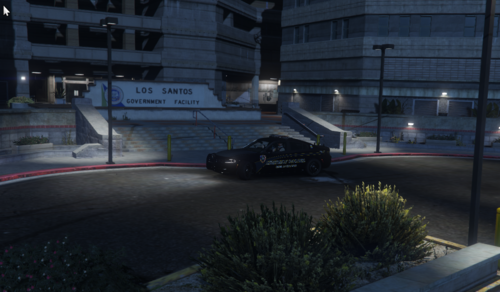 This file gives you one of the most popular agencies in LSPDFR that is missing a station... SAHP! This adds the following: Entrance Garage Jail Drop Off Location: I chose a location that I personally — and this is my opinion — is the best option for the station. It's right off the highway and easily accessible. If you have a location you think my be more suitable, lmk. Installation: Installation instructions are in the read me included in the download. If you can't read it, then how are you reading this? Vehicles Used in Photo:
- 10 comments
- 1 review
-
-
-

- 4
-
-
Game Config Heap Adjuster Also post your specs?
-
 Now Some Of Them Are Saying "Failed To Initialize Callout "Callout Name". Some calls still Do Work. Are The Calls That Are Doing It In Development Or Are They Broken On My End? I'm Using Callout Manager BTW.
 -
Strange, Now They Work. Sorry For Wasting Your Time.
-
Yes They Are.
-
Try Playing Without rage, And Make Sure You Are Using ONLY Updated And Compatible Versions Of Any Plugins You Are Using
-
Bug: Automatically Codes 4 On Most Callouts On Accepting Them.
-
Do You Have Any Vehicle Mods?
-
 @HANAKO How Do I Get The Earpiece From The EUP Menu. I Go Under Wardrobe, But I Do Not Find It Under Any Options, Like Hats, Masks, ECT. I Also Think It Would Be A Great Idea To Have A List Included Saying The Default Slots For Everything. For Example: Vest 1 (setup 2) - 4. Or Something like it.
- 554 comments
- 46 reviews
-
Ok, Have A Good Tomorrow/Today.


