


Alb1nowolf
Members
-
Joined
-
Last visited
Everything posted by Alb1nowolf
-
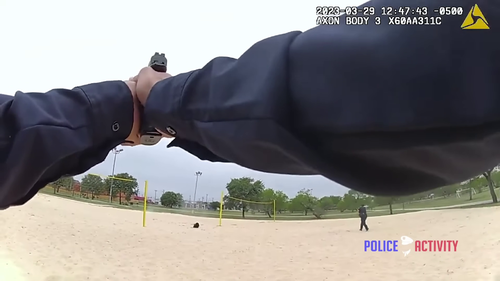 Does this sound mod still work for people? When I installed it, it did not work and made other gun sounds very muted. I tried both raw files installation and full bank replacement. Not sure if this is on my side or a problem of the mod's age, so that's why I ask. This mod isn't that old but I know audio can be a little extra finicky. Any help would be appreciated.
- 28 comments
- 6 reviews
-
Hello, I have been trying to figure out how to make the ground, such as white concrete like is in front of the Mission Row Police Station (see screenshot) look less like it is made out of the sun. I have Better Radiance installed, and as a result Shaders and Post FX turned up to Very High both. And when I turn them down, this glow effect goes away, but so does any real emergency lights brightness, so I do not want to do that. I have tried tweaking some different values in visualsettings.dat like reflections, tonemapping, etc. (no exposure curves or anything) but it doesn't seem to be making much of a difference? I can't really tell, but it is still not what I would much rather it be. That is, bright but not actively glowing. The leftmost screenshot was taken at 5 PM in the game, but the glow moves with the sun. Earlier in the day it lights up the buildings across from the police station strongly, also making them glow (especially the lighter colored buildings) but earlier it is even brighter on the ground (albeit at a slightly different angle; see the screenshot on the right). And in fact, these screenshots were taken hours apart (in real life) and I had tweaked some settings by then. So while that's not very helpful for consistent testing, it does show that nothing has really changed actually. I have very little knowledge of graphics settings and the like so it is entirely possible that I am just not tweaking the right thing at all and that's why. So any suggestions would be greatly appreciated! Thank you! (I am on PC and the most recent GTA V Legacy build)
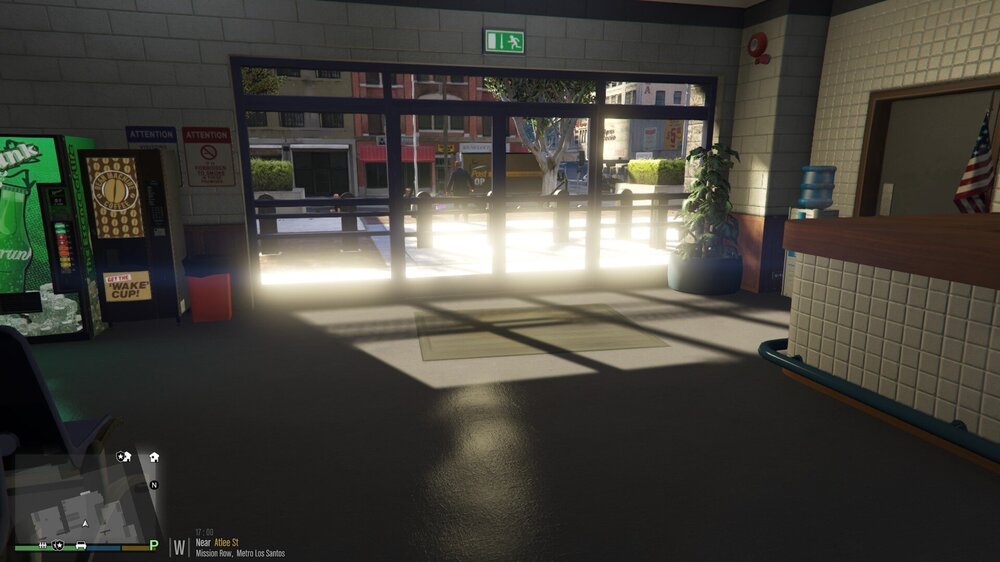
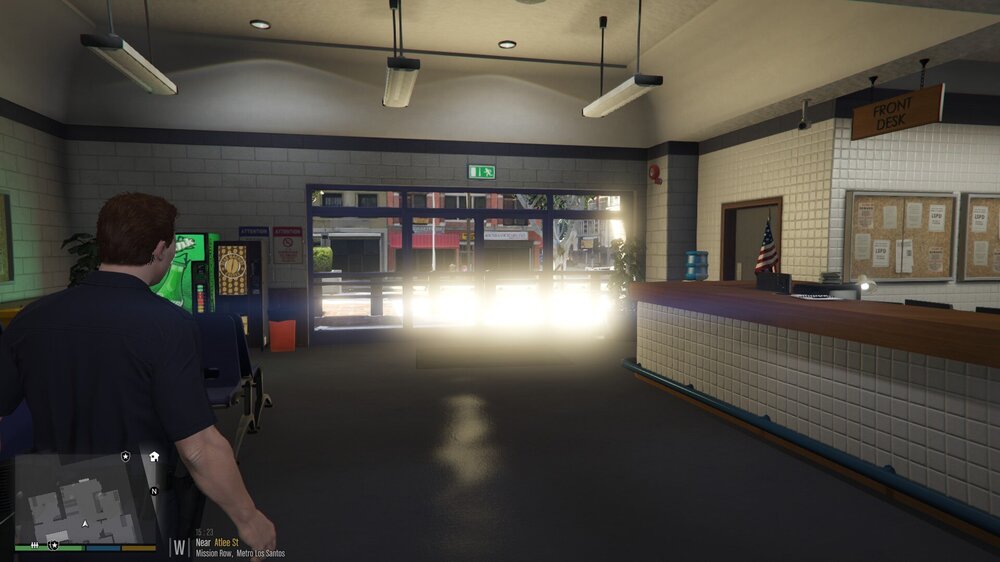
-
This seems to have worked, though I can't guarantee I won't be back when it suddenly stops working again. Nonetheless, thank you so much for your help!
-
Okay- should I also remove Albo1125's other mods? They are also made for an older version of LSPDFR 0.4
-
Unfortunately, nope RagePluginHook.log
-
Removed anything that had the name PoliceTape and it seemed to work a few times, and then crashed most recently RagePluginHook.log
-
It worked, once after I removed Computer Plus; then I tried it again later and it crashed. I attached the log from that crash RagePluginHook.log Then it crashed later again, but this time GTA V fully crashed. It was right as the game loaded in; it had loaded me on duty already. The second log is from that crash... thank you for your help! RagePluginHook.log
-
Howdy, Whenever I go on duty from a station, LSPDFR crashes. It is specifically when I hit the "Go On Duty" button; nothing loads past that. I am aware crashing when going on duty is in the common bugs post, but I had run the plugins I have before and LSPDFR did not crash when I went on duty in the past. I attached my most recent crash, and the mods I have are as follows: Any help would be greatly appreciated! Thank you! RagePluginHook.log
-
-
 So, does ELS work anymore? Script Hook V was recently updated but I see ELS hasn't been updated in more than two years, especially for LSPDFR 0.4
- 2,699 comments
- 240 reviews
-
I tried reinstalling Darkmyre's plugin needed for their scripts, it's possible the file in the download itself might be out of date, I don't know for sure. There's other places to find the DarkmyreAPI. Sorry if this isn't much help; I don't really know why it just seemed to start working. I had to fiddle with it a bit.
-
Nevermind, it appears to have randomly began working now.
-
Hello, I recently installed Search Warrant and it worked. Then I installed Agency Callouts and I must've done it wrong because it caused LSPDFR to crash, so I removed Agency Callouts and then opened LSPDFR again, and Search Warrant didn't work. I have uninstalled and reinstalled Search Warrant but it still did not work. I may have made a mistake when installing or uninstalling Agency Callouts, but I have several other mode and they all work fine, including LSPDFR. Any help would be appreciated, if someone can figure out what's wrong from my no doubt confusing explanation.


