
dykan028
Members
-
Joined
-
Last visited
Everything posted by dykan028
-
Game is crashing on launch. Updated all the usual mods that need updating. Game does launch from steam fine. RagePluginHook.log
-
I'm having an issue with responding units not having lights on but having sirens. I'm using add-on lore friendly packs and have custom agency.xmls's so that they spawn ambiently and everything works, other than AI not using lights. The following are the plugins I'm using; Stop the ped Ultimate backup DLS EUPFR EUP
-
So I fixed the issue, turns out when I updated lml i put the whole "ModLoader" folder in my game directory instead of unloading the contents of the folder...😂
-
I didn't do anything, i hadn't played in about a month and once the title update came out i decided to update everything that needed to be updated to play since I'm on Christmas break from work.
-
Still doing the same thing.
-
If i press play it'll start connecting to rockstar launcher, once it does that then the button goes from "stop" back to "play" with no error messages and before the game window opens.
-
it didn't work, but i did get an error now "RAGE plugin hook has stopped working", but it didn't make it to the game window still.
-
Hello, when I try to launch GTA via RHP it will get to "waiting for game window" and then disappear with no error message or anything. If I try to launch from steam the "play" button will change to "exit" like normal than go back to "play". I've updated the game, Ragehook, my scripthookv, LSPDFR, and the custom game config in my mods folder. I've renamed mods folder to _mods, I've tried pulling my mods folder and my scipts folder out and all still the same result. I've been modding since 2017 and I have never had this problem aned ahve tried every solution I could find on the forums.
-
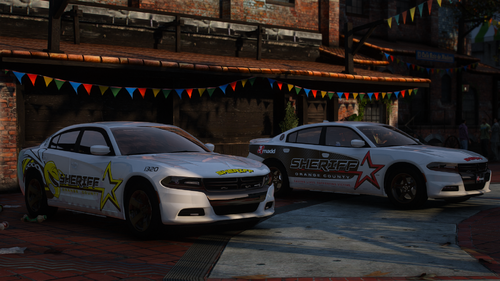 Most car's lights do not work properly. I believe it has something to do with the coronas but the only one that is working is the OCSOBEE and all the marked cars with lightbars, the rest of the slicktops are messed up.
- 50 comments
- 1 review
-
I personally still use patchday21, have you replaced vehicles before?
-
Which patch day are you using, and are they in your mods folder?
-
-
I've tried to use it before but couldn't get it to work but I will try again, when stationary are you able to toggle rear radar?
-
Okay awesome thank you
-
Is there a way to move the spotlight in the heli??
-
Do you mean it only targets vehicles from the rear of your vehicle? I haven't had that problem.🤨
-
Yeah he's one of the ones I was mentioning, he's doing a fantastic job!
-
Try out this one! https://bejoijo256.wixsite.com/bejoijo
-
It has definitely slowed down I got into the in March of 2017, there are alot of great mods it's sad some are not compatible anymore. But lspdfr still has a great community and there's alot of new creators starting to make small things and I'm sure they'll end up making some amazing mods!
-
It just says that gta5 has unexpectedly crashed
-
it happens anytime I add a new line like this into dlc.xml (<Item>dlcpacks:/lssdpack/</Item>) it happens with even older ones like the addon chp pack by, I believe thehurk.
-
Thank you for a quick response, I've tried what you've listed above but I'm still getting the same crash 😞 I have other packs installed and they work fine. It's weird because I've narrowed it down to something in the dlclist.xml but I can't figure it out, I even made sure that all the slash marks are the same way.
-
Hey, so ever since the social club launcher has came out I have been having problems with add-on packs, they crash on start-up. I put the files in correctly as I've always done and I edit the dlclist.xml but the game crashes on the loading screen everytime. If anyone could help me it would be greatly appreciated. Also, it has something to do when I add the line to the dlclist.xml. for example adding this <Item>dlcpacks:/lssdpack/</Item>
-
-