



smoketoobig
Members
-
Joined
-
Last visited
Everything posted by smoketoobig
-
 Easy installation, comes with an uninstaller, and a great mod. Tried the other mods out there but had no luck with them.
- 37 comments
- 6 reviews
-
-

- 1
-
-
-
Awesome, never knew about that mod, thanks!
-
So as you drive around you see random police cars with cops inside patrolling around. I was wondering if there is any way to disable this as I have a mod which makes ultimate backup officers spawn in EUP clothing. The random patrols though are not ultimate backup and do not wear the EUP uniform which I have changed. This results in there being sheriffs wearing different uniforms. I simply want to turn them off. Anyone know how?
-
 Yes, what you have to do now is go to Mods/Update/x64/dlcpacks/eup/dlc.rpf/x64 and then from there I think the installation is the same as before.
- 124 comments
- 37 reviews
-
 Thank you! For my first ever texture it's nice to see that at least someone likes it.
 -
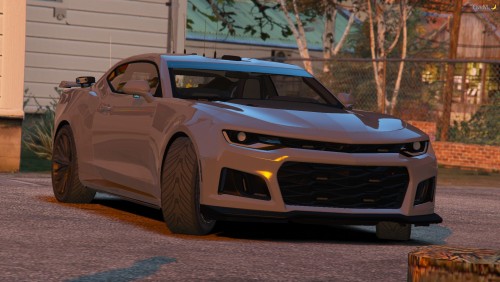 Very nice model and love the lighting too! I made a SAHP ghost skin for it.
- 26 comments
- 15 reviews
-
-
- 1
-
-
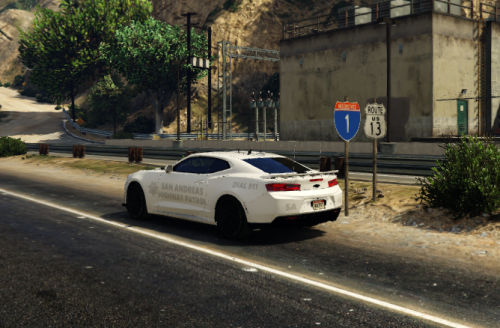
I made a simple ghosted SAHP texture for Vanny's ZL1 Camaro. Make sure to download the original model here: Install instructions are included in the file. I do apologize for any issues with the texture, this is my first ever attempt at making a texture for a vehicle, but I do hope you enjoy using it.
-
I was wondering if anyone could make a button for Police SmartRadio by Albo that would just give you a new call which you could accept. I know you can request a call through the menu, but I dislike using that menu for some reason. I just feel as though a button on the radio would be better.
-
 Hello, I am enjoying the callouts a lot but I seem to have found a minor problem- that the city locations will be given to you when outside of the city. I might be in Paleto Bay and it will give me a alleyway robbery callout for Hawick, which is downtown LS. Other than that, good pack!
- 62 comments
- 11 reviews
-
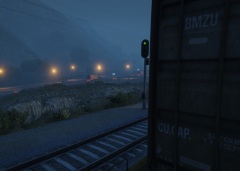
From the album: Smoke's Photos
Went freight hopping after a long day on duty. I just found some of these nice photos so pretty. -
Random photos I take. Might be calming, might be chaotic.
-
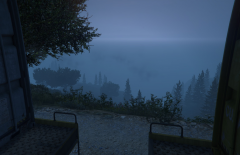
From the album: Smoke's Photos
Went freight hopping after a long day on duty. I just found some of these nice photos so pretty. -
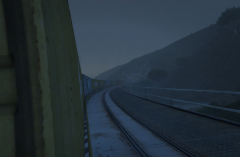
From the album: Smoke's Photos
Went freight hopping after a long day on duty. I just found some of these nice photos so pretty. -
From my experience you need to pick whichever uniform you want, then go to Wardrobe and make it an outfit. From there you can edit it and change "Under Coat" (or which ever changes the belt) to 39. Then, save the outfit so you don't have to change it in the future.
- 124 comments
- 37 reviews
-
-
- 1
-
-
.thumb.png.b2a41cf60c0eb41be7311d2aff09088a.png) Neat shirt and definitely adds something that was missing from original EUP. If anything I would recommend making instructions a little bit clearer on how to actually get the shirt, specifically noting that you have to change the texture of the shirt with 4/6 keys, which I only found by looking in the comments. Other than that I love it.
Neat shirt and definitely adds something that was missing from original EUP. If anything I would recommend making instructions a little bit clearer on how to actually get the shirt, specifically noting that you have to change the texture of the shirt with 4/6 keys, which I only found by looking in the comments. Other than that I love it.- 4 comments
- 2 reviews
-
Well nevermind, I can't even launch Rage without any mods, I guess I'm just gonna reinstall everything.
-
I haven't played LSPDFR in a while but I decided to do so today, and I'm having some trouble getting it to work. I've heavily modified my update.rpf, x64, common.rpf, and x64a things and was bullied into updating my GTAV game by Rage or else it wouldn't do anything for me. Is there any way to keep all my mods with the new update instead of having to copy and paste all my stuff back into the mods folder and then reinstall all my mods? Rage won't let me launch the game on the old version.

-
.png.6aa57f1e2a27bd5fc02b6095e56d9af0.png) Yeah, just a shame it wasn't one of the nice long trains with multiple locomotives from the better trains mod.
Yeah, just a shame it wasn't one of the nice long trains with multiple locomotives from the better trains mod. -
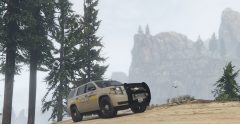
From the album: Smoke's Photos
Wanted to do a Ranger patrol but had just as much fun with the Sheriff's Office after I learned the model was messed up for the Rangers. -
From the album: Smoke's Photos
Wanted to do a Ranger patrol but had just as much fun with the Sheriff's Office after I learned the model was messed up for the Rangers. -
It's expected to get lower FPS with LSPDFR. A lot of Albo's plugins also cause fps drops. Other than that there's not much you can do. You can lower grass/water settings as those are FPS killers: https://steamcommunity.com/app/271590/discussions/0/1699415798765218952/
-
I've managed to solve the problem on my own. After installing some new sheriff vehicles, I edited the vehicles.meta for handling, and I had typed "buffalo3" for a charger as I have done in the past for other chargers. Only problem is that there is no buffalo3. After correcting that error the game loads fine and works fine.
-
If I'm reading what you're saying/asking correctly, no you won't get banned in singleplayer for mods. Rockstar said they don't care about SP mods it's only when they're used in MP/Online mode.
-
I've been trying to start GTA V with rage and it keep crashing after it says loading story mode. I've tried removing the new vehicle pack I installed, disabling all plugins, and renaming my mods folder to mods_ but none of those worked or with the mods folder, didn't actually load any of the mods. I know GTA V works since I was playing GTA Online a few hours before I decided to load up LSPDFR.

.thumb.png.18384fdb350510a76f06a92fb3370b3c.png)
.png.6aa57f1e2a27bd5fc02b6095e56d9af0.png)
.thumb.png.b2a41cf60c0eb41be7311d2aff09088a.png)
