



scottie2950
Members
-
Joined
-
Last visited
Everything posted by scottie2950
-
Hi everyone I haven't used LSPDFR in over a year and am just getting back into it. Do some of the mods like ELS and others require script hook v still?
-
im having the same problem. any luck>
-
I know this isnt LSPFR specific but is I cannot log into social club. The rockstar game laucnher keeps telling me I need to update GTA then reverts to the socail club log in but i cant. When I try to make a new account it gives me an error. Any one else experience this?
-
-
-
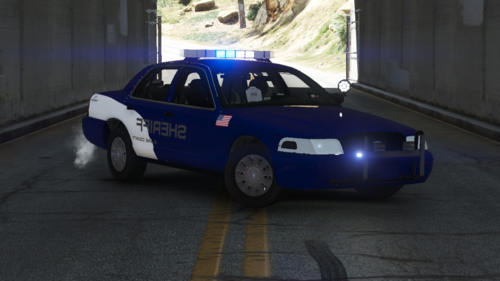 Looks like some words are backwards as well.
 -
-
-
I am just coming back to LSPDFR after a few months and am a bit rusty or things have changed since I left. I am trying to install some police vehicles but I can't find the right vehicles.rpf in open iv. It used to be under patch day 17 for me and I cannot find the full list of vehicles where the sheriff, fbi, ambo, firetruk etc are located. Has something changed since I was last using LSPDFR back in Nov?
-
-
 Didn't you upload this yesterday? I thought Maurice made this texture...
 -
-
-
-
.thumb.png.b2bcfd89f7baf0bb6c448b5f29883aef.png) yesssssss someone made my hometown!!!!!!
yesssssss someone made my hometown!!!!!! -
As I go to search a ped vehicle LSPDFR crashes. In the rage menu it does not specify what plug in or problem is causing it but the errors are "UNHANDLED EXCEPTION DURING GAME FIBER TRICK." ORIGIN GAME FIBER "PSSearchFiber" and "EXCEPTION MESSAGE: METHOD NOT FOUND" anyone have any idea what could be causing this? this is all it says in my RPH log nothing else.
-
As the title says every time I attempt to search a vehicle LSPDFR crashes. It does not CTD so I am unable to collect a rage plug in hook report. Does anyone know what could be causing this?
-
thank you so much!
-
Hello everyone, I just updated my EUP menu to the latest version for LSPDFR 0.4. When i try to access the EUP folder in OPENIV to add custom textures to the componetsped.rpf the folder is missing. Under the EUP folder in update.rpf in OPENIV it says the folder is missing. I have attached a screen shot as well. Does anyone know why this is happening? I have re-installed EUP and law and order packs three times with no luck.

-
I went to launch the game and everything loaded fine. I spawned as Franklin in his house and realized that LSPDFR v4 was gone, i try to load LSPDFR from the rage drop down menu and it says it has been "privatized,?" anyone else have this issue? I solved that problem by simply re-installing LSPDFR 4 via manually. Now when i force duty i get a "unhandled exception," error and it crashes. Can anyone help out?
-
Is it just me or has this site been running really slow for anyone else?
-
 Sentinel I thoroughly enjoy the pack and I thank you for it. JT this is a VIDEO GAME that Sentinel isn't even making money off of why don't you release your own pack if its so terrible. You are one of those miserable people that just likes to complain about everything until others are miserable around you.
 -
I updated my EUP to the latest version, I have lost all my outfits I can choose from when editing. I cant even go to the componetspeds.rpf in open IV because it does not exist anymore. Is this normal?
-
Thank you
-
Ok will try it when I get home, am I editing the slots under the zone where there is already a vehicle slot listed? Like I’m just adding more slots correct




.thumb.png.b2bcfd89f7baf0bb6c448b5f29883aef.png)

