Taxi
Members
-
Joined
-
Last visited
Everything posted by Taxi
-
yeah like i said. you tried xD the problem i have is the picture itself..i don't think it is the best choice for a wallpaper. but of course thats just my opinion
-
i'm not a staff member but...since we all can post topics without doublepost you should be able to do that too. i understand that the site is slow sometimes. but clicking the "Post" button 200 times dosen't make it faster! Patience Young Padawan. If you unable to post then try it later.
-
You could try to install some other mods that makes your police expirence even more realistic. You could try the Emergency Lightning System (ELS) With that mod you can use ELS enabled Car Mods. Also worth trying...the IVDashCam Script. With that you can make radar speed controlls and other stuff. Spotlight Script. With the Spotlight Script well..like the name says it gives you a working Spotlight for the Police Cruisers. which is pretty cool Indicator Script - I think this speaks for itself xD vdh Police Station Mod - Changes the Defult Lawyers Office where you go on duty to a Police Station. But unlike other Police Station Mods, this one dosen't just changes the Textures. It also changes the Model and add new stuff to it You should also check our Download Section for Uniforms,Weapons,Sirens and new Cars ELS http://gtapolicemods.com/downloads.php?do=file&id=1379 IVDASHCAM Script Indicator Script Spotlight Script vdh Police Station Mod
-
-
you could change the key in the els.ini or just change the GTA 4 Standard HORN/SIREN key ingame. (i did the last one xD)
-
well...not that great. but you tried xD
-
i can respect that. keep up the good work
-
-
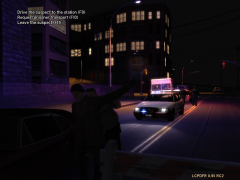
From the album: On Duty
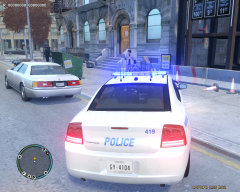
At 11:43 Deputy McMiller arrested a Suspect. 10 Mnutes befor this Picture he threw a Doughnut at the Deputy. After eating it Deputy McMiller was able to catch the suspect.© taximan5
-
sad that u don't use els.. i really love the older cars..to be honest i think i switch back to none els just to use your models :D
-
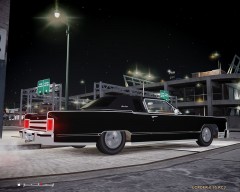 i'm in love..:D awesome car
 -
Wow she's a beauty. i would like to see that car too
-
lol this is awesome :D great video
-
happy independedence day from me too. let's remember the fallen soldiers and thank the ones that are alive...and after that lets eat,drink and blow some sh** up! xD
-
-
-
 :D ok i'm gonna try it. thx
 -
i agree. you guys really put some work into this. nice skins,a professional looking home page,good quality videos,uniforms, even a installer for the mods. normaly i'm not the kind of guy who likes to play MP but to be honest...i'm kinda thinking about taking a closer look on you guys
-
yeah that's what i thought xD lol almost 50% of all citizens of kaiserslautern got a u.s military background :D anyways. keep up the good work with your model. i'm really looking forward to that truck.
-
awesome. so i guess you were in the military or a part of a military family then? :D
-
-
yup.looks good
-
i would love that that was a cool think on SAMP where you could script the Cell Doors of the LSPD to open and close xD
-
i could use a enb with low performance drops. can you link it to me plz?
-