Skip to content
View in the app

A better way to browse. Learn more.

LCPDFR.com

A full-screen app on your home screen with push notifications, badges and more.

To install this app on iOS and iPadOS
  1. Tap the Share icon in Safari
  2. Scroll the menu and tap Add to Home Screen.
  3. Tap Add in the top-right corner.
To install this app on Android
  1. Tap the 3-dot menu (⋮) in the top-right corner of the browser.
  2. Tap Add to Home screen or Install app.
  3. Confirm by tapping Install.

Papa Renny

Members
  • Joined

  • Last visited

  1.    ChucksPlanes reacted to a comment on a file: [EUP 9.3] NSW Police Force EUP Pack
  2. Currently in the works. Got a pretty much full working Policing Redefined config almost ready to go
  3. If you want AI backup in certain regions you can download EUP TO UB or EUP TO PR and then customise your own backup to whatever you want(depending on what mod you use). I was looking into making my own configs, but with those two mods it makes it so easy you can just do it yourself.
  4. Papa Renny changed their profile photo
  5.    Papa Renny reacted to a post in a topic: LSPDFR Australia Discussion Thread 2.0
  6.    Papa Renny reacted to a post in a topic: LSPDFR Australia Discussion Thread 2.0
  7.    Papa Renny reacted to a post in a topic: LSPDFR Australia Discussion Thread 2.0
  8.    Papa Renny reacted to a post in a topic: LSPDFR Australia Discussion Thread 2.0
  9.    Papa Renny reacted to a post in a topic: LSPDFR Australia Discussion Thread 2.0
  10. Marc Hamilton started following Papa Renny
  11.    Papa Renny reacted to a gallery image: Newcastle Hunter 204 (NCH204)
  12. Jacko54321 started following Papa Renny
  13. Drag and drop the wardrobe.ini into plugins>eup and all of the uniforms will be pre-loaded.
  14.    Papa Renny reacted to a post in a topic: LSPDFR Australia Discussion Thread 2.0
  15. Hi Mate, No sorry I don't remember it was a while ago
  16.    AikoCutie reacted to a comment on a file: [EUP 9.3] NSW Police Force EUP Pack
  17. Hi Cameron, I noticed that too and I've updated it and put it in the changelogs. You just need to replace your wardrobe with the new one and it will work
  18.    AikoCutie reacted to a comment on a file: [EUP 9.3] NSW Police Force EUP Pack
  19. Yeah maybe, I’ll keep that photo for possibly further on.
  20. I don't make vehicles sorry. I can skin though, I recently made some frnsw and ses vehicle skins down below.
  21. Another person has had this problem too. I'll have a look and update it. Make sure to keep an idea on the changelog Maybe, I haven't considered any other eup's yet
  22. Thanks for the appreciation! And yes, LSPD, but all departments if you wish No it doesnt, It just comes with the retextured files. You can download EUP 8.3 off LSPDFR
  23. I included a wardrobe file that has all of the EUP outfits. Copy and paste them all into your existing EUP wardrobe. copy and past outfits from my one into this directory: Plugins > EUP > wardrobe file
    • 8,724 downloads
    • Version 1.3
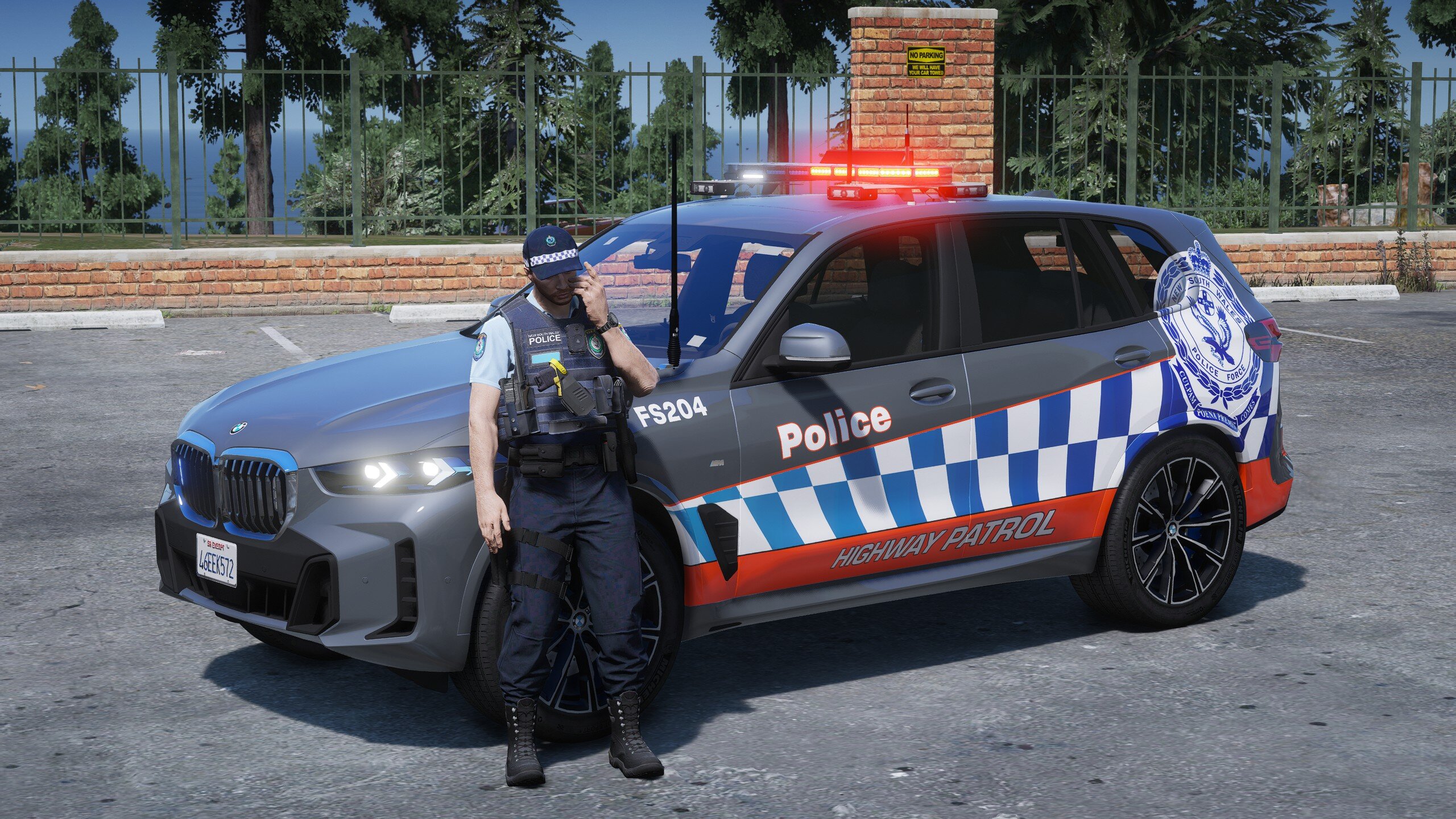
    Details Overview: This file includes an accurate NSWPF EUP Pack which was designed to be as realistic as possible. All credits go to the EUP team as well as HANAKO for the vest from EUP Vests & Earpieces. Full credits to both of them as I've only re-textured. Version: V.1.3 10/2/2024 Released: 14/02/2022 THIS IS IMPORTANT! This pack includes a zip file with an INSTALLATION README with information on how to install as well as the files for the mod. Do not redistribute this mod, or any part of it. Do not upload this file to any other site unless given credit. Please report bugs or errors in the comments before posting a review about them. Enjoy! Papa Renny Modifications.

Account

Navigation

Search

Search

Configure browser push notifications

Chrome (Android)
  1. Tap the lock icon next to the address bar.
  2. Tap Permissions → Notifications.
  3. Adjust your preference.
Chrome (Desktop)
  1. Click the padlock icon in the address bar.
  2. Select Site settings.
  3. Find Notifications and adjust your preference.