



NuK3
Members
-
Joined
-
Last visited
Everything posted by NuK3
-
-
-
-
-
-
-
-
-
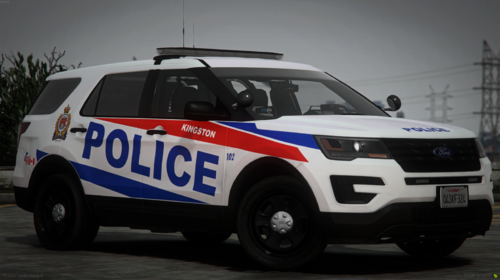 Here's another one of my old livery projects I recently found. This is probably the oldest livery project I have but I still like it. Feel free to edit this if you want, there was a version without the AO map that I could try to find if it's something you guys want. I don't have the PSD for this anymore, so I won't be updating this in the future.
 -
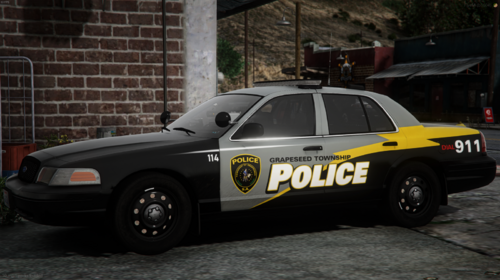 I recently rediscovered a few of my random livery projects from 2021-2023, and I figured it couldn't hurt to release some of the better ones in case anybody wants them. If I had to guess, this livery is probably from late 2021 to early 2022. It may not fit newer CVPI models, but feel free to edit it if you wish. I don't have the PSD anymore, so I won't be updating this myself.
 -
-
-
-
-
 Right now I don't have a discord server but since I've been getting asked about it I am going to have one, I plan on having a server ready for when I release the 2015 FPIU next
 -
I plan on doing a V2 for most of my CHP cars, and I'm thinking of doing antenna hooks with that
-
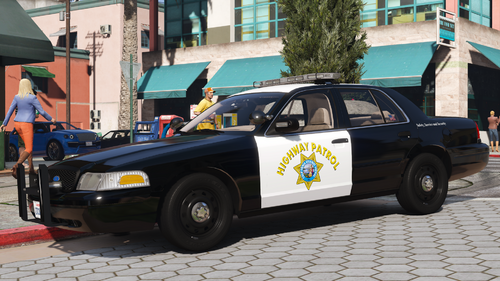 Currently I don't have one but I've been getting asked this a lot, I'm probably going to make one pretty soon
 -
-
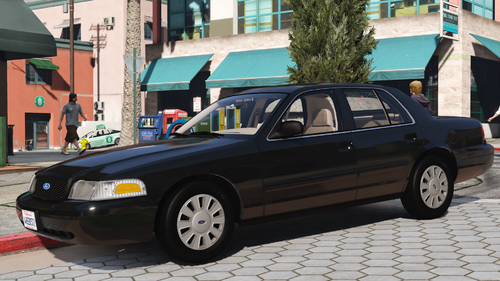 Important: You will need the SirenSetting Limit Adjuster if you are going to use this model. Some lights will not work unless you have it. Here's the 2.0 update for my 2009 CHP Unmarked CVPI model. This update is pretty similar to the 2.0 update I recently did for my 2011 CHP CVPIs, just with some specific changes for the unmarked version. There are CHP and SAHP options to choose from, this option only changes the textures for the trunk equipment since it has no liveries. If you want to check out my progress on future models or see what I'm up to, join my server: https://discord.gg/8NEperQawm Some paintable options from my 2011 CVPIs come with this car, but it's not intended to be used if you're going for a realistic look. I have them on this car just so all of my CHP CVPIs have a uniform look, as the paint option versions look slightly different than the regular versions. Extras Extra 1: Front Visor Raiders (In front of rear view mirror) Extra 2: Front Visor Raiders (Above rear view mirror) Extras 3-7: Antennas - Do not upload to other sites or claim this mod as your own - Do not unlock or rip anything in this mod - Do not attempt to profit off this mod
 -
-
-
I already plan on doing the 2020 FPIU at some point Right now I already have progress on a CHP 2004 CVPI Slicktop and the CHP 2015 FPIU. After that, I'm probably going to start either a 2020 FPIU or the Tahoe
-
This may be if you don't have any valid handling line being used, a similar thing happened during testing. There's an update I'm uploading soon to fix a vehicles.meta issue, so maybe just try again with those files
-
-
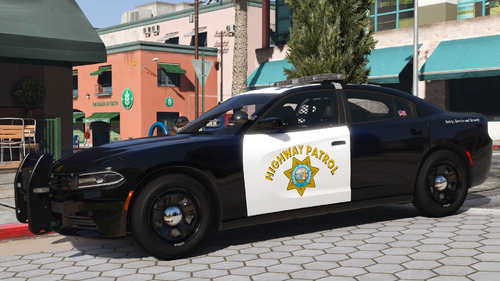 I use VisualVanilla and it looks fine If you installed VisualV after Radiance that may be why, since Radiance and VisualV both edit the visualsettings file. Besides that I'm not sure









