
NuK3
Members
-
Joined
-
Last visited
Everything posted by NuK3
-
-
-
-
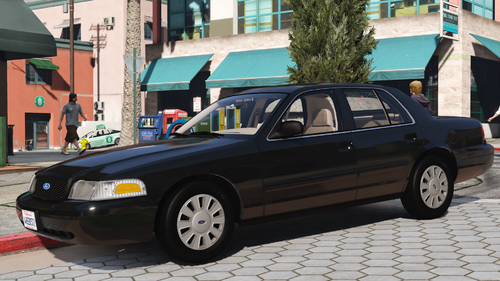
 It's one of the next new cars coming, before I do anything new every currently released model is getting an update though
 -
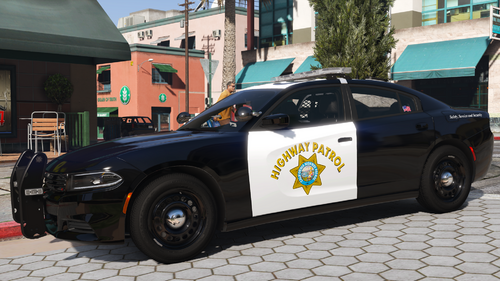
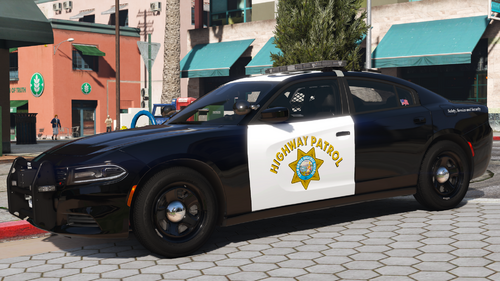
Important: You will need the SirenSetting Limit Adjuster if you are going to use this model. Some lights will not work unless you have it. My 2023 AWD CHP Liberty II Charger is finally here! I didn't think it would take this long, but I ended up updating a lot more parts than I first thought. This model has a bunch of stuff which will be added through updates to my other cars soon, the biggest changes are the new liveries and the new interior. I'd also like to take a moment to thank Alex for his help with this, he really helped make this possible with his knowledge on the 2023s and I don't think it would've come out as good as it did without him. If you want to check out my progress on future models or see what I'm up to, join my server: https://discord.gg/8NEperQawm This release has 7 models, with each one being a specific spec: 1: Hardtop (Setina Rambar) 2: Slicktop (Setina Rambar) 3: Ghosted (Setina Rambar) 4: Hardtop (GoRhino Rambar, Black Center Caps) 5: Slicktop (GoRhino Rambar, Black Center Caps) (Not a real spec as far as I know, just an option for you guys) 6: Hardtop (Setina Rambar V8 AWD) 6: Slicktop (Setina Rambar V8 AWD) As per usual, there's CHP and SAHP livery options for every livery. The reflective stickers are also optional, they can be changed between CHP/SAHP/None. The Add-On and FiveM files already have the CHP liveries with the CHP reflective stickers. One thing to note is that I'm changing how I do liveries in the YTDs, the polar bear liveries are no longer in the hardtop YTDs by default since it's not a proper spec. Extras With each model, extras vary. The ones below are the same across every car, and any others will be listed by car. Extra 5: Grille LINZ6 Lights & ES100C Siren Speaker (Slicktop/Ghosted Only) Extra 6: Roof Number Sticker (On the siren controller) Extra 7: Setina Partition Extra 8: Cup Holder (CHP) Extra 9: Cup Holder (Generic) Extra 10: Roof Antenna Extra 11: Spotlight Up Extra 12: Spotlight Down hp23charger1 & hp23charger6 Extra 1: Rambar Setina Stickers hp23charger2, hp23charger3 & hp23charger7 Extra 1: Rambar Extra 2: Rambar Setina Stickers hp23charger4 Extra 1: Rambar Wrap-Around Extra 2: Rambar GoRhino Sticker (Top Bar) Extra 3: Rambar GoRhino Sticker (Middle Bar) hp23charger5 Extra 1: Rambar Extra 2: Rambar Wrap-Around Extra 3: Rambar GoRhino Sticker (Top Bar) Extra 4: Rambar GoRhino Sticker (Middle Bar) Liveries - CHP and SAHP Options Available Black and White Liveries (3 Liveries Included, Different Roof Numbers & Locations) Polar Bear Liveries (6 Liveries Included, Different Roof Numbers & Locations, With/Without Trunk Text) Ghosted Livery (Black) Central L.A. Liveries (2 Black/White, 2 Polar Bear w/o Trunk Text, 2 Polar Bear w/ Trunk Text) (Optional) Extra Roof Number Setup Liveries (1 Black/White, 1 Polar Bear w/o Trunk Text, 1 Polar Bear w/ Trunk Text) (Optional) Volunteer Liveries (1 Black & White, 1 Polar Bear w/o Trunk text, 1 Polar Bear w/ Trunk Text) (Optional) - Do not upload to other sites or claim this mod as your own - Do not unlock or rip anything in this mod - Do not attempt to profit off this mod
-
 DLS isn’t for FiveM and I don’t support all light stages for FiveM. I’ve thought about doing ULC after all planned models are done but I’m not sure, I’m going to make the final decision when I get to that point
 -
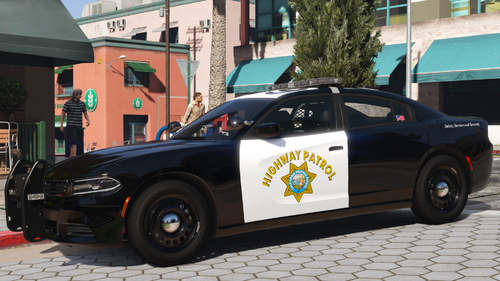 It's likely going to be the next new car after what I'm working on now. I have the 2023 Liberty II Chargers coming soon and then I want to update my other cars with the same changes the chargers got (New lightbar model, reflective decals, new flag sticker, new gun rack, etc)
 -
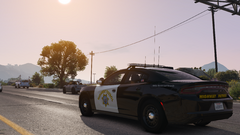
From the album: WIP Vehicles
-
-
2023 CHP Liberty II Charger
-
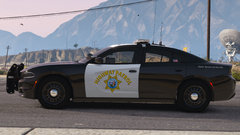 2023 CHP Liberty II Charger
-
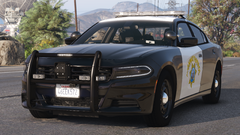 2023 CHP Liberty II Charger
-
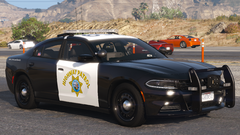 2023 CHP Liberty II Charger
-
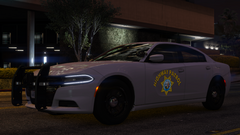 CHP Reflective Decals
-
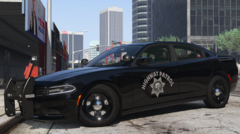 2020 CHP Charger [2.0 Update]
-
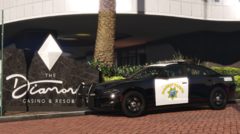 2020 CHP Charger [2.0 Update]
-
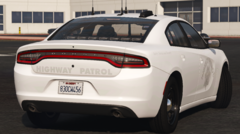 2020 CHP Charger [2.0 Update]
-
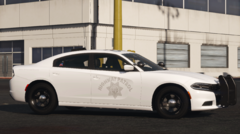 2020 CHP Charger [2.0 Update]
-
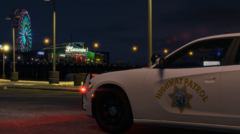 2020 CHP Charger [2.0 Update]
-
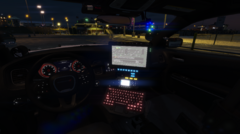 2020 CHP Charger [2.0 Update]
-
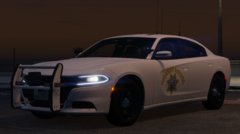 2020 CHP Charger [2.0 Update]
-
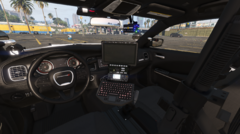 2020 CHP Charger [2.0 Update]
-
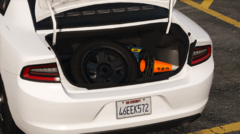 2020 CHP Charger [2.0 Update]
-
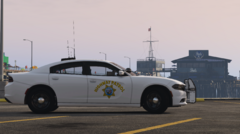 2020 CHP Charger [2.0 Update]
-
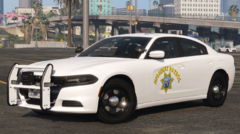 2020 CHP Charger [2.0 Update]
-
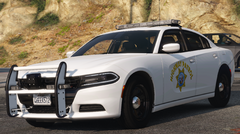 2020 CHP Charger (2.0 Update)
-
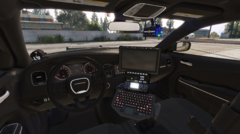 2020 CHP Charger (2.0 Update)
-
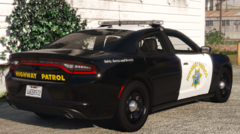 2020 CHP Charger (2.0 Update)
-
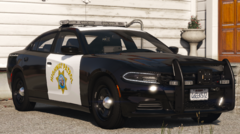 2020 CHP Charger (2.0 Update)
-
-
From the album: WIP Vehicles
-
From the album: WIP Vehicles
-
From the album: WIP Vehicles
-
-
If you don't need them they're fine staying how they are, it'll give an error message but it won't have any impact on the rest of DLS
-
I have those set to none in the DLS.ini file since I don't use them and they interfere with the bind for LiveLights, if you want to use them you can change the key from none to another bind
-
It wouldn't work on consoles, you need a PC version of the game I plan on making all of the tahoe years at some point (2014, 2019, 2020, 2021). There's still plenty of vehicles left from what I have planned, only about 1/4 of them are done currently I used to make both 20 and 32 siren models for all of my cars, but it got to be too much to handle with so many versions of each car and they were discontinued. It may be something I do in the future once all models are done, I'm considering doing different versions once these are completed for mods like ULC, ELS or a 20 Siren pack.
-
It would be the vehicles.meta, if it’s not working I’m not sure what’s wrong with it. Last I remember it worked and showed the speed
-
-
-
It may be if you have the extras patch enabled with DLS, I had to disable it for ultimate backup spawns to work with the extras I had set up
-
Important: You will need the SirenSetting Limit Adjuster if you are going to use this model. Some lights will not work unless you have it. Here's a 2022 AWD CHP Charger I made real quick, I figured since I'm doing the AWD Chargers I might as well start with this one. The black ghosted livery has made a return with this model, I removed it from my other models since I'm finally doing the AWD cars and it didn't belong on those. There's CHP/SAHP versions for every livery and extra volunteer liveries available as an option. The reflective stickers are also optional, they can be changed between CHP/SAHP/None. The Add-On and FiveM files already have the CHP liveries with the CHP reflective stickers. If you want to check out my progress on future models or see what I'm up to, join my server: https://discord.gg/8NEperQawm Extras The rambar colors can be changed like all other chargers, but it's just to keep a uniform look between them. No AWD has the white rambar. Extra 1: Rambar (Side Lights Only) (Intended to be used with Extra 5 to create a specific rare spec) Extra 2: Rambar Setina Stickers For Extra 1 Extra 3: Rambar (All Equipment) Extra 4: Rambar Setina Stickers For Extra 3 Extra 5: Grille LINZ6 Lights & ES100C Siren Speaker Extra 6: Roof Number Sticker (On the siren controller) Extra 7: Setina Partition Extra 8: Cup Holder (CHP) Extra 9: Cup Holder (Generic) Extra 10: Roof Antenna Extra 11: Spotlight Up Extra 12: Spotlight Down Liveries - CHP and SAHP Options Available Black and White Liveries (3 Liveries Included, Different Roof Numbers & Locations) Polar Bear Liveries (6 Liveries Included, Different Roof Numbers & Locations, With/Without Trunk Text) Ghosted Livery (Black) Central L.A. Liveries (2 Black/White, 2 Polar Bear w/o Trunk Text, 2 Polar Bear w/ Trunk Text) (Optional) Extra Roof Number Setup Liveries (1 Black/White, 1 Polar Bear w/o Trunk Text, 1 Polar Bear w/ Trunk Text) (Optional) Volunteer Liveries (1 Black & White, 1 Polar Bear w/o Trunk text, 1 Polar Bear w/ Trunk Text) (Optional) - Do not upload to other sites or claim this mod as your own - Do not unlock or rip anything in this mod - Do not attempt to profit off this mod
-
-
-
Stage 1 is only the rear lighting, the blue and amber go back and forth One of the other modes can be activated only if Stage 1 is on, you might have that enabled. It's either Code 1 or Traffic Break but I don't remember which one
-
In the carcols.meta and the DLS XML files replace "0xFFFFFF00" with "0xFFFF0300" and you should be good