




UnknownBastion
Community Team
-
Joined
-
Last visited
Everything posted by UnknownBastion
-
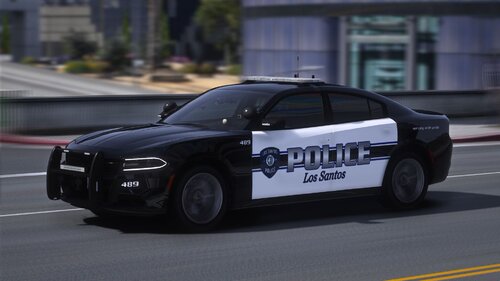 I know this is rather late, but I just wanted to point out the readme is slightly wrong. It states to "DRAG AND DROP THE PDPACKK DLC INTO YOUR LATEST PATCHDAY". While this may work for the replace files provided in the RB folder, this will not work for the pdpack in the DLC folder. Those need to be in the mods/Update/x64/dlcpacks pathway. Might want to consider updating that.
- 83 comments
- 5 reviews
-
Please read the message I posted earlier regarding the mods folder. Simply put, there is no real way we can pin point what exactly the issue is in the mods folder.
-
If you mean as backup they are spawning as default, it could be because when you installed the fresh version of LSPDFR, it reset any xml files you had edited in the lspdfr folder in the Main Directory (i.e. the agency.xml). You will have to re-add the entries again to get the vehicles to show up in the AI response. Additionally, to add on to what Grizzly said, any replace vehicles should be installed to mods\update\x64\dlcpacks\Patchday28g9ec\dlc.rpf\x64\levels\gta5\vehicles.rpf as whatever dlcpack was the most recent to be released will be the most optimal to have your vehicles installed to.
-
While I can't speak for G17 Media and their Development Team as all I do is test their builds, I can give my thoughts on why it may have never been a feature. It could have just not been a priority feature within the early builds of LSPDFR. And by the time it was considered, Albo had released his PoliceSmartRadio which included coroner and tow truck service. Jump ahead a few years and StopThePed was released with a more advanced coroner and Tow Truck system for it. Since two major plugins already exist for that, I can understand why they have been hesitant to add it to the base LSPDFR. After all, a community and mod for the people and built by the people. Now keep in mind, if you do not like StopThePed because of the internet issue, and I can understand why, you can always use PoliceSmartRadio which has received an update by the wonderful Aschtar. It's always worth checking out. I hope this has provided you with some clarity and given you some options to explore. Thanks!
-
This has been covered before. It's kinda hard to fix this when GTA V's ai is braindead to begin with. The only thing I can think of is something similar to that mimic feature that Albo1125 had in order to force the cars over even more by following you.
-
As provided in my message above, you can install the gameconfig and heap and limit adjusters. It could also be that that specific vehicle just has problems.
-
Fuck all. Except for scripts and you honestly dont need those as they create more pain than enjoyment while playing.
-
What is the name of that second folder in the last screenshot?
-
Rename Scripts to _Scripts and remove all the ScriptHookV.NET files. Then try using RPH/LSPDFR again.
-
@Cyan I see you added all the possibilities for the overthinkers. 😂
-
Does normal GTA V crash as well? If so, rename mods to _mods and try again. If not, please screenshot your Main Directory and post the images here. Thanks!
-
Welcome back! Tropical Redbull is best. Any other energy drink is just bleh! haha
-
If renaming your mods folder stopped your problem - something in your mods folder is causing your issue. Either a mod you installed or a file you edited. You can try revert the most recent thing you changed. Or you have to restart your mods folder, as it is impossible for us to diagnose what's actually causing the issue. The only other thing it could be is if you recently installed a large amount of addon cars you may need to install a custom gameconfig/heapadjuster. Thanks!
-
If renaming your mods folder stopped your problem - something in your mods folder is causing your issue. Either a mod you installed or a file you edited. You can try revert the most recent thing you changed. Or you have to restart your mods folder, as it is impossible for us to diagnose what's actually causing the issue. The only other thing it could be is if you recently installed a large amount of addon cars you may need to install a custom gameconfig/heapadjuster. Thanks!
-
Does normal GTA V crash as well? If yes, rename mods to _mods and try again. If that works, ensure you have downloaded a gameconfig as well as the Heap and Packfile Limit Adjuster. The Adjusters go in the Main Directory. The Gameconfig you should use is the base one and it is installed to mods/update/update.rpf/common/data via OpenIV. Thanks!
-
If the laptop can comfortably run GTA V, then it can run LSPDFR. Keep in mind, you will want a decent chunk of room if you want to add vehicles and such.
-
Is this happening when launching normal GTA V? If so, please screenshot the Main Directory.
-
Wrong log. Please send the RagePluginHook Crash Log. Its a txt file in the Main Directory either called RagePluginHook or RagePluginHook.log. Just drag the file into the text box. Do NOT copy and paste the contents.
-
If you mean file approvals, they can take anywhere from a few hours to maybe a couple of days. Since, if I recall correctly, they go through a manual approval process.
-
Glad I could help. 🙂
-
Does the game crash on startup when launching normally? If so, sounds like a mods folder issue. Are you using the 1,5x Peds and 1,5x Traffic gameconfig by F7YO? Some alternatives include the gameconfig by dilapidated found here. Or you can try the one by PNWParks. Remove Dangerous Callouts and Wilderness Callouts. They have been known to cause issues. You can always remove the addons that you installed for the time being to test your graphics mods and world enhancers. Again, this sounds like it is contributed to the mods folder. Please see above. Try changing the keybind to this. See if that helps. You can change it in the ini file for Police Menu. Unless you mean the default menu that comes with LSPDFR, in which case, it should just be N. The Interaction Menu.
-
Remove Force A Callout and Pragmatic Callouts. Try again. If the issue persists, rename mods to _mods and try loading up LSPDFR again.
-
ScriptHookV has now received its update. Re-download SHV and move the files (except the NativeTrainer.asi) into the Main Directory.
-
You use OpenIV. It goes in mods/update/update.rpf/common/data.
-
Glad I could help.


